V1.2 09/01/15 UD0130 Page 24 of 63
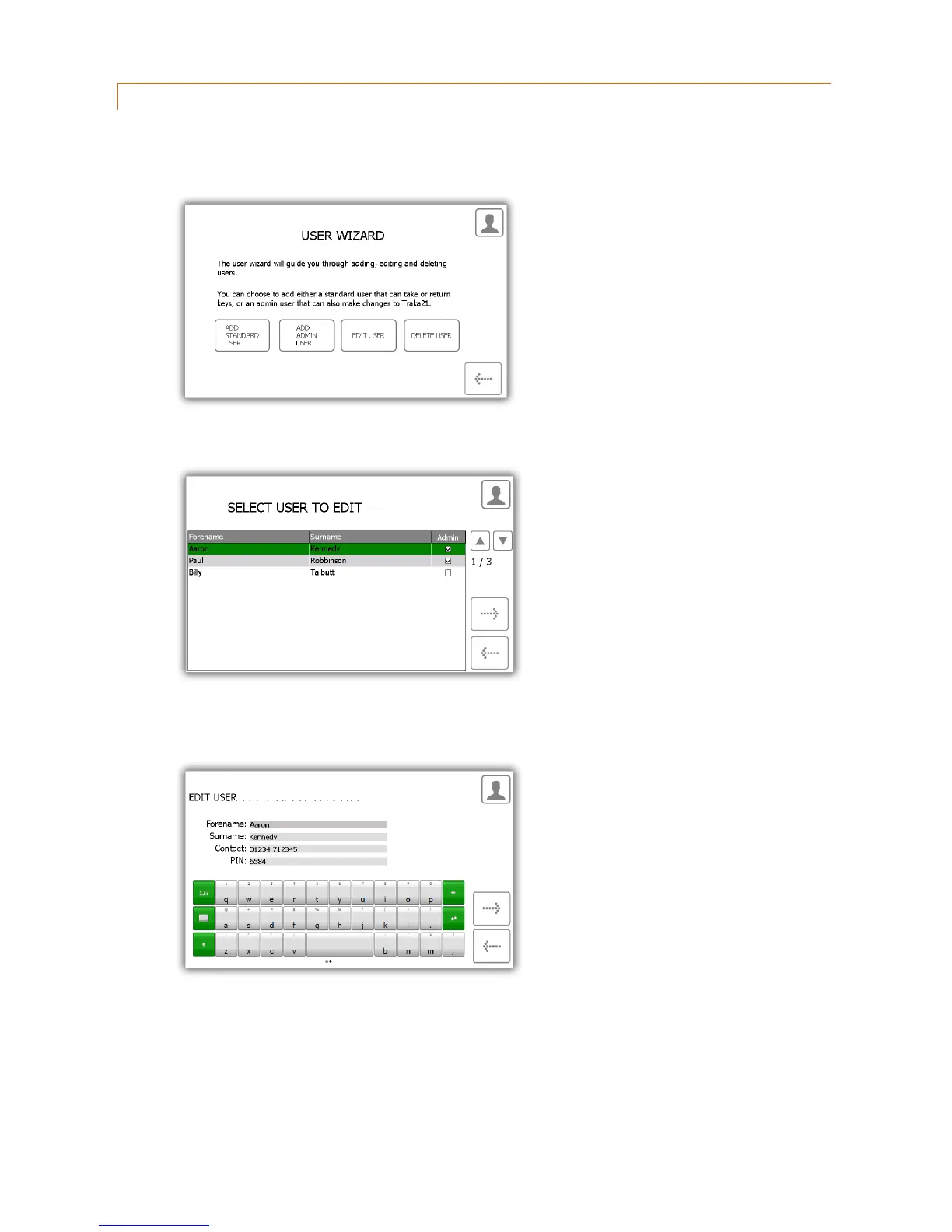
4.2.3 EDIT USERS
You can edit a user’s details...
1. Select the Edit User button.
2. The current user list will appear. Highlight the desire user and click the forward button.
3. The user’s forename, surname, contact and PIN will then appear. Make any changes you need and click the
forward arrow.
4. Next edit the key permissions by selecting the positions the user may or may not have access to.



 To Next Page