V1.2 09/01/15 UD0130 Page 7 of 63
2. TRAKA21 OVERVIEW
The Traka21 system uses touch screen technology for an easy, user friendly interface. Traka21 does not require the
use of a stylus or any other navigation device, to use the system simply click on the desired buttons with your finger.
2.1 THE TOUCH SCREEN
2.1.1 SCREEN SAVER
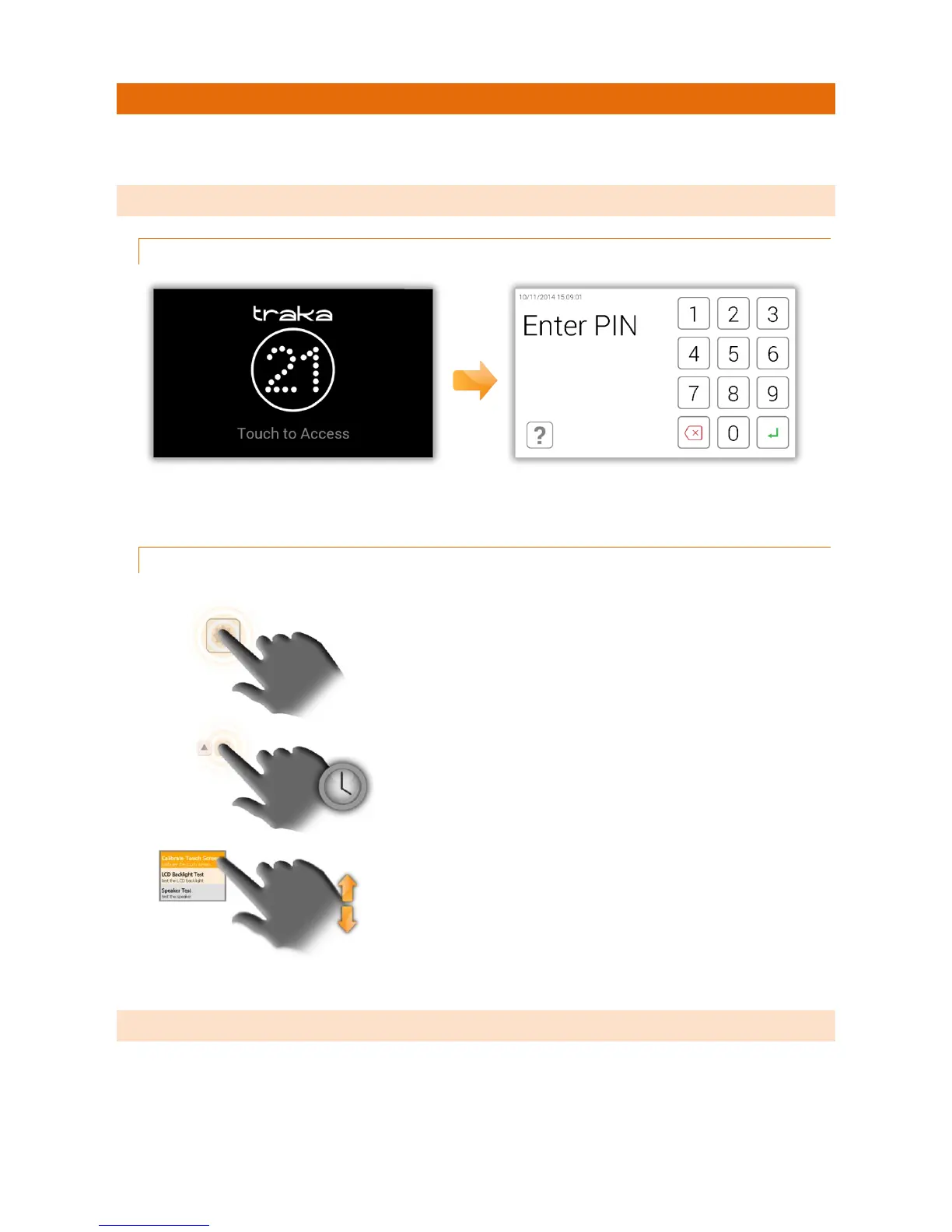
If the Traka21 system is not active for 30 seconds, then the system will go into ‘power save’ mode. To use the
system again simply press anywhere on the touch screen.
2.1.2 TOUCH COMMANDS
2.2 IDENTIFICATION
The Traka21 is a PIN only entry system. The minimum PIN length must be at least four digits long, and the maximum
length is ten digits.
Click – Selecting an onscreen button then
immediately releasing will activate it.
Click & Hold – Selecting and holding certain
directional buttons will cycle through menus and
various options.
Scroll – Swiping up and down on a list or menu in will
scroll through.



 To Next Page