V1.2 09/01/15 UD0130 Page 22 of 63
4.2.2 ADDING AN ADMIN USER
An admin user can remove and return keys as well as access the admin menu and run reports.
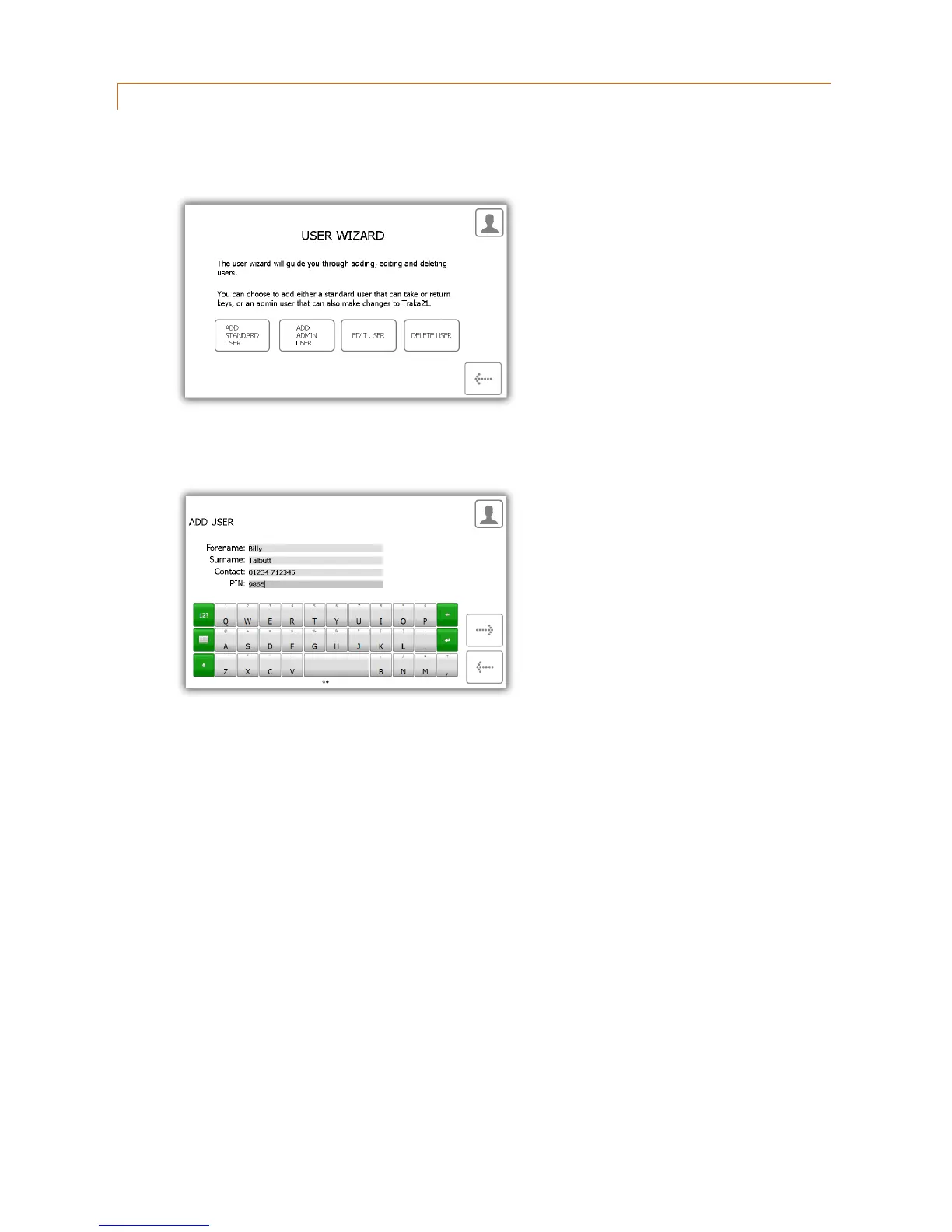
1. Select the Add Admin User button.
2. The user details window will appear allowing you to enter the user’s forename, surname, contact number
and PIN. Enter the details and click the forward button.
Contact – This field is for a phone number, fax number, email or any means of contact that the
user is reachable by.
PIN – The PIN (personal identification number) is the numeric password that will grant you access
into the system. It must be between four and ten digits long.
3. Next you will need to select the user’s permissions. Using the touch screen simply select which iFobs the user
will have access too. The green circles with white ticks show positions the user currently has access to. To
remove access, simply click the button to turn it to a red circle with a white line. When you have finished click
the forward button.



 To Next Page