V1.2 09/01/15 UD0130 Page 26 of 63
4.2.4 DELETE USERS
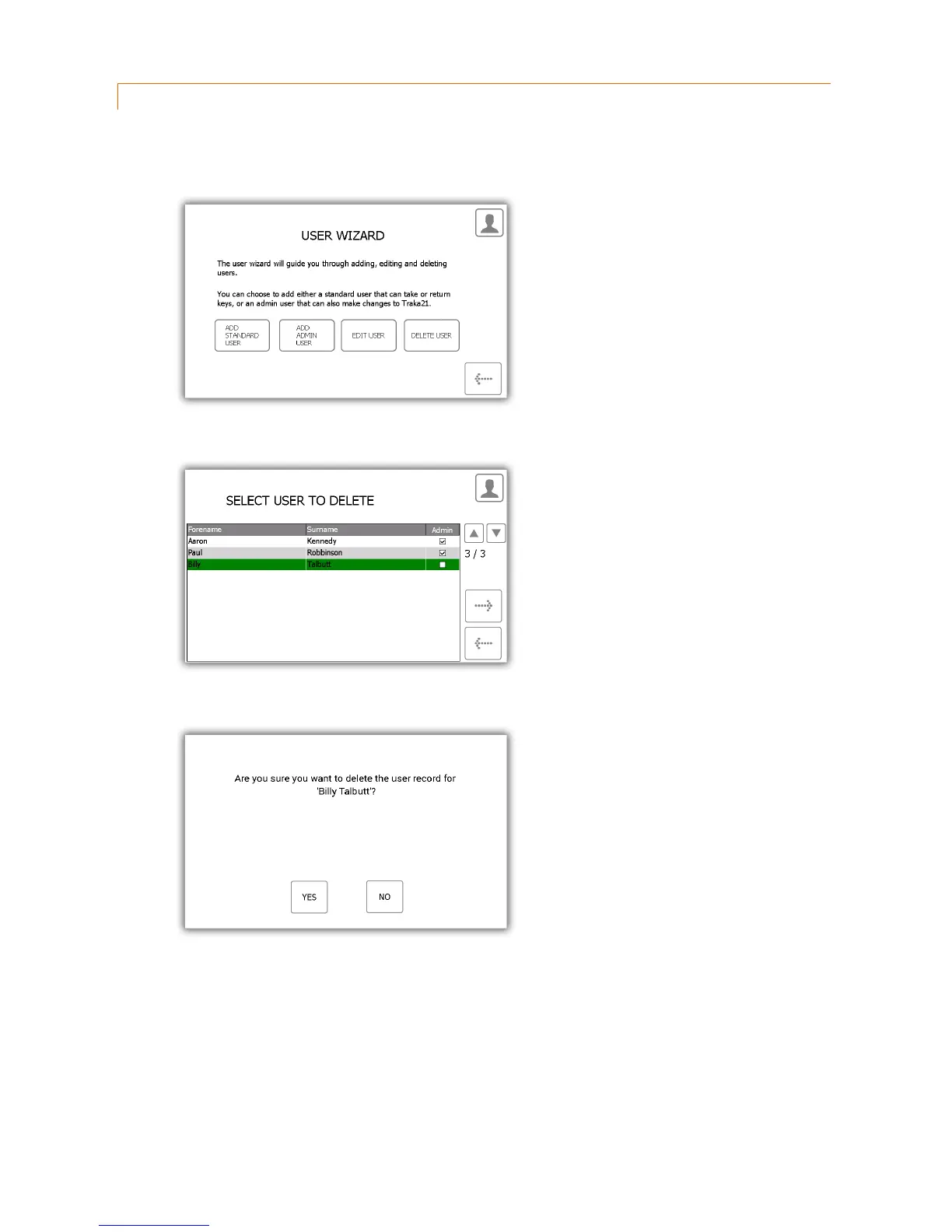
You can delete a user from the system...
1. Select the Delete User button.
2. The current user list will appear. Highlight the desire user and click the forward button.
3. A message will appear asking if you wish to delete the user. Click Yes.
4. The use will now be deleted from the user list.
5. To delete more user repeat steps 2-3.
6. When finished click the back button.



 To Next Page