V1.2 09/01/15 UD0130 Page 49 of 63
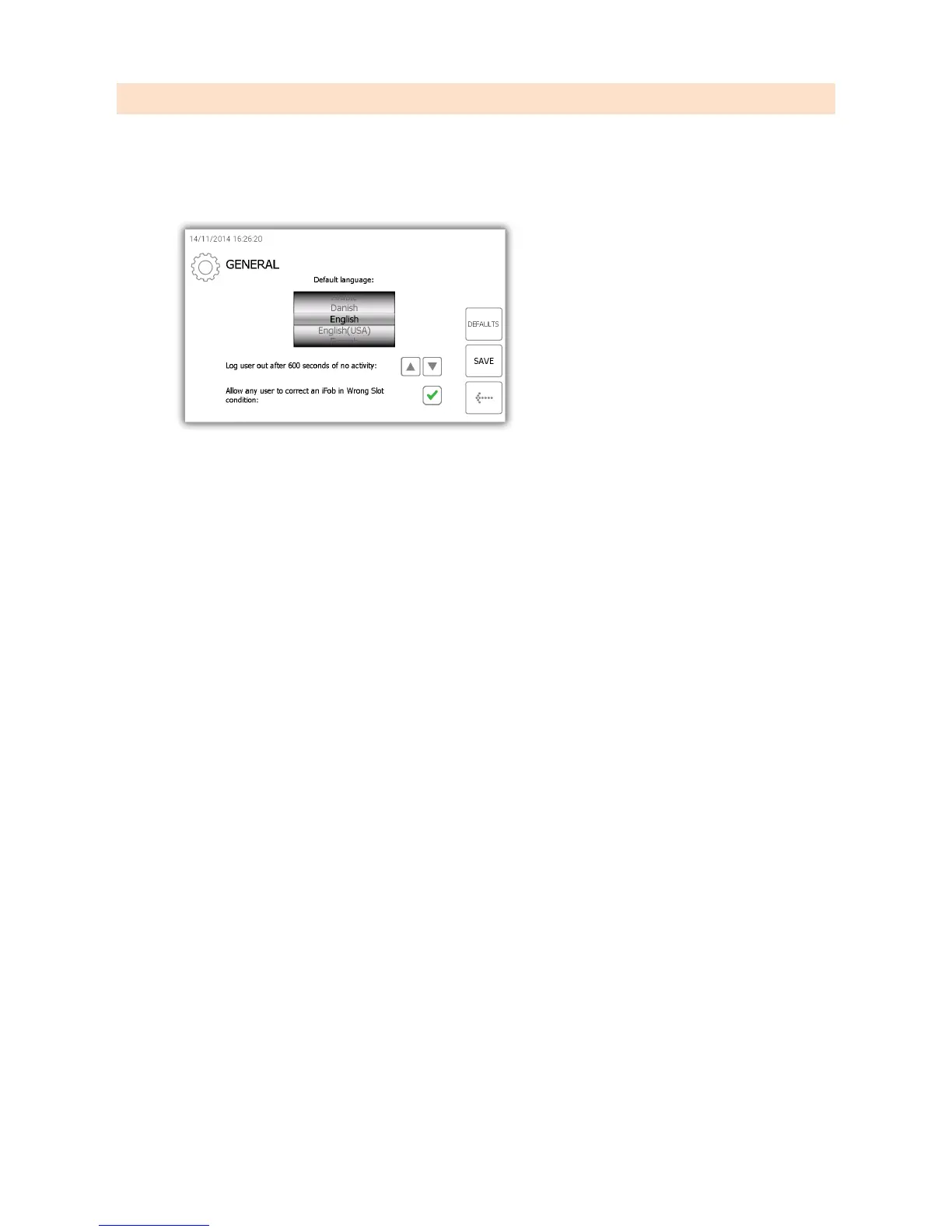
4.8 GENERAL
The general screen allows you to set three common settings of the system, the default language, system log out time
and iFob in wrong slot condition.
1. From the admin menu select the general button.
2. From here you can select the following options.
Default language
Simply scroll through to find the desired langue.
Log user out after xx or no activity
This feature allows you to define the amount of time it takes for the system to log the user out after no
activity. Using the directional arrows select the appropriate time in increments of 1 second.
Allow any user to correct an iFob in Wrong Slot
iFob in wrong slot condition – By default this option is enabled which means if an iFob is in the wrong
position, any user, not just an administrator, will be asked to move the incorrect iFob to the correct position
even is they don’t normally have permission to take the key.
3. Click the save button.
4. To set you system back to the default setting click the default button.
5. When finished click the back button to go back to the admin menu. From there click the exit button to go
back to the login screen.



 To Next Page