V1.2 09/01/15 UD0130 Page 39 of 63
4.5.4 SYSTEM EVENTS
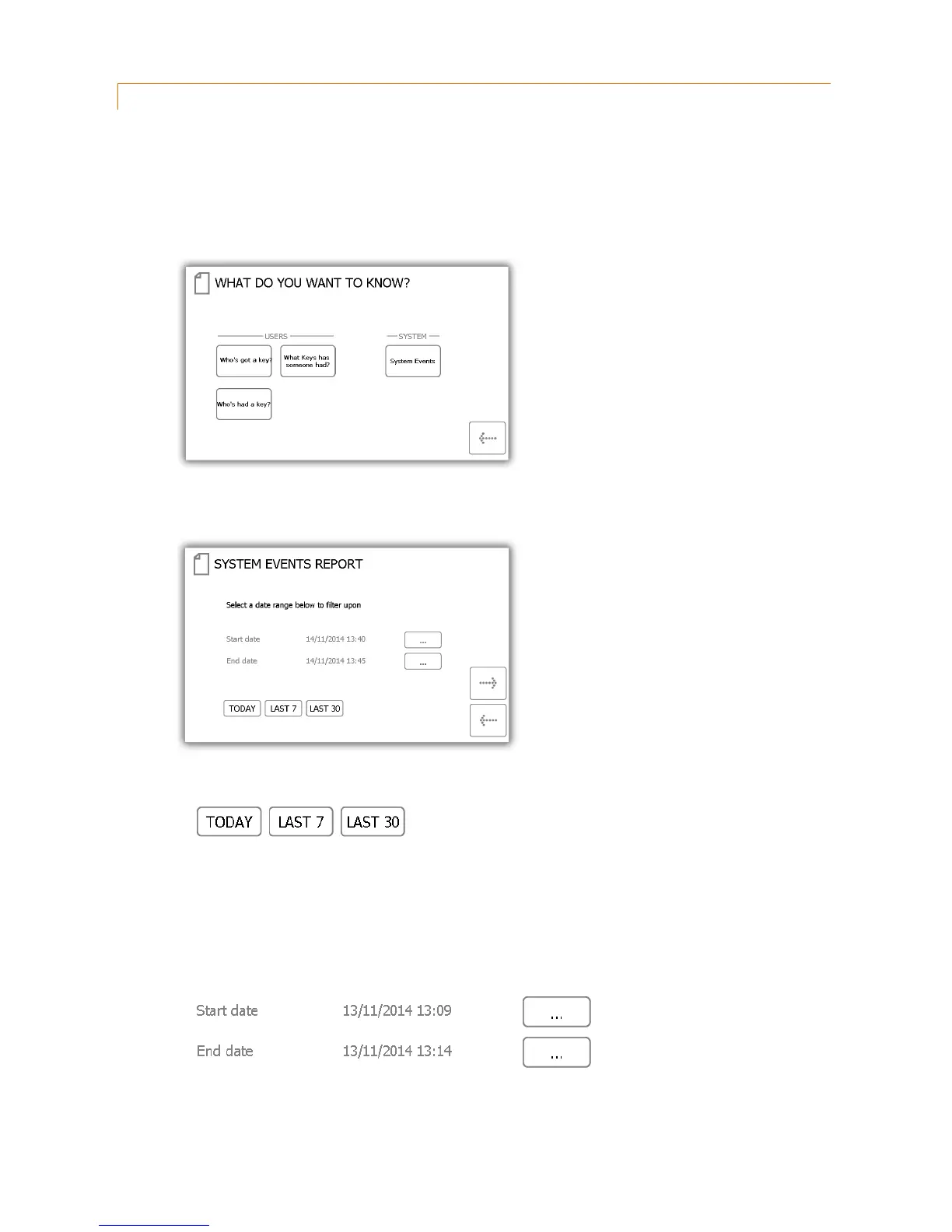
This report will allow you to see all system related events e.g. admin access, reports access, door opened manually
etc.
1. From the admin menu select the reports button.
2. In the System category, select the ‘System Events’ button.
3. Next you will need to filter your results by selecting a data range. You can manually enter a start and end
date or use the pre-set buttons at the bottom to automatically enter the date range for you.
The pre-set buttons will automatically select the date range for you as follows...
The ‘Today’ button will provide data for selected report beginning at 00:00 of today’s date and end
at the current time you are running the report.
The ‘Last 7’ button will provide data for the selected report from the last seven days.
The ‘Last 30’ button will provide data for the selected report from the past 30 days.
To manually filter the date range, select the button next to the start or end date.
A scrollable control will now allow you select the exact date and time you wish to run the report on.



 To Next Page