V1.2 09/01/15 UD0130 Page 58 of 63
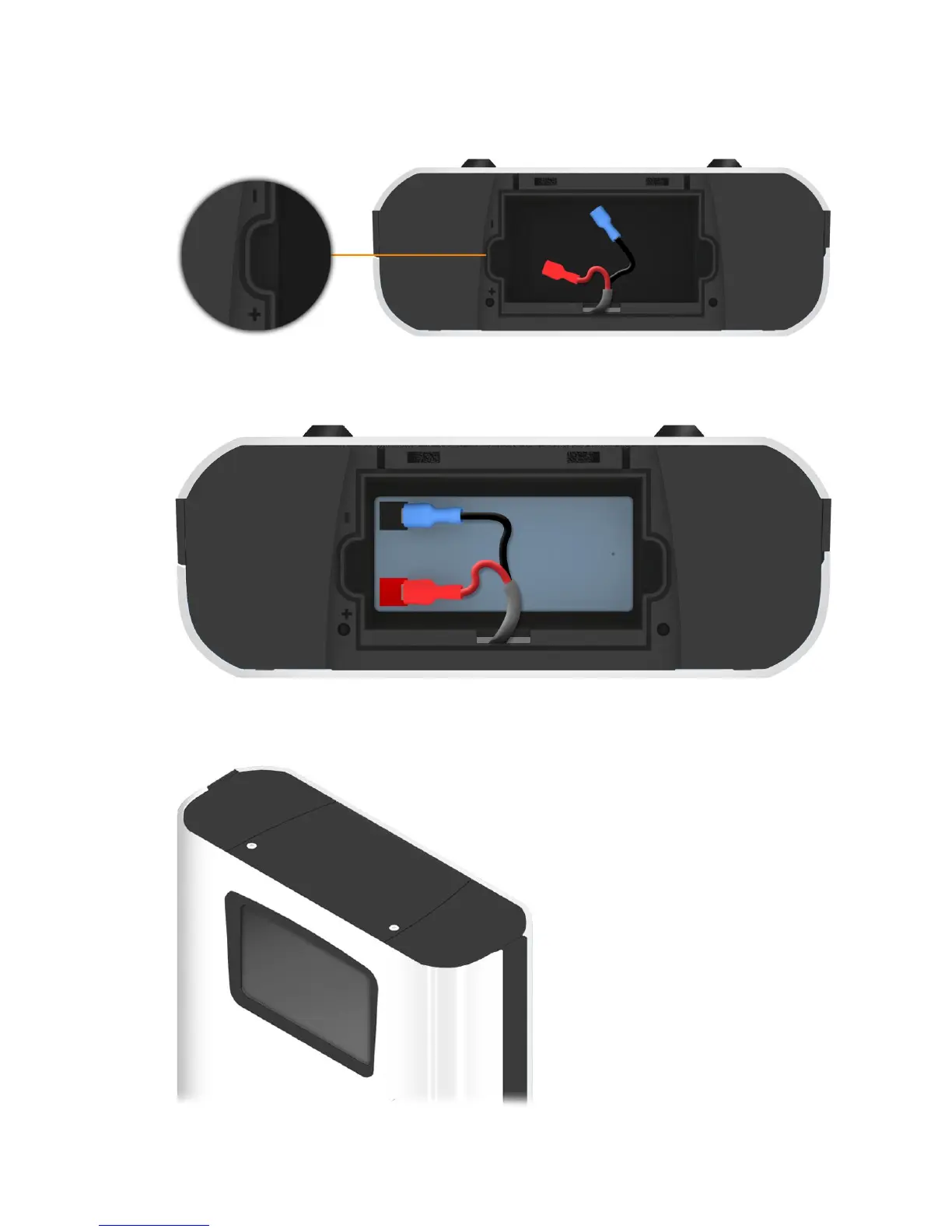
3. Place the battery inside the compartment. Inside the system, embedded into the material are + and –
symbols to help you properly orientate the battery correctly. The red terminal of the battery should face the
+ and the black terminal should face the -.
4. Connect the battery to the battery cable. Use the connection code in the section above for guidance.
5. Replace the cover and screws using the 2mm Allen Key.



 To Next Page