TVP-SP2 User’s Guide
12
4. Using Utility Control Panel
The USB phone utility comes with a control panel allowing users to adjust USB
Speakerphone settings as required. This chapter describes the functions available
through the utility control panel. Since the default settings satisfy most users’ needs,
you can just proceed to next chapter to start using the USB Speakerphone.
Accessing the Utility
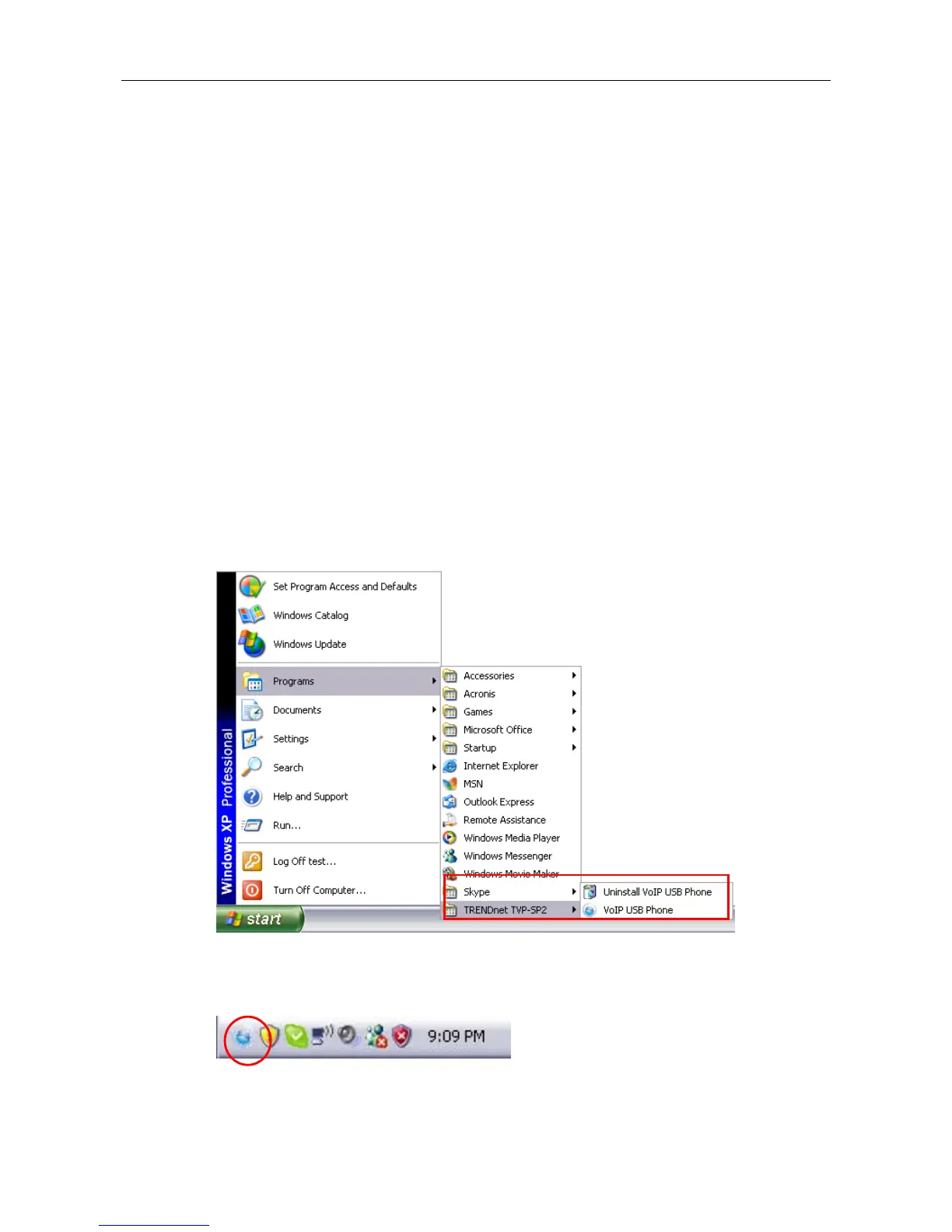
After the utility installation, a program group is added to Windows programs menu.
Using the programs menu, you can perform these tasks:
If the utility is closed, you can restart it by selecting Start > Programs >
TRENDnet TVP-SP2 > VoIP USB Phone.
Uninstall the utility by selecting Start > Programs > TRENDnet TVP-SP2 >
Uninstall VoIP USB Phone.
After the installation, the utility also starts automatically with its icon located in the
system tray. It also starts automatically at system startup.



 To Next Page