TVP-SP2 User’s Guide
24
Loading Calls List
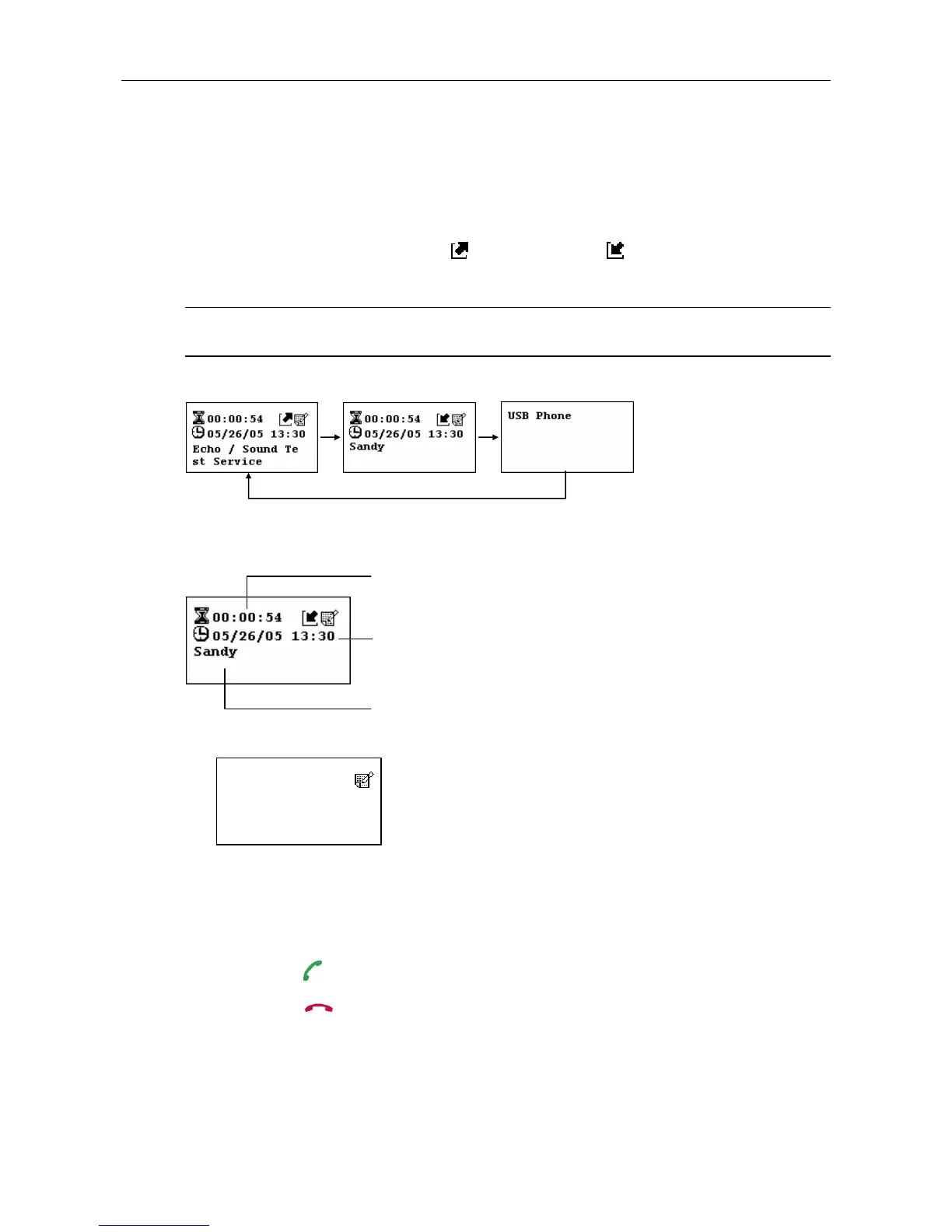
Outgoing/Incoming Calls List
Pressing the Outgoing/Incoming Calls key repeatedly allows you to switch
between the list of outgoing calls (
), incoming calls ( , including rejected calls),
and main screen. Most recently dialed or received call is displayed first.
Note: Letter with diacritical marks, such as German umlaut letters (Ä, ä, Ö, ö, Ü, ü),
is not displayable and will be replaced by a blank instead on the display.
Outgoing Calls Incoming Calls Main Screen
An incoming call record example is as below:
The screen below indicates an empty calling list.
At the calling list screen, you can:
Use the Scroll Up / Down key to scroll through the list. You can keep pressing
Scroll Up / Down to quickly scroll through the list.
Press the
key to call the contact being displayed.
Press the
key to exit the calling list and returns to LCD main screen.
Date and time of the call.
Caller ID.
Call duration. It is blank if the outgoing
call is not answered or the incoming call
is missed.



 To Next Page