29
6. Troubleshooting
Sound Devices Problems
Q1. While using Skype or MSN messenger software for voice conversation:
• There is no dial tone after pressing the dial key.
• I cannot hear the other party on my USB Speakerphone.
• I hear the other party on my PC’s sound card (or another USB speaker)
instead of the USB Speakerphone.
• The other party cannot hear me.
A1. Make sure your software is configured to use USB Speakerphone as the audio
in/out device.
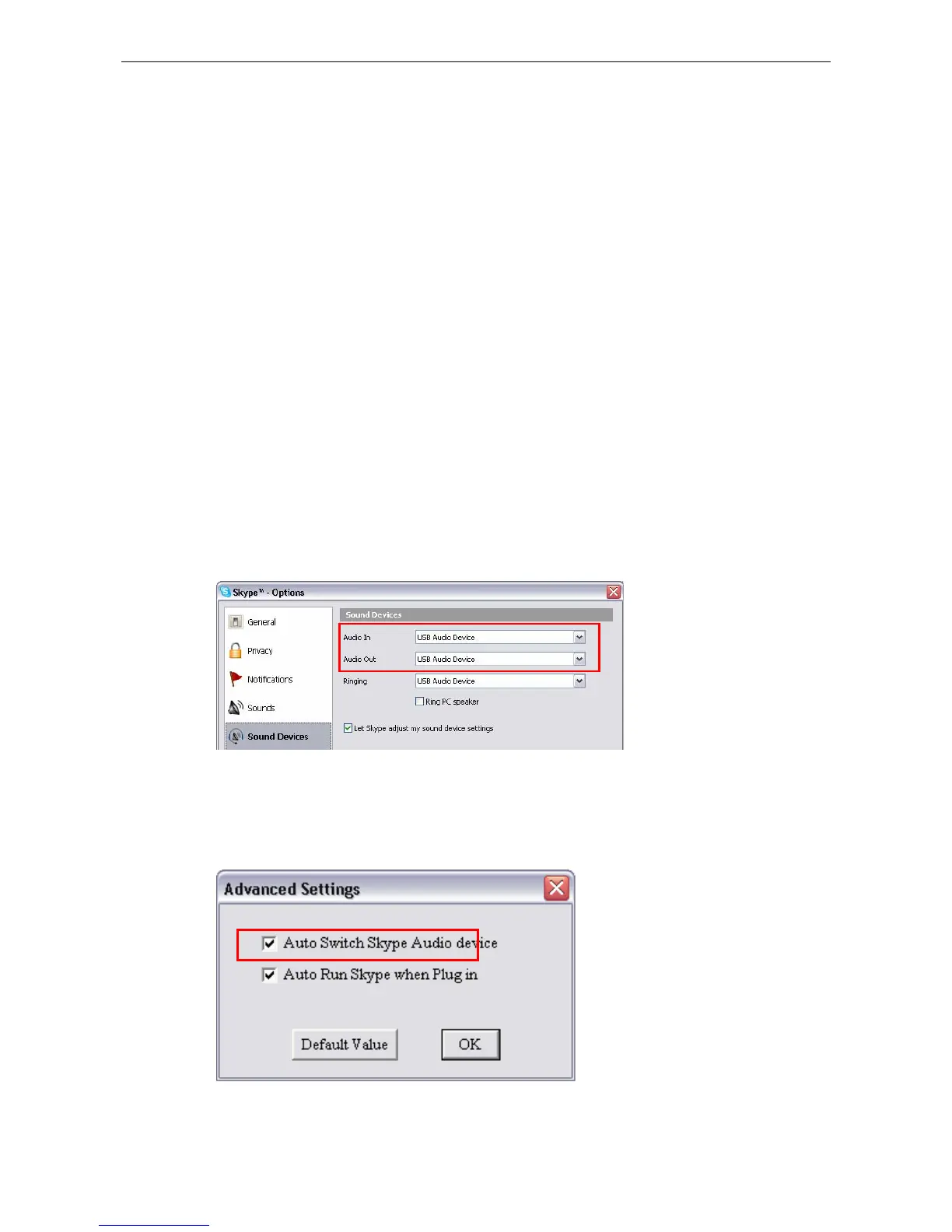
In Skype window, click Tools > Options > Sound Devices. Make sure the
Audio In (microphone) and Audio Out (speaker) and are correctly configured
to use USB Audio Device, i.e., the USB Speakerphone.
It’s suggested that you enable Auto Switch Audio Device in Advanced
Settings of the utility control panel. This ensures Skype always uses the USB
Speakerphone whenever it is plugged.



 To Next Page