TVP-SP2 User’s Guide
2
Supports Skype hot-key functions that are as easy as dialing normal telephone
Compliant with USB 1.1 specifications (transfer rate to 12Mbps)
System Requirements
Computer with an available USB 1.1 port or higher
Windows
®
98SE/ME*/2000/XP (All use Windows built-in audio driver)
To use Skype with the USB Speakerphone, your computer must meet the
following minimum system requirements**:
• PC running Windows 2000 or XP.
• 400 MHz processor
• 128 MB RAM
• 15 MB free disk space on your hard drive
• Internet Connection
• With provided utility installed
* Skype doesn’t support Windows 98SE/ME. Under these systems, the USB Speakerphone only
works as an audio input/output device and can be used with an instant communication software,
e.g., MSN Messenger, Yahoo Messenger and etc.
** The requirements are subject to Skype software. For the latest requirements, please visit the
Skype website.
Exterior Overview
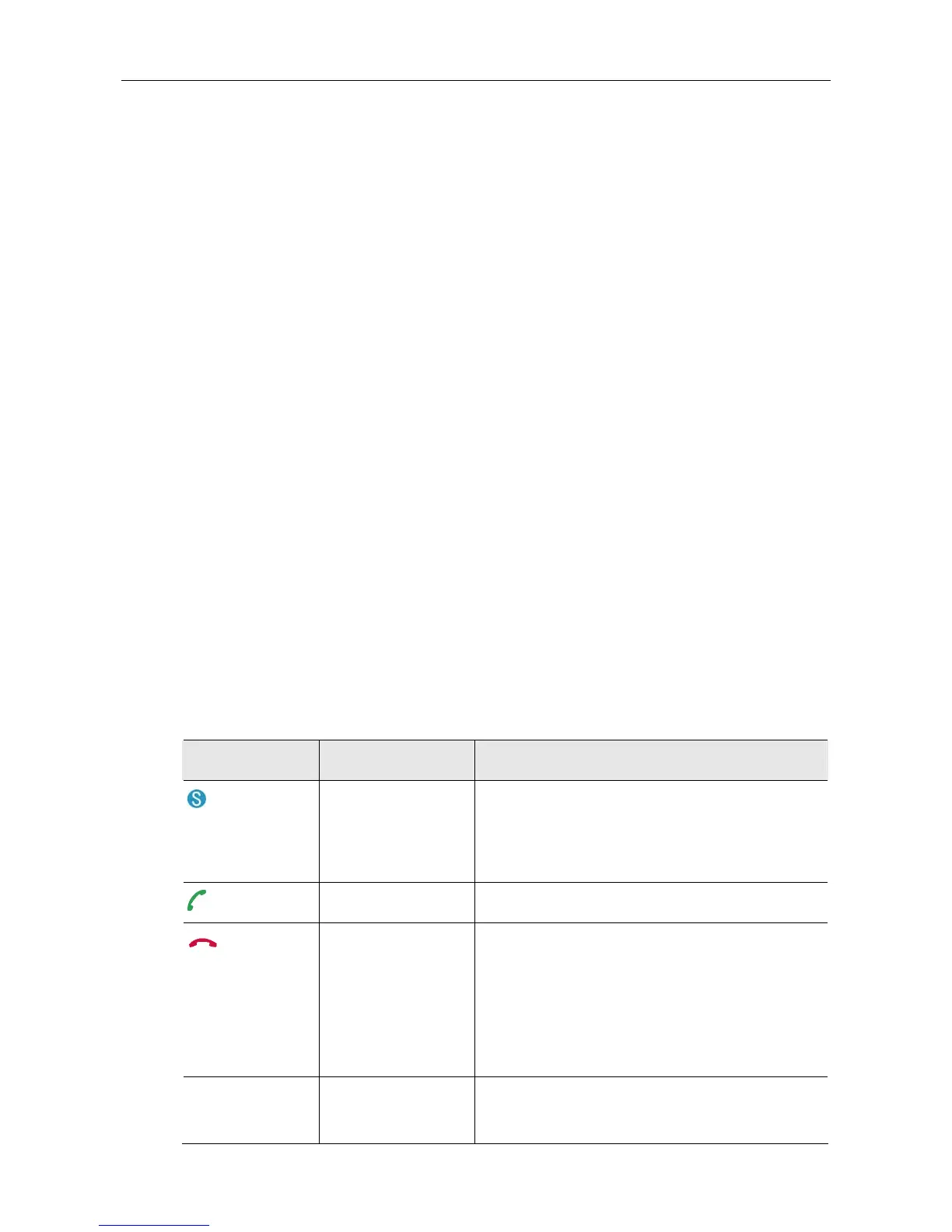
Keypads and Control Buttons
Icon Function Description
Skype on/Tab Switch Press briefly to open the Skype window and
switch between tabs.
Long press to close the Skype window.
Dial/Answer/Redial Dial, answer or redial a call.
Hang up/
Reject/Clear
Ends or rejects a call.
When dialing via the device keypad:
Press briefly to clear an incorrectly entered
number.
Long press to clear all the entered numbers at
the same time.
0~9, #,
*
, +
Dial pad. Dial pad. If Skype is closed, pressing it will open
Skype window.



 To Next Page