17
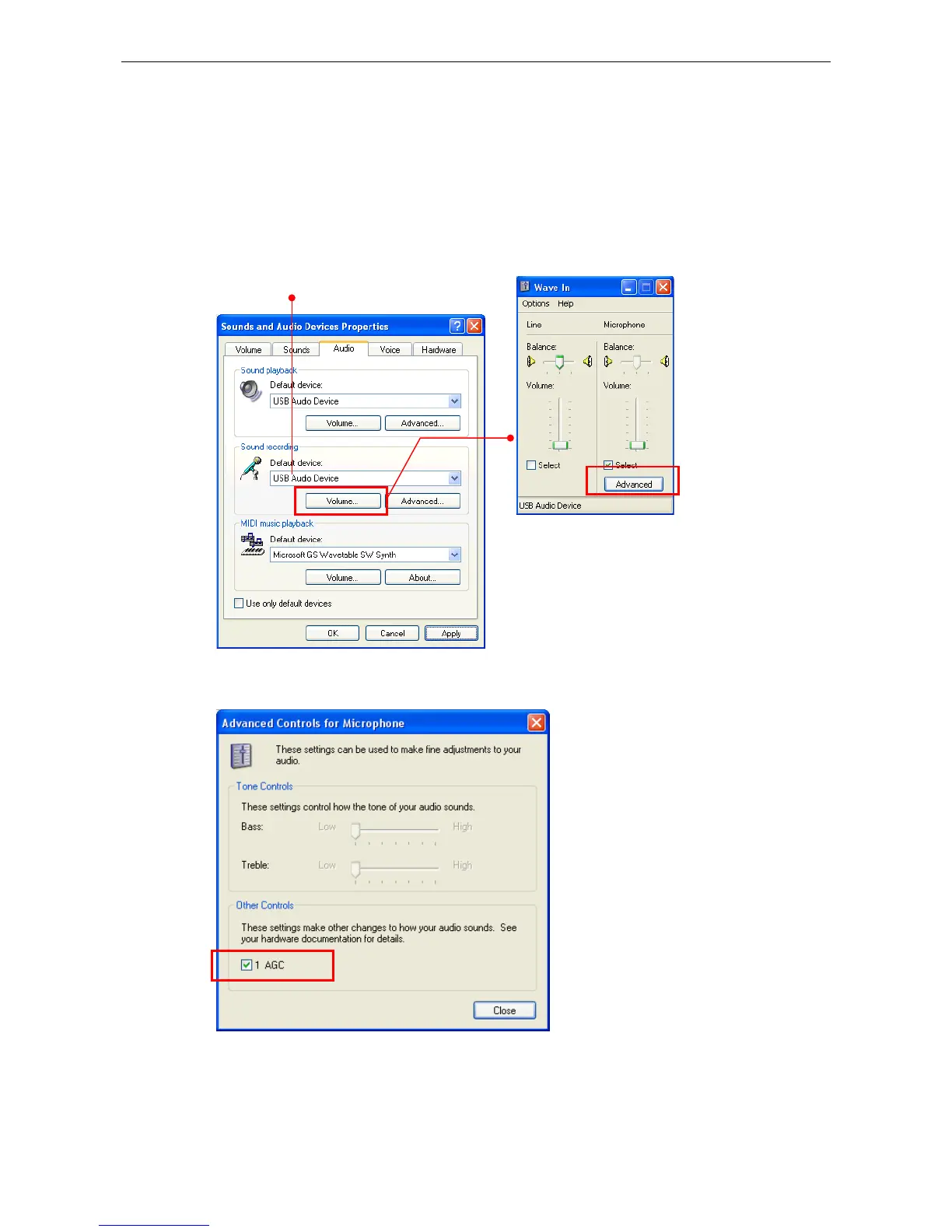
a conference call. AGC also decreases the gain when the microphone is close to
the user. To enable AGC:
1. Go to Control Panel > Sounds and Audio Devices (or Sounds and
Multimedia) > Audio.
2. In the Sound recording section, click the Volume and then the Advanced
button.
Select the USB phone.
If the Advanced button is not
available, click Options >
Advanced Controls to display
3. Enable the AGC option.



 To Next Page