General Information and Operating Instructions
PUSHBACK TRACTOR CHALLENGER550
Page 14
1-2
Jan 28/19
Fuel fill level
(1) Switch on the ignition (start switch to "I").
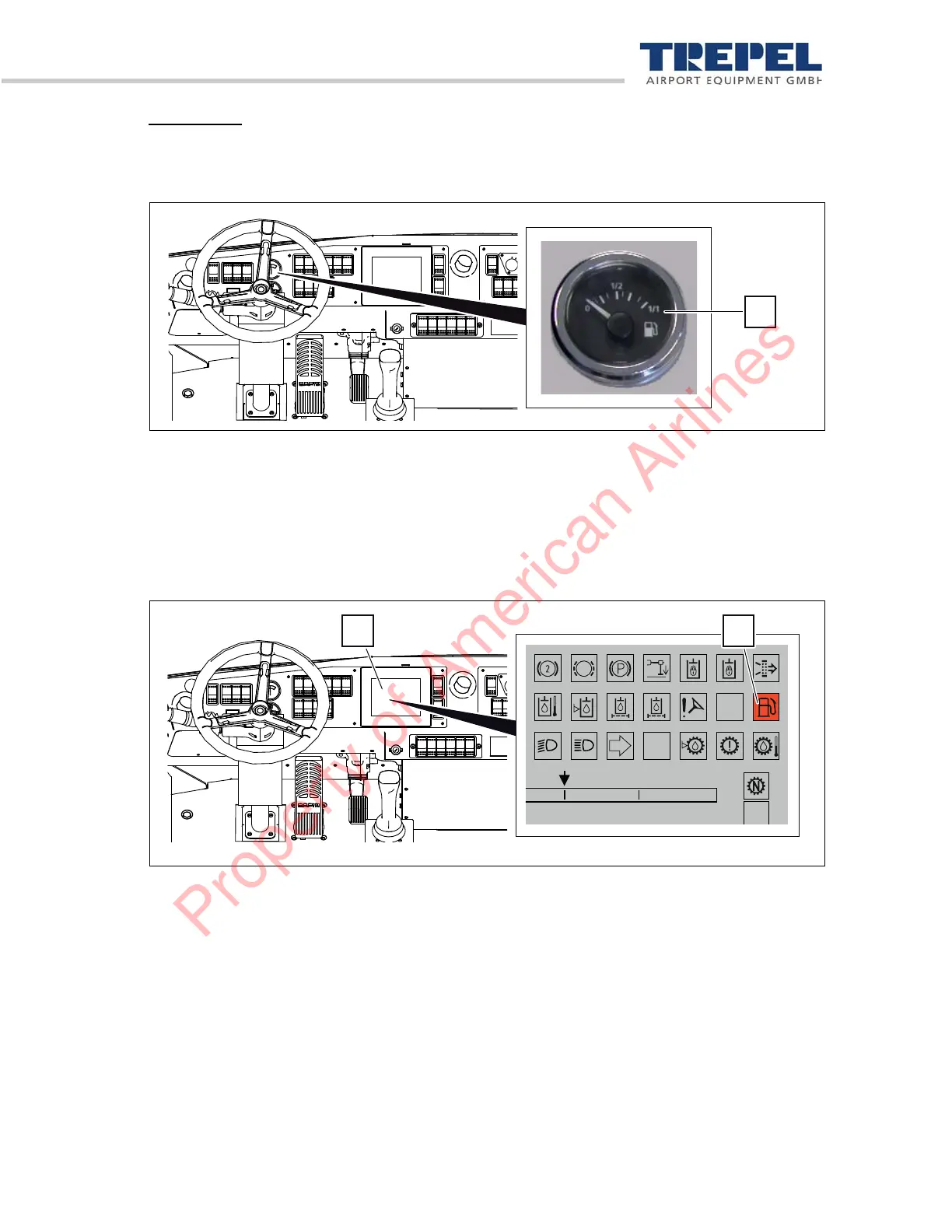
(2) Check the fuel supply on the analog fuel gauge of the instrument panel.
Figure 7: Analog fuel gauge
1 Fuel gauge
(3) Check the fuel supply on the instrument panel display.
The "fuel supply" indicator is not lit = the fuel supply is OK.
The "fuel supply" indicator is red = the fuel supply is < 25 %: Refill fuel.
Figure 8: Checking fuel supply
1 Display
2 "Fuel supply" indicator
(4) Fill the fuel tank with fuel if required.
(5) Ensure that enough fuel supply is always available.
0
10050
Property of American Airlines


 To Next Page