General Information and Operating Instructions
PUSHBACK TRACTOR CHALLENGER550
Page 40
1-2
Jan 28/19
(3) Select the steering program by pressing the corresponding toggle switch.
Symbol for selected steering program flashes for a few seconds on the display.
Symbol for the selected steering program is shown in light blue on the display.
The steering program has been selected.
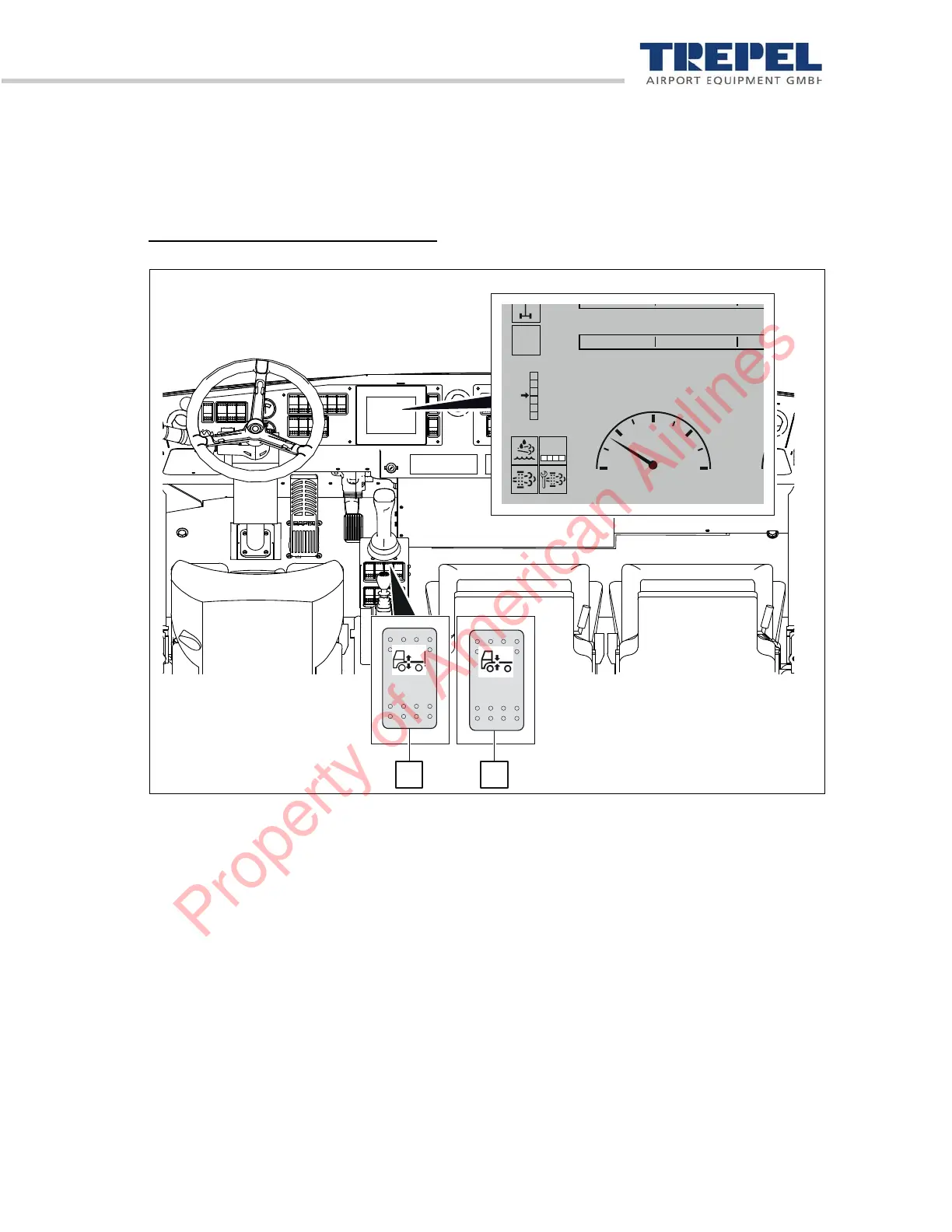
Set front axle suspension to drive level
Figure 22: Front axle suspension
The front axle suspension must always be set to drive level before traveling. Proceed as follows for
that:
(1) Press the "Switch front axle suspension on/off" 1 switch downwards.
The front axle suspension is switched on, the "Front axle suspension on" indicator in the dis-
play lights up.
(2) Press the "Front axle suspension" button upwards or downwards until the "Drive level" indica-
tor in the display lights up.
Front axle suspension is set to drive level.
0
0
-100
-100 -50
-50
[km/h]
0
10
20
30
40
0
0%
Property of American Airlines


 To Next Page