General Information and Operating Instructions
PUSHBACK TRACTOR CHALLENGER550
Page 68
1-1
Jan 28/19
Rocker and toggle switches
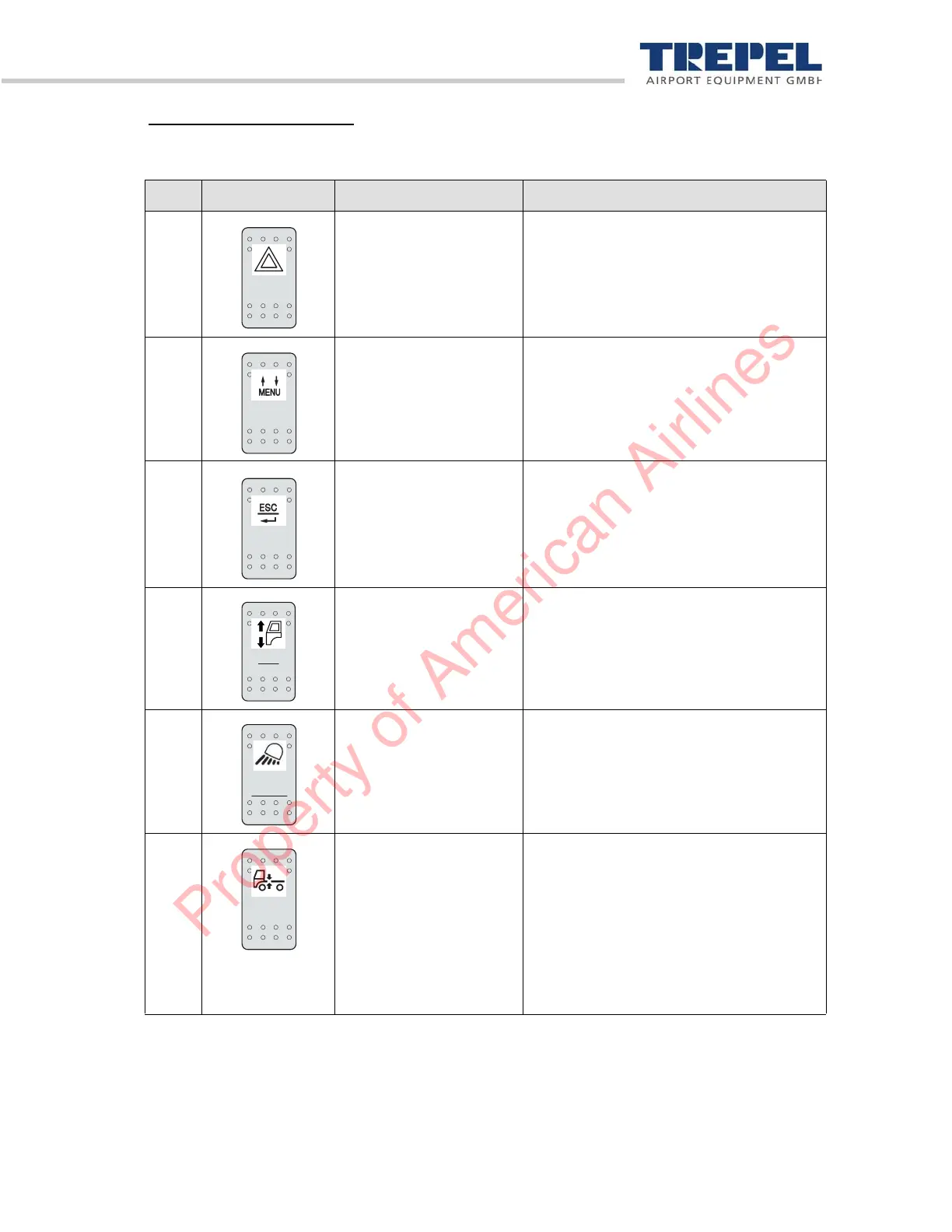
The rocker and toggle switches serve to select the following functions:
Pos. Pictogram Designation Description
1 Switch
"Hazard lights"
Switch on/off hazard lights.
The hazard lights switch on automatically
when going into reverse.
2 "Display" button Press up/down to leaf through menu.
3 "Display" button Press upwards – back (ESC) Press
downwards – select (return).
4 Button
"Cab up/down"
Raise lower driver's cab (by touch).
5 Switch
"Work headlights and
rear work lights"
Switch work headlights and rear work
lights on/off
6 Switch
"Switch front axle
suspension on and off"
Press switch upwards:
Switch off front axle suspension.
The "Front axle suspension off" indicator
in the display is lit.
Press switch downwards:
Switch on front axle suspension.
The "Front axle suspension off" indicator
in the display is not lit.
Property of American Airlines


 To Next Page