Page 61
1-1
General Information and Operating Instructions
PUSHBACK TRACTOR CHALLENGER550
Jan 28/19
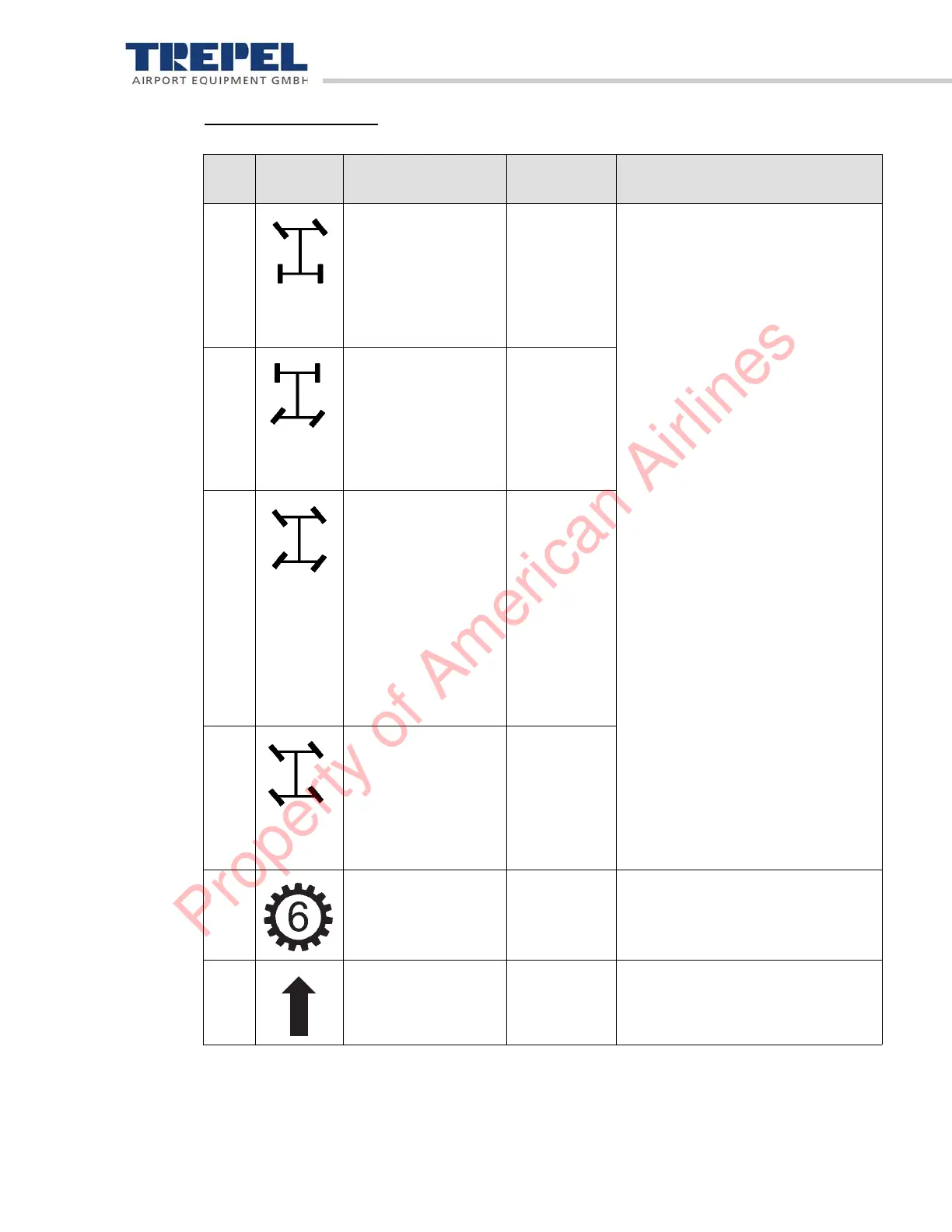
Display area "2" middle
Pos. Picto-
gram
Designation Light color Description
1 Steering program,
front-wheel steering
Light blue =
selected
steering
program
Red = stee-
ring fault
Displays the selected steering pro-
grams. The steering program is
activated when the upper symbol in
area "2" lights up.
If the lower symbol in area "2" flas-
hes, the newly selected steering
program is not yet activated.
As soon as the newly selected stee-
ring program is activated, the upper
symbol lights up and replaces the
old steering program.
2 Steering program,
rear wheel steering
Light blue =
selected
steering
program
Red =
steering fault
3 Steering program:
four-wheel steering
(circular drive)
Light blue =
selected
steering
program
Red =
steering fault
Orange =
wheel
position not
recognized
4 Steering program,
diagonal drive
Light blue =
selected
steering
program
Red =
steering fault
5 Drive position Light blue The number in the gear-wheel
shows the selected drive position.
6 Driving direction Light blue The arrow shows the preselected
driving direction.
Property of American Airlines


 To Next Page