General Information and Operating Instructions
PUSHBACK TRACTOR CHALLENGER550
Page 62
1-1
Jan 28/19
Table 9: Display area "2" middle
INFORMATION
The wheels have to be in a straight position when changing the steering program. The CHALLEN-
GER550 may not be standing still when changing the steering wheel, but must be driving at a maxi-
mum speed of 2 km/h (1
mph).
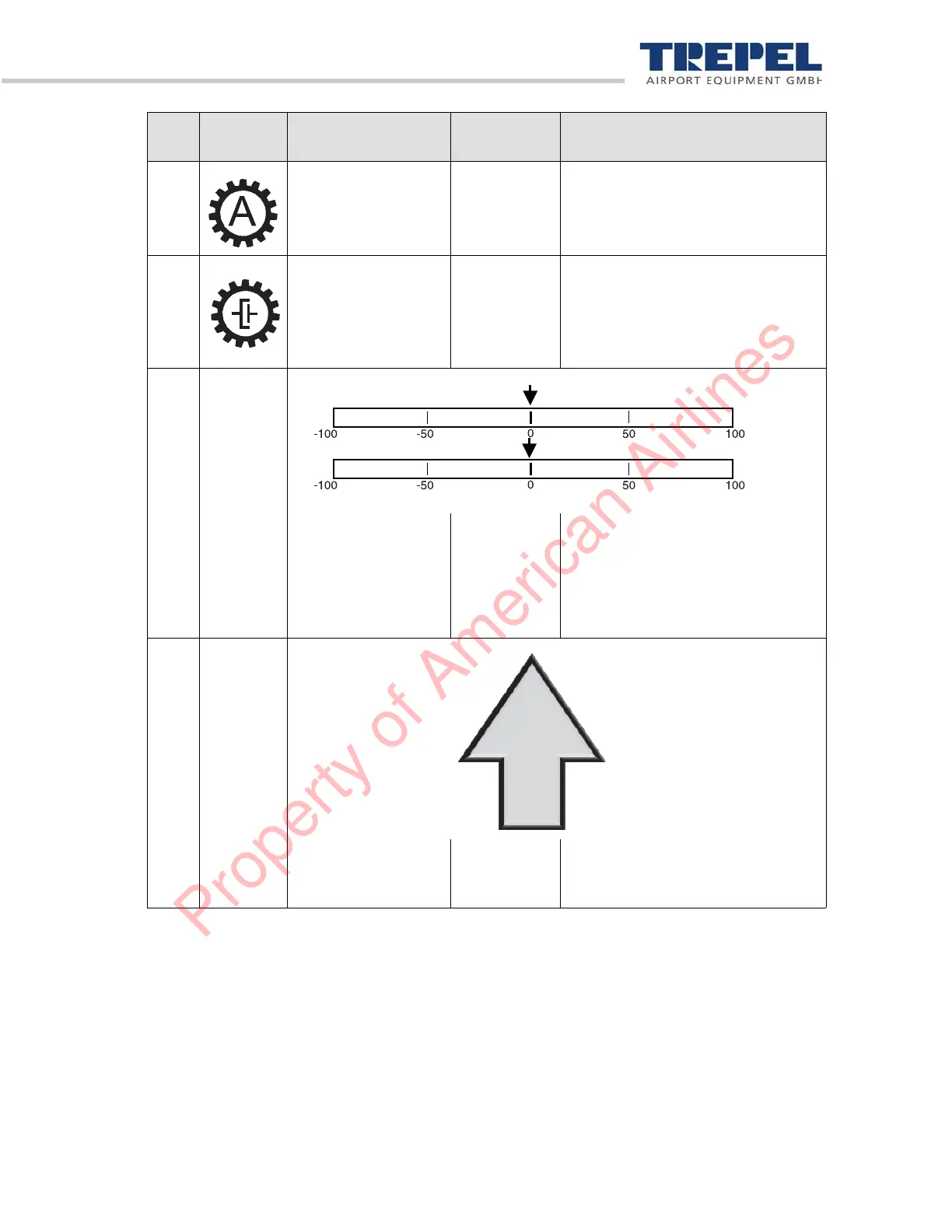
7 Operating mode Light blue The letter in the gear-wheel shows
the selected operating mode ("A"
for automatic or "M" for manual
mode).
8 Converter clutch Light blue =
clutch closed
No color =
clutch open
Displays the position of the conver-
ter clutch (closed or open).
9 –
Steering position of
axles
Black
red = stee-
ring pro-
gram change
not possible
The arrow shows the steering lock
in %. The top scale shows the front
axle, the bottom scale the rear axle.
10
Driving direction
selected
Light blue The arrow lights up for approx. 15
seconds after the driving direction is
selected.
Pos. Picto-
gram
Designation Light color Description
Property of American Airlines


 To Next Page