TrojanTwo User Guide v3.8
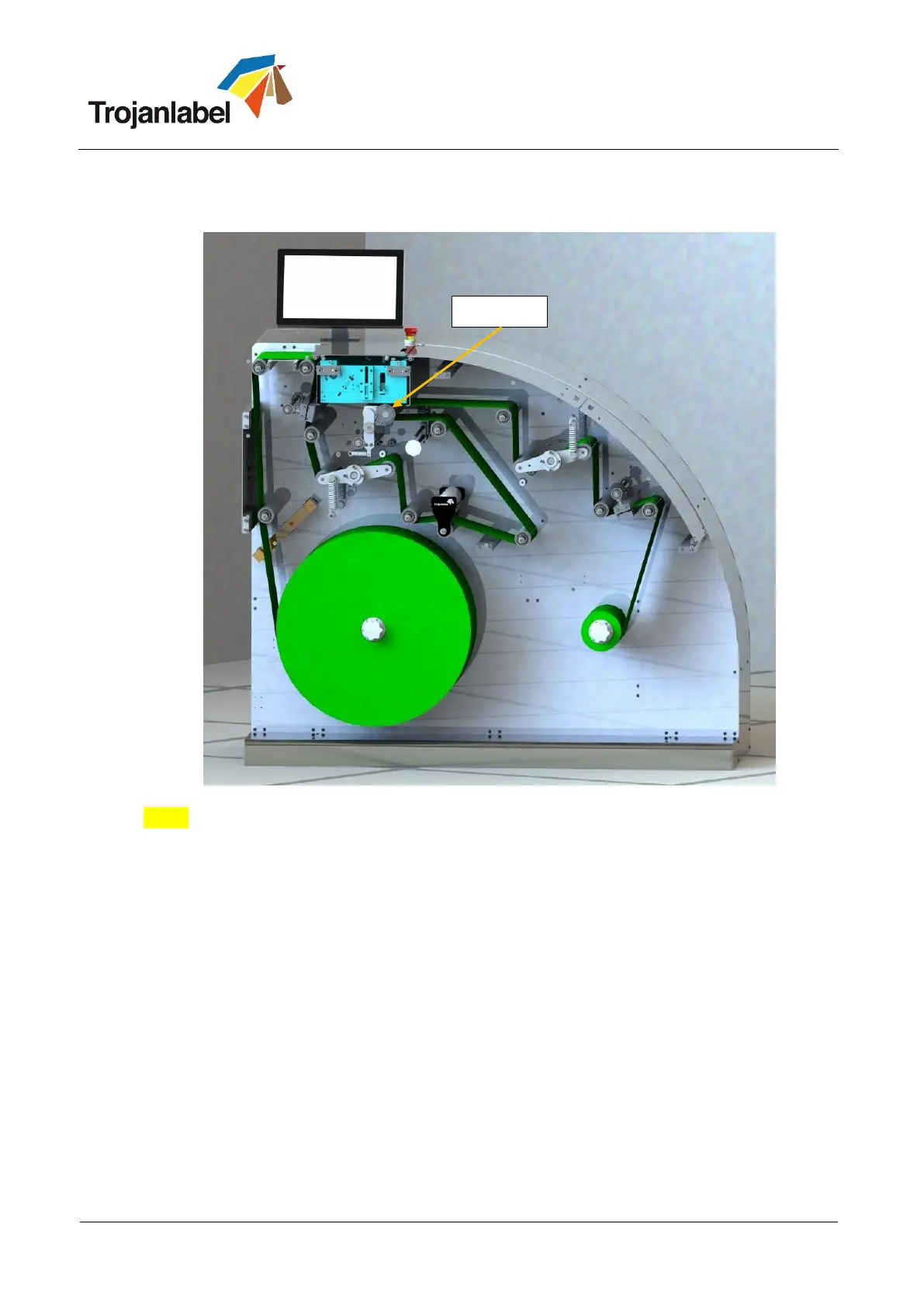
7 Thread the machine according the picture below, until you reach the rewinder.
NOTE: When leading the label web around the NIP roller, press ‘Home Maintenance Module’
button at TrojanTwo -> Handling menu to gain easier access to the NIP roller. When threading is
completed, use the ‘Install Maintenance Module button’ in the same menu to move the
maintenance module back into position.
8 Place an empty roll core on the rewinder. Ensure that it is minimum as wide as the threaded label
material.
9 Mount the material in direction according to chapter 4.1.2.
10 Check and make sure that Unwinder and Rewinder spindles are tightly locked and fix label rolls to
the shafts.



 To Next Page