TrojanTwo User Guide v3.8
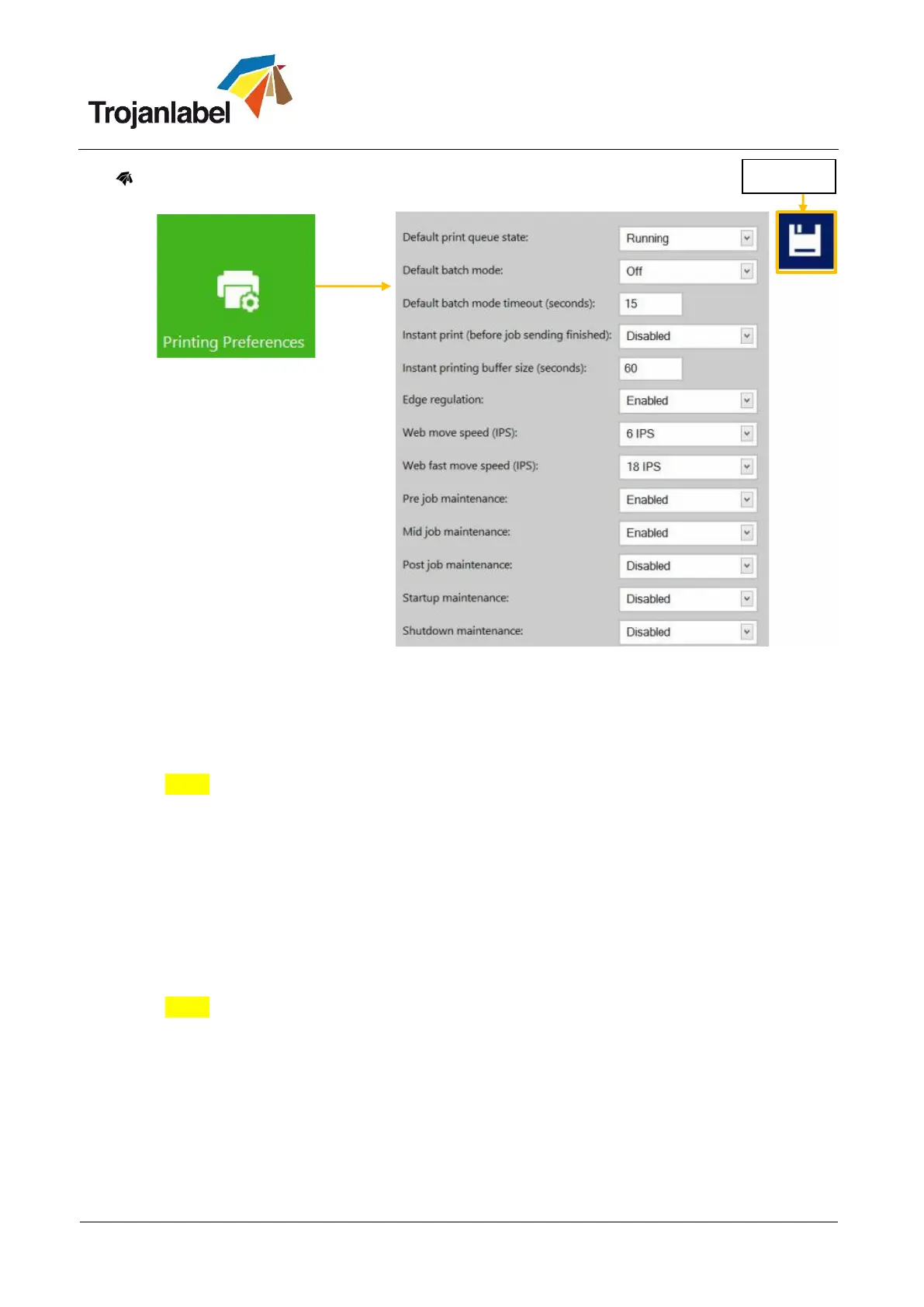
Printing prefrences button
Default print queue state:
Running: (Default) Print jobs are queued progressively as they sent and processed in FIFO (first
in first out) system. The queue can be managed from Print queue menu (see section 13.3.5).
Paused: Paused print job queuing.
Default batch mode:
NOTE: Batch mode means that the TrojanTwo press is waiting for a certain period of time and
batches the print jobs sent during the batch mode timeout. Batched print jobs are merged into 1
print job and printed out at once. Batched print jobs show up as 1 print job in statistics.
Off: (default) Batch mode is switched off by default.
On: Batch mode is on.
Default batch mode timeout (seconds):
If batch mode is on, the press is waiting for the print jobs to be sent until the timeout interval
expires. All print jobs sent during this timeout period will be merged into 1 print job and printed
out at once when timeout expires.
Instant print (before job sending finished): enabled/disabled.
NOTE: This function only works when printing from the optional Trojan Print Processor (TPP)
software and not from the regular TrojanTwo driver.
When disabled the TrojanTwo press buffers the whole print job which is being sent to the press
via the TrojanTwo driver before actually starting to print.
When enabled the TrojanTwo press starts printing right after buffering X seconds of print
stream (buffering time is set at next menu point).
Instant printing buffer size (seconds): timer set for the buffering when Instant print option is
enabled.



 To Next Page