2-4 Model 3321 Aerodynamic Particle Sizer
Spectrometer
Power C onnection
Connect the AC power cord (supplied) to the AC POWER IN connection on
the back of the Model 3321 and then into an available power outlet. It is not
necessary to select the correct voltage, the sensor accepts line voltage of
85 to 260 VAC, 50 to 60 Hz, 100 W max., single phase. The connection is
self regulating.
Toggle the on/off switch at the POWER connection to the on position to
verify the sensor has power.
Alternately, connect 24 VDC to the DC POWER IN connection. Contact
TSI to order the necessary connector.
Connec t i n g the C o m p u ter
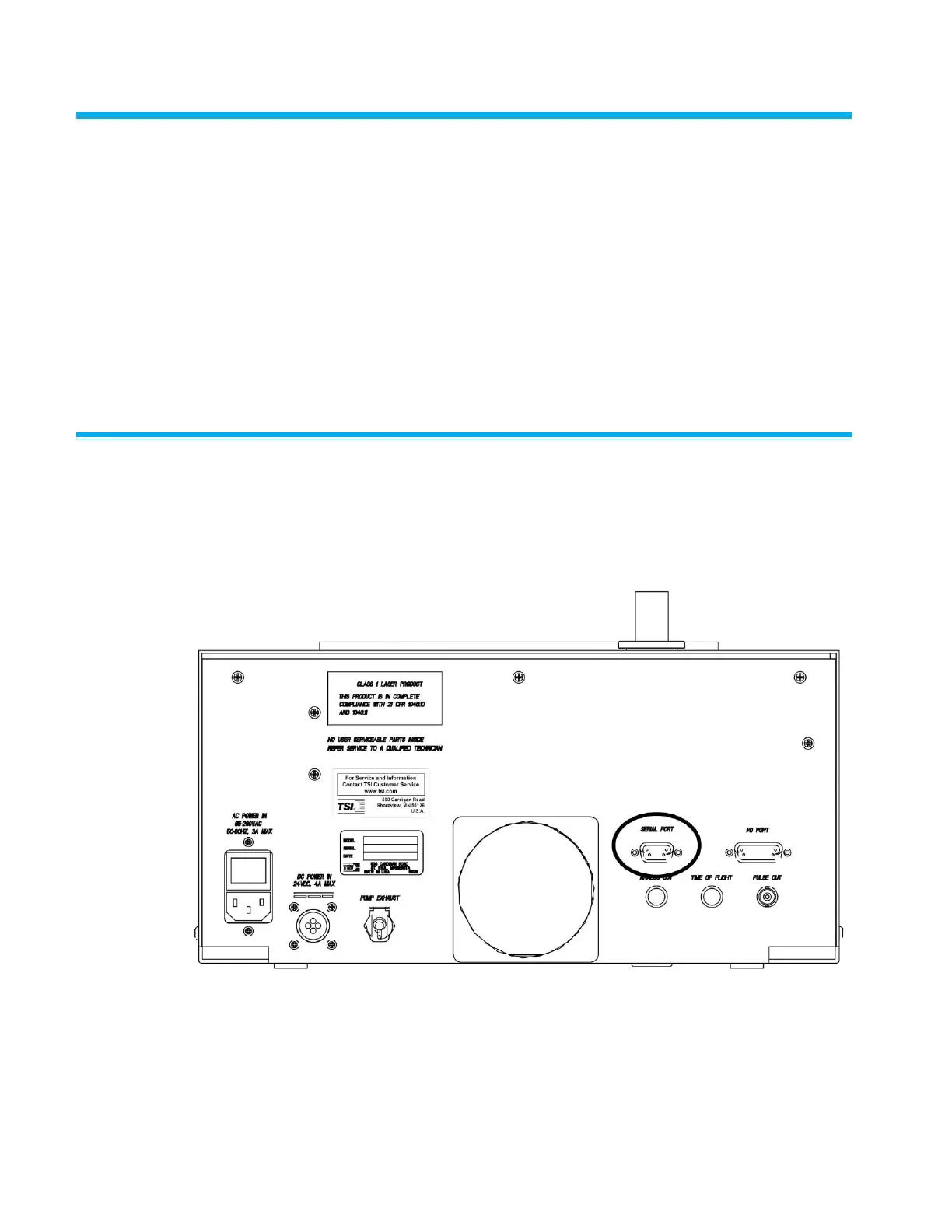
Connect the serial port of an IBM-compatible computer to the SERIAL
PORT connector on the back of the Model 3321 (Figure 2-3). Use the
4-meter cable provided. If you need a longer cable, use a standard IBM
9-pin, serial extension cable.
Figure 2-3
Serial Port Connector on the Back of the Model 3321 APS™ Spectrometer














 To Next Page