Description of the APS
TM
Spectrometer 3-3
Press or rotate the control knob.
To view information about a specific
channel displayed on the graph
Turn the control knob so that the cursor is positioned on the bar of the
appropriate channel. The channel size and concentration are displayed at
the bottom of the screen. The scale automatically changes to
accommodate the sample range and mode.
Turn the control knob all the way to the right of the display. This will cause
three buttons to appear at the bottom of the screen. Continue turning until
the Clear button is highlighted, then press the control knob.
To start or restart a sample
Turn the control knob all the way to the right of the display. This will cause
three buttons to appear at the bottom of the screen. Continue turning until
the Start button is highlighted, then press the control knob.
To change from the graphic display to the
system Menu
Turn the control knob all the way to the right of the display. This will cause
three buttons to appear at the bottom of the screen. Continue turning until
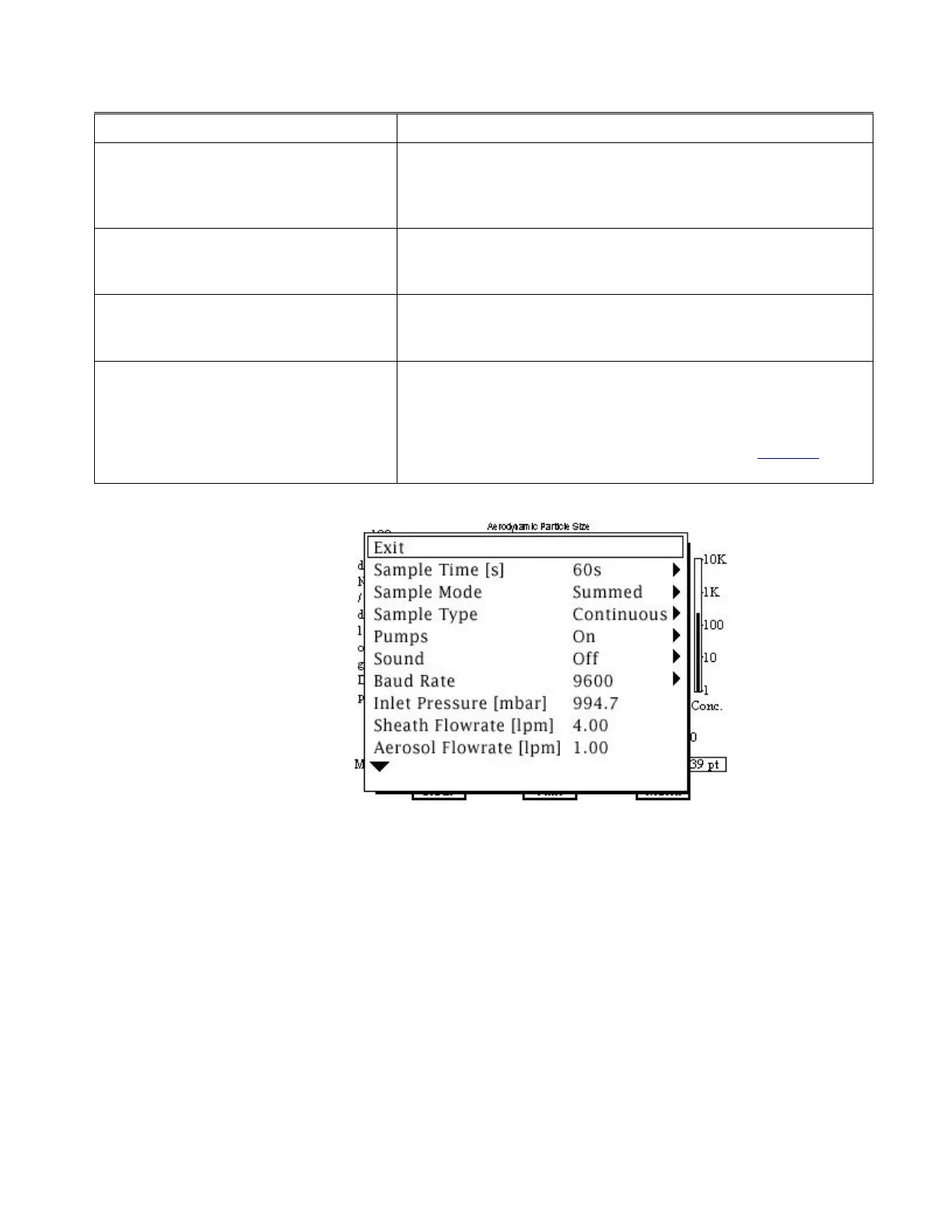
the Menu button is highlighted, then press the control knob. The Menu is
shown in Figure 3-2, and allows you to select various sampling
parameters and view many system parameters. Refer to Chapter 4 for a
description of how to make selections and change values on the Menu.
Figure 3-2
Model 3321 Menu Layout
Fine adjustment of the control knob (i.e., moving from one channel to the
next) is best accomplished using the outer edge of the knob. Faster
movement (i.e., scrolling across the screen to reach the menu) is best
accomplished using your index finger and the dimple in the knob.














 To Next Page