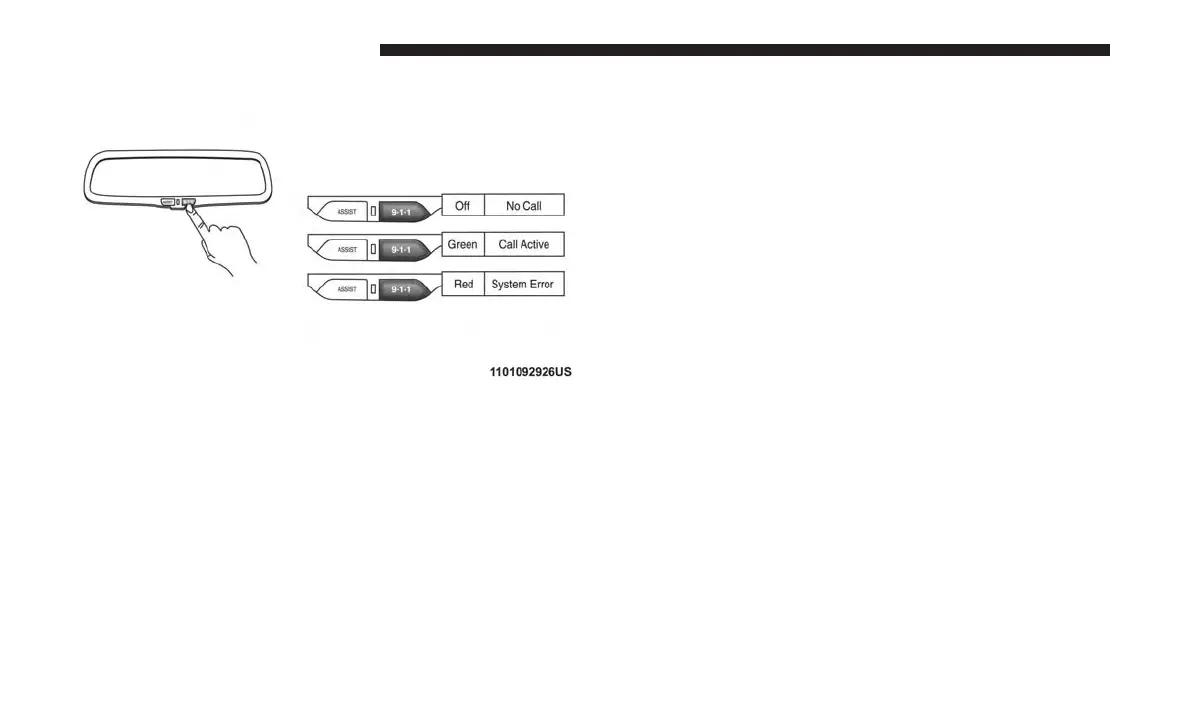
Access To Emergency Services At The Push Of A Button
Uconnect Access In-Vehicle Assistance Features
With Uconnect Access, your vehicle has on-board assis-
tance features located on the rear view mirror designed to
enhance your driving experience if you should ever need
assistance or support.
Description
9-1-1 Call is a feature that, at the push of a button, can
contact emergency services. It’s a convenient way to get in
contact with a 9-1-1 operator in the event of an emergency.
When the connection between the vehicle and a 9-1-1
operator is made, your vehicle will automatically transmit
location information to the 9-1-1 operator.
How It Works
1. Push the “9-1-1” Call button on the Rearview Mirror; the
indicator light will turn green indicating a call has been
placed.
NOTE:
• In case the “9-1-1” Call button is accidentally pushed,
there is a 10 second delay before the 9-1-1 call is
placed. The system will verbally alert you that a call is
about to be made. To cancel the 9-1-1 Call connection,
push the “9-1-1” Call button on the Rearview Mirror or
press the “Cancellation” button on the Phone Screen.
• During a 911 call the Bluetooth paired phone is dis-
connected so incoming or outgoing calls will go
through mobile versus the handsfree system which is
not available due to the 911 call.
22 ALL ABOUT UCONNECT ACCESS



 To Next Page