UT25CL User Manual
13
6. Setting
6.1 UT25CL-T Setting
6.1.1 CODE Setting
1. The default code is 5 when the transmitter is powered on.
2. The transmitter is in power-on state by default (Transmission is not started by the transmitter),
short press the START/STOP button to stop transmission when transmission is started by the
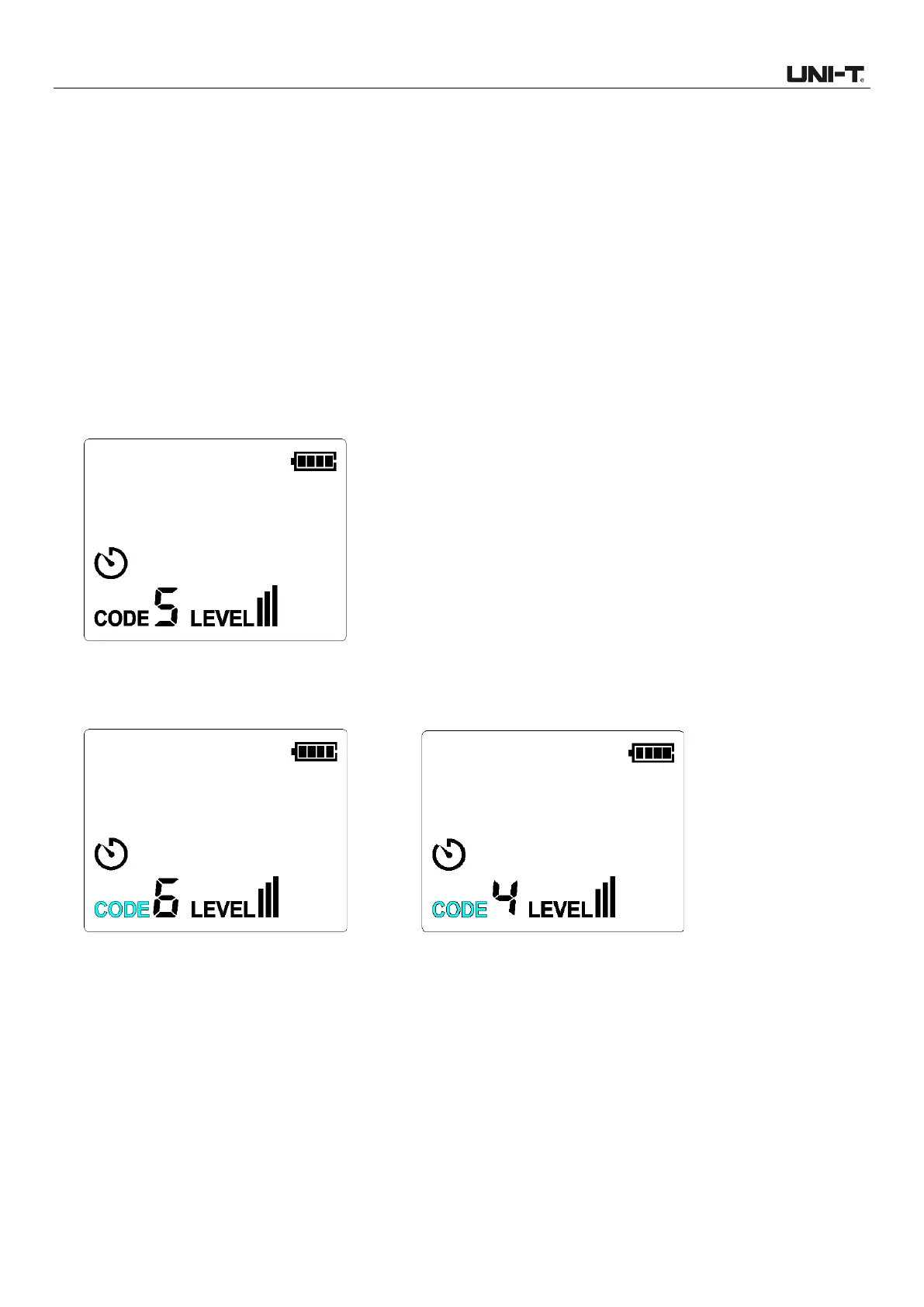
transmitter. When the CODE button is short pressed, the CODE symbol flashes for 0.5s, as
shown in Figure 6.1.1a.
Figure 6.1.1a
3. When the code symbol flashes, short press the Up/Down buttton to set the code to 0, 1, 2, 3, 4,
5, 6 or 7. The default code is 5. As shown in Figures 6.1.1b and 6.1.1c.
Figure 6.1.1b CODE Increasing Figure 6.1.1c CODE Decreasing
4. Short press again the CODE button or LEVEL button (6.1.2 LEVEL Setting) or START/STOP
button to exit the code setting.
6.1.2 LEVEL Setting
1. The default code is III when the transmitter is powered on.
2. The transmitter is in power-on state by default (Transmission is not started by the transmitter),
short press the START/STOP button to stop transmission when transmission is started by the



 To Next Page