UT25CL User Manual
20
reading caused by ghost signal. Relatively-low signal level also helps to prevent the receiver
from being oversaturated due to large covering area of strong signal. The signal strength I
is only applicable to strict and precise tracking, and is not suitable for wall or cable buried
deeply.
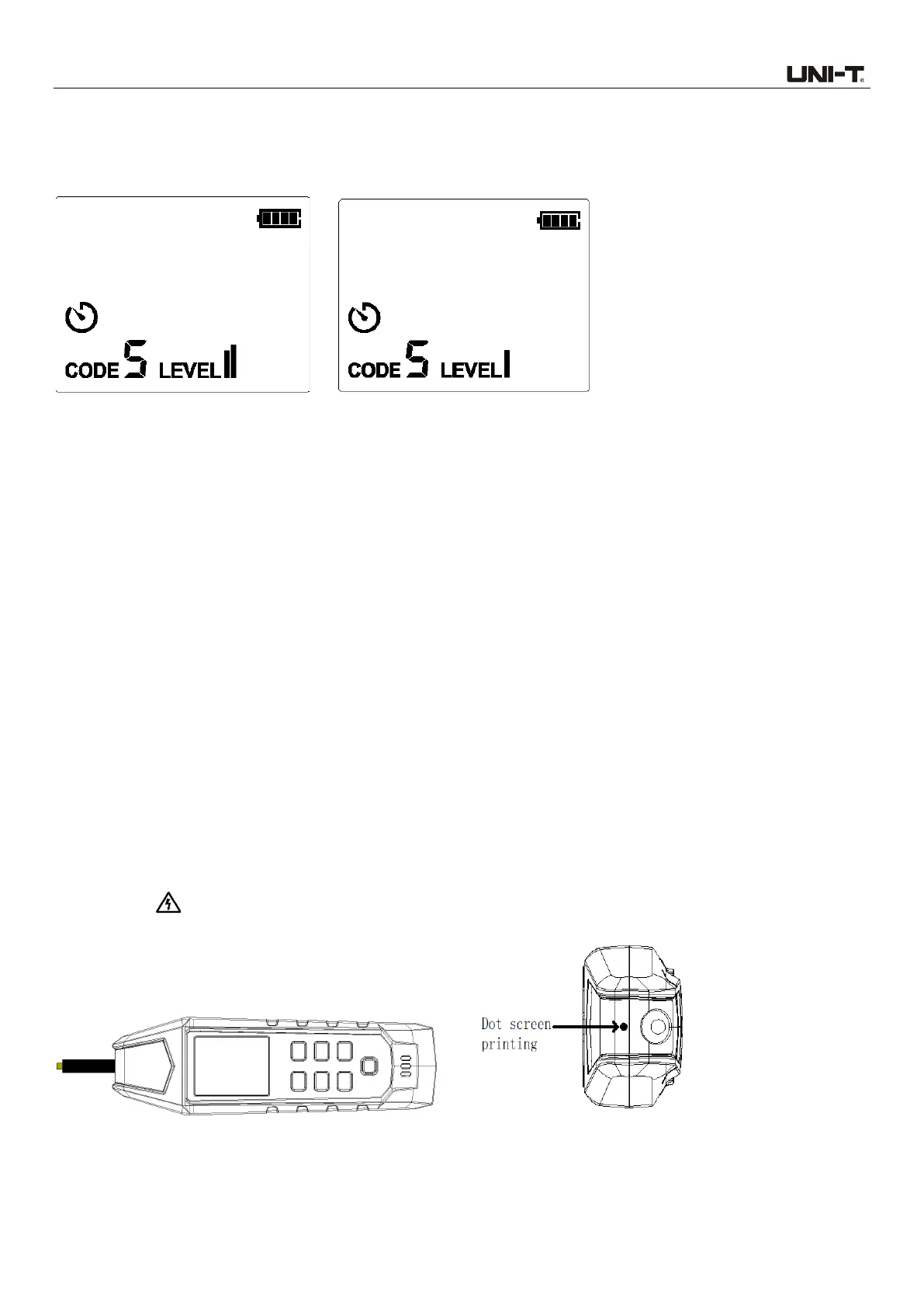
Figure 7.1.2d Transmission Strength II Figure 7.1.2e Transmission Strength I
7.1.3 Use of UT25CL-R receiver (In automatic scanning mode)
The automatic scanning mode is used to detect the conductor at a relatively far distance (between
the conductor and the receiver). This mode can automatically adjust the reception sensitivity
according to the current signal strength, to prevent the signal from being saturated or too weak. The
precision of automatic scanning mode is lower than that of manual mode. This function is applied to
detect if tracking signal occurs and to track the path of the conductor rapidly. To locate the cable
precisely, please switch to manual mode.
The receiver indicate the signal strength through 3-digit reading, analog indication, and sound.
1. Power on the transmitter and then it enters automatic scanning mode (default mode).
2. Use the sensor to scan the target area, identify signal, and start tracking the cable detected.
3. To obtain a best effect when tracking energized conductor, please align the dot screen printing
(on the top of the sensor) to the direction of the conductor, as shown in Figure 7.1.3a. If not aligned
properly, signal may not be detected or the code may be wrong. To check the direction of the cable,
please rotate the receiver for 90 degrees regularly, as shown in Figures 7.1.3b and 7.1.3c. The
signal strength reaches its maximum when the cable is aligned with the dot screen printing.
According to the differences of detected signals, the receiver automatically detects if the cable is
energized (“ ”), which will be displayed on the LCD. No need to perform manual setting.



 To Next Page