UT25CL User Manual
16
6.2.3 NCV Mode Switching:
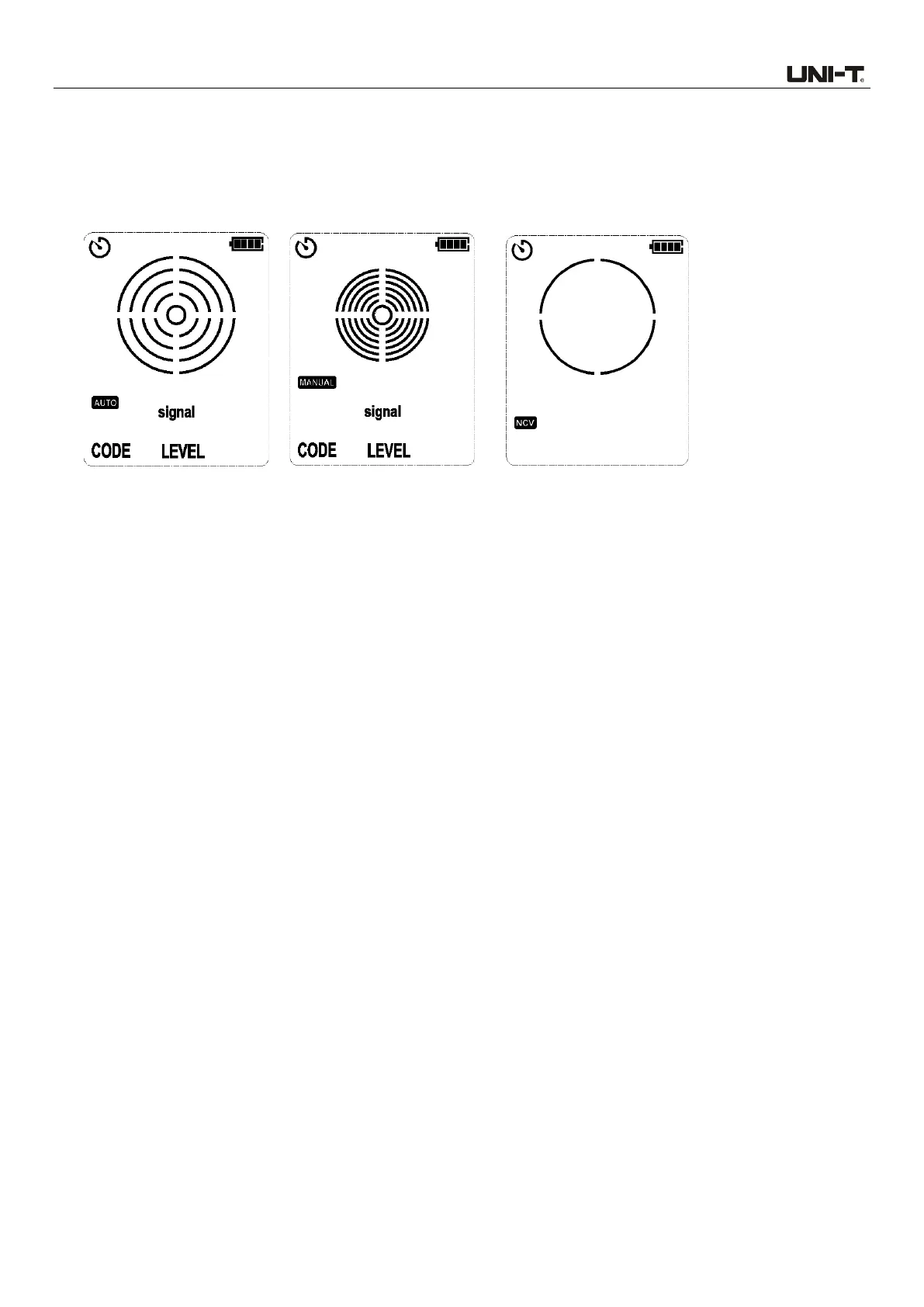
1. The receiver is in power-on state: In AUTO or MANUAL mode (in cable tracking mode), short
press the NCV button to switch to NCV mode. In NCV mode, short press the NCV button to
switch to AUTO mode (in cable tracking mode). As shown in Figures 6.2.3a, 6.2.3b and 6.2.3c.
Figure 6.2.3a AUTO
mode Figure 6.2.3b MANUAL mode Figure 6.2.3c NCV mode
6.2.4 Buttons Setting
1. The Flashlight button, Backlight/Mute button and NCV button can be used normally in any mode
and situation.
2. Short press the flashlight button to turn on/off the flashlight.
3. Short press the backlight/mute button to turn on/off the backlight; long press to turn on/off the
mute function.
4. In AUTO scanning mode (in cable tracking mode), the functions of the AUTO/MANUAL and
DOWN buttons are enabled.
5. In MANUAL scanning mode (in cable tracking mode), the functions of the AUTO/MANUAL, UP
and DOWN buttons are enabled.
6. Long press the power button for >1s to enable the button function.
6.2.5 Descriptions of Keytone
1. When the button function is enabled and the receiver is not muted, the keytone is a high-pitched
short sound.
2. When the button is disabled and the receiver is not muted, the keytone is a low-pitched short
sound.
3. In mute mode, all buttons and signal sound are muted.
7. Key Applications
Note: Please read the user manual carefully before performing cable tracking.
Perform connection through independent grounding, to avoid counteracting the electromagnetic



 To Next Page