UT25CL User Manual
28
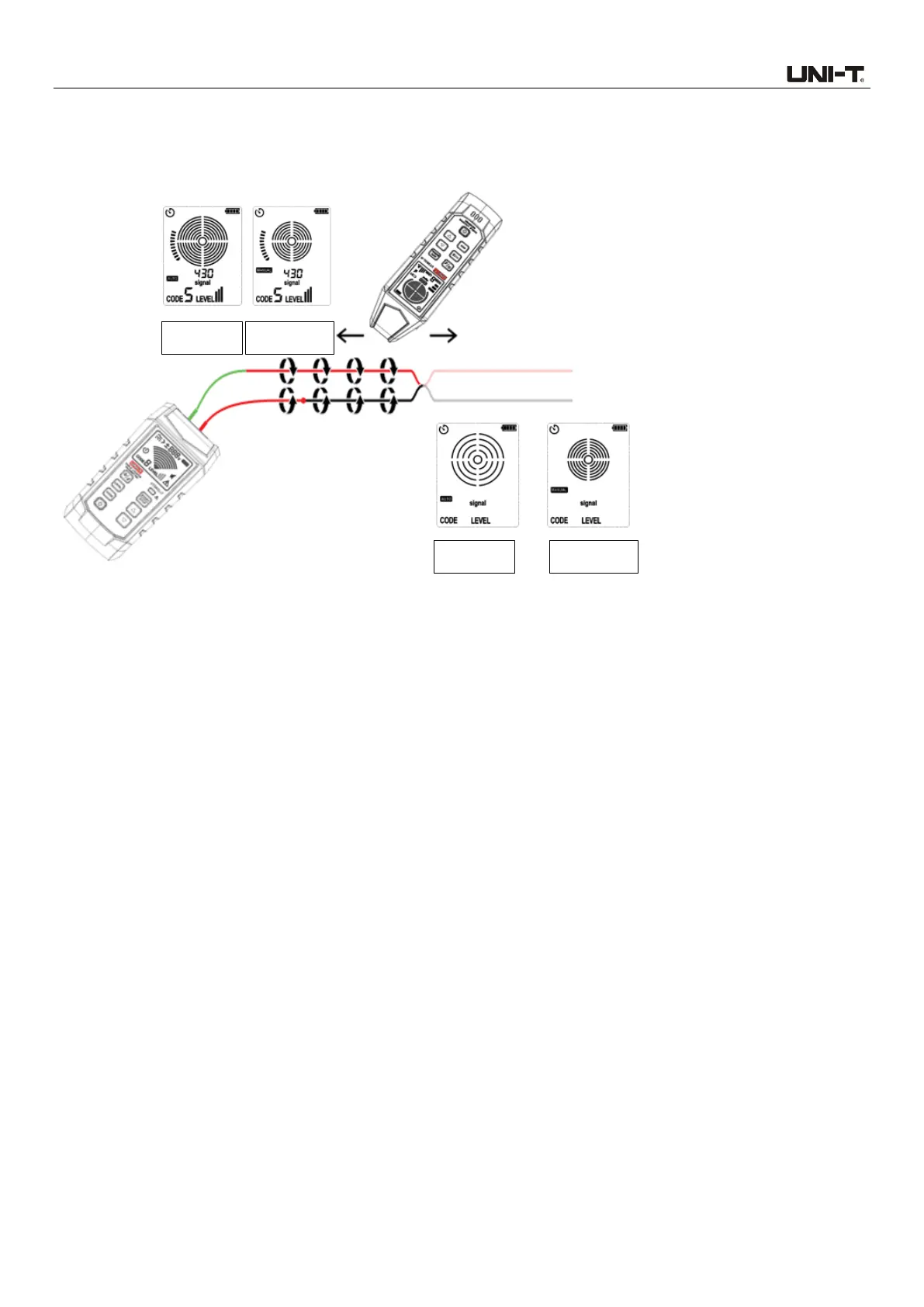
3. Set the receiver to automatic or manual scanning mode. Track the cable to identify the fault until
the signal is stopped. To verify the location of the fault, please move the transmitter to the other end
of the cable to perform tracking. If the signal is stopped at the same location, then the location of
the fault is found.
Figure 8.3.1a Identify shorts by tracking cable
Note: This method is affected by the signal counteraction effect. The signal will be relatively
weak.
The effects of the winding of cable and permittivity of medium on the locating depth are
different. If the location of the fault is not found, please decrease the LEVEL value of the
transmitter and then proceed as mentioned above. If not found yet after decreasing the
LEVEL, then circuit is not shorted wholly (According to actual experience, the short-circuit
point can be found when the impedance is less than 20 Ω.).
8.4 Track Cables in Metal Pipe
The receiver cannot penetrate the metal pipe to pick up the signal of the cable. The metal wire
groove will shield the tracking signal completely. Note: The receiver can detect the cable in non-
metal wire groove. For these applications, please see “7.1 Track Energized and Deenergized Cables”
for specific operation.
Track the cable in metal pipe:
1. Track in automatic or manual scanning mode.
2. Open the junction box. Use the sensor of the receiver to detect which cable in the junction box
has signal.
3. Move to next junction box according to the circuit. Note: If signal is applied to the wire groove
directly, the signal will be sent through all pipe branches, thus the specific path of the wire groove
cannot be tracked.



 To Next Page