UT25CL User Manual
38
>6.2V to ≤6.6V: Level 1 “ ” is displayed.
≤6.2V: The batteries run out of power. The symbol “ ” flashes three times (flashing
frequency: 2Hz) and the transmitter powers off. (There is an accuracy error of about 5% with
the voltage of the critical point between levels)
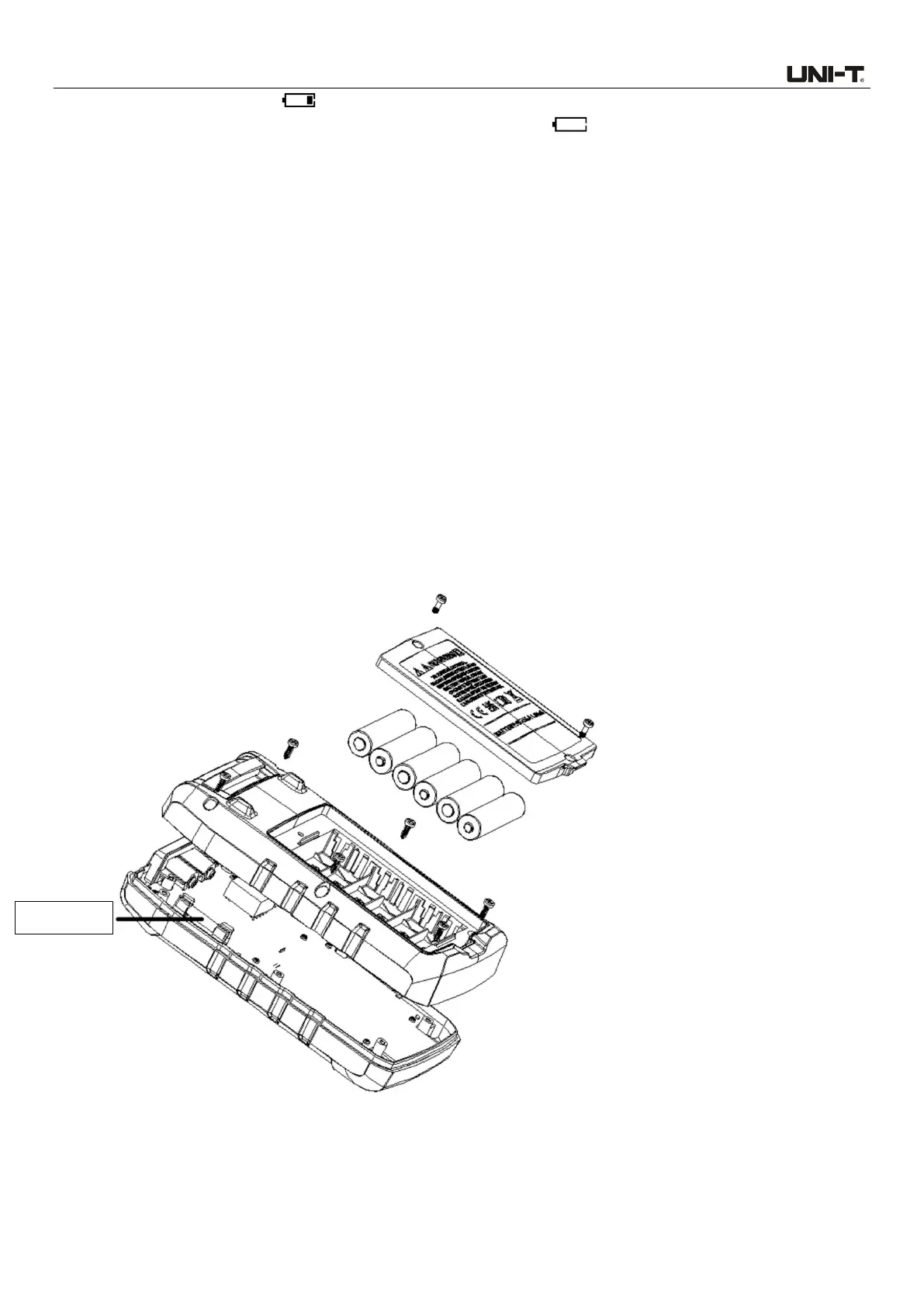
11.3 Fuse Replacement (UT25CL-T)
Dismantle the battery compartment (See “11.1 Battery Replacement”), loosen the batteries at the
rear cover (as shown in Figure 11.3), remove the rear cover, use a tool to take off the fuse, and
install a new same-type fuse.
Note:
1. Make sure that the transmitter is powered off and that all test leads are removed and
disconnected from all circuits.
2. Use screwdriver to loosen the screws at the battery compartment.
3. Remove the battery cover and take out the batteries.
4. Loosen the screws at the rear cover.
5. Remove the rear cover and take out the fuse.
6. Install new fuse.
7. Install the rear cover and fasten it with the screws.
8. Install battery cover and fasten it with the screws.
Figure 11.3 Fuse Replacement



 To Next Page