10
1) Remove the printer from the box, and then remove all
cushioning materials and the plastic bag from the printer.
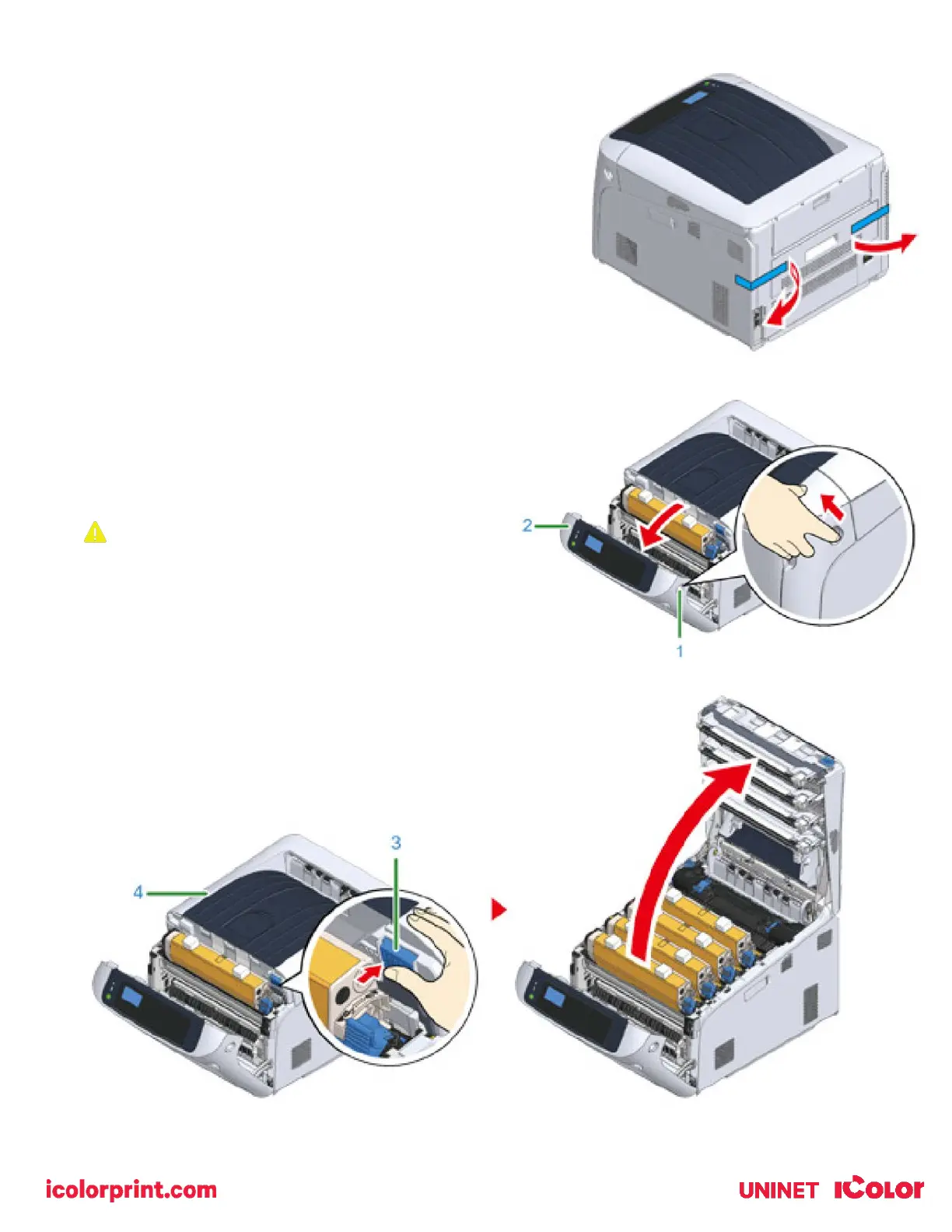
2) Remove the two strips of protective tape (Blue) at the back of
your printer.
3) Lift the printer, and then place it where it is to be installed.
4) Insert your finger into the recess on the right side of
the printer and pull the front cover open lever (1) to
open the front cover (2) forward.
Open the front cover gently. If opening rapidly, an MP
tray may open.
5) Press the open button (3) and open the output tray (4).



 To Next Page