11
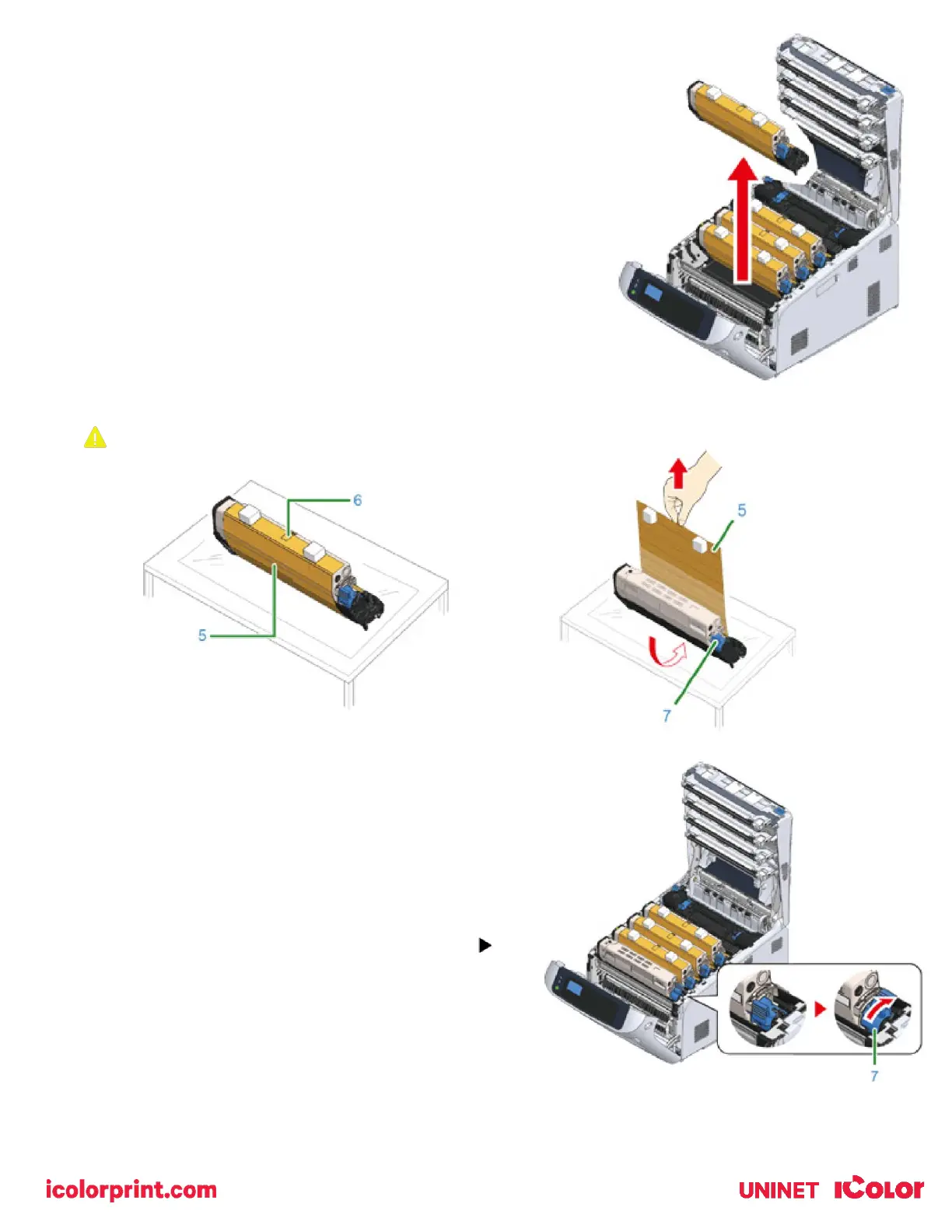
6) Prepare flat surface covered with sheets of newspaper, etc. to
remove protective sheets from the image drums set in the printer.
7) Firmly hold the top of the ‘C: Cyan’ toner/drum cartridge located in
the front the printer and lift it out. Place it on a protective surface.
8) Remove the protective sheet (5) that is wrapped around the toner/drum cartridge.
Draw the protective sheet (5) in the direction of the arrow.
9) Put the toner/drum with the protective sheet removed into
the printer unit and turn the toner cartridge lock lever (7)
(blue) in the direction of the arrow lines up with the .
You will hear a click when it is locked in place.



 To Next Page