42
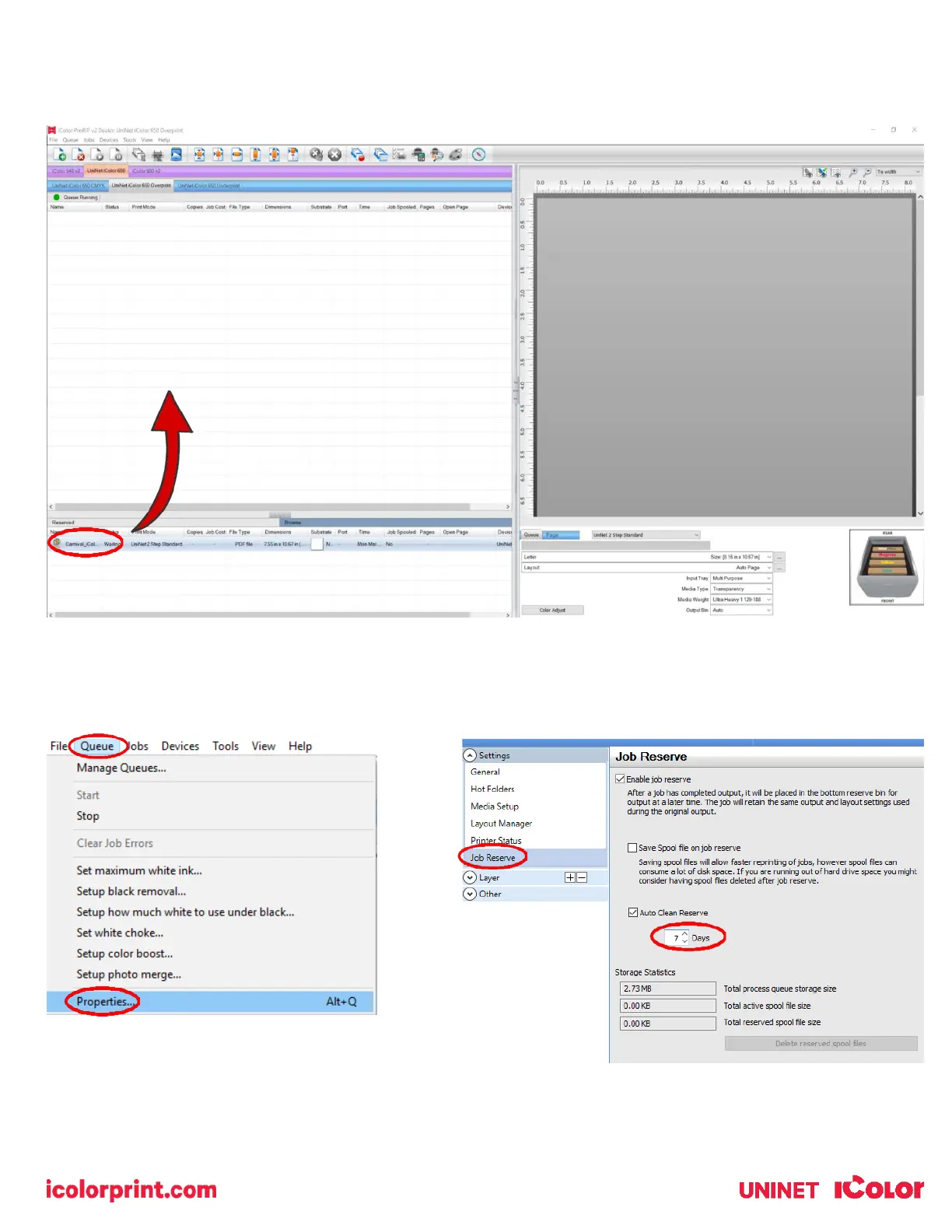
Once the print has completed, the job will be archived in the reserved area for 7 days. If you wish to reprint that job, drag
and drop the job from the reserved section into the proper queue.
To lengthen the amount of time a job stays in reserve, click Queue>>Properties. Then click ‘Job Reserve’ and set the
‘Auto Clean Reserve’ time frame. Unclick to keep jobs in reserve forever.



 To Next Page