61
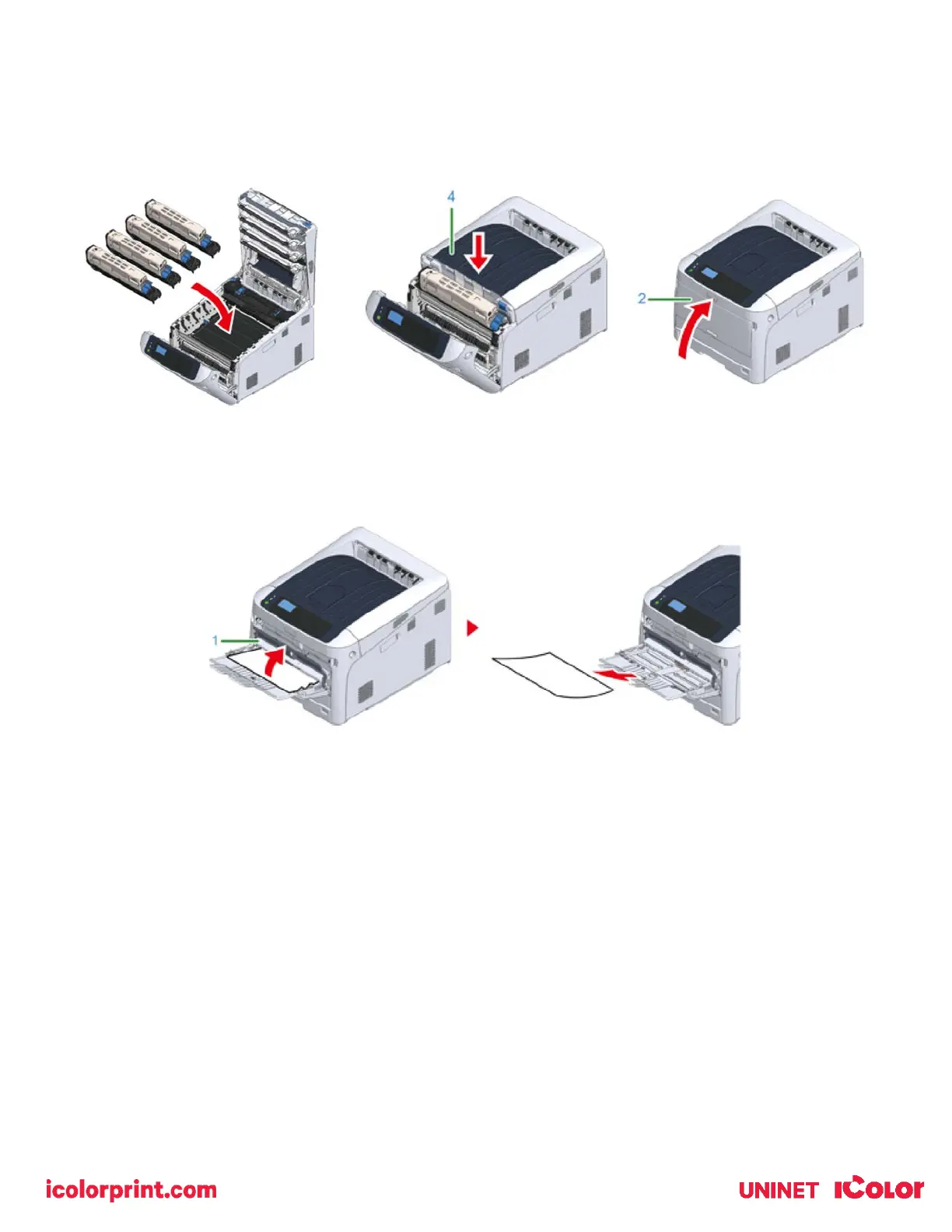
11) Return all four image drums into the printer carefully.
12) Close the output tray (4) by pushing the center of the cover firmly.
13) Close the front cover (2).
• The front cover cannot be closed if the output tray is not closed securely.
Error Code ‘390’, ‘637’
• A paper jam has occurred while feeding paper from a tray.
1) If there is any paper on the MP tray, lift the paper set cover (1) and take it out.
2) Insert your finger into the recess on the right side of the printer and pull the front cover open lever (2) to open the
front cover (3) forward.
3) Remove the jammed paper gently by pulling the edge of paper.
• Do not use force when pulling out paper. This might damage the printer.
• If a paper jam has not occurred, then the paper has failed to feed. Please reduce the amount of paper set in the
tray.



 To Next Page