60
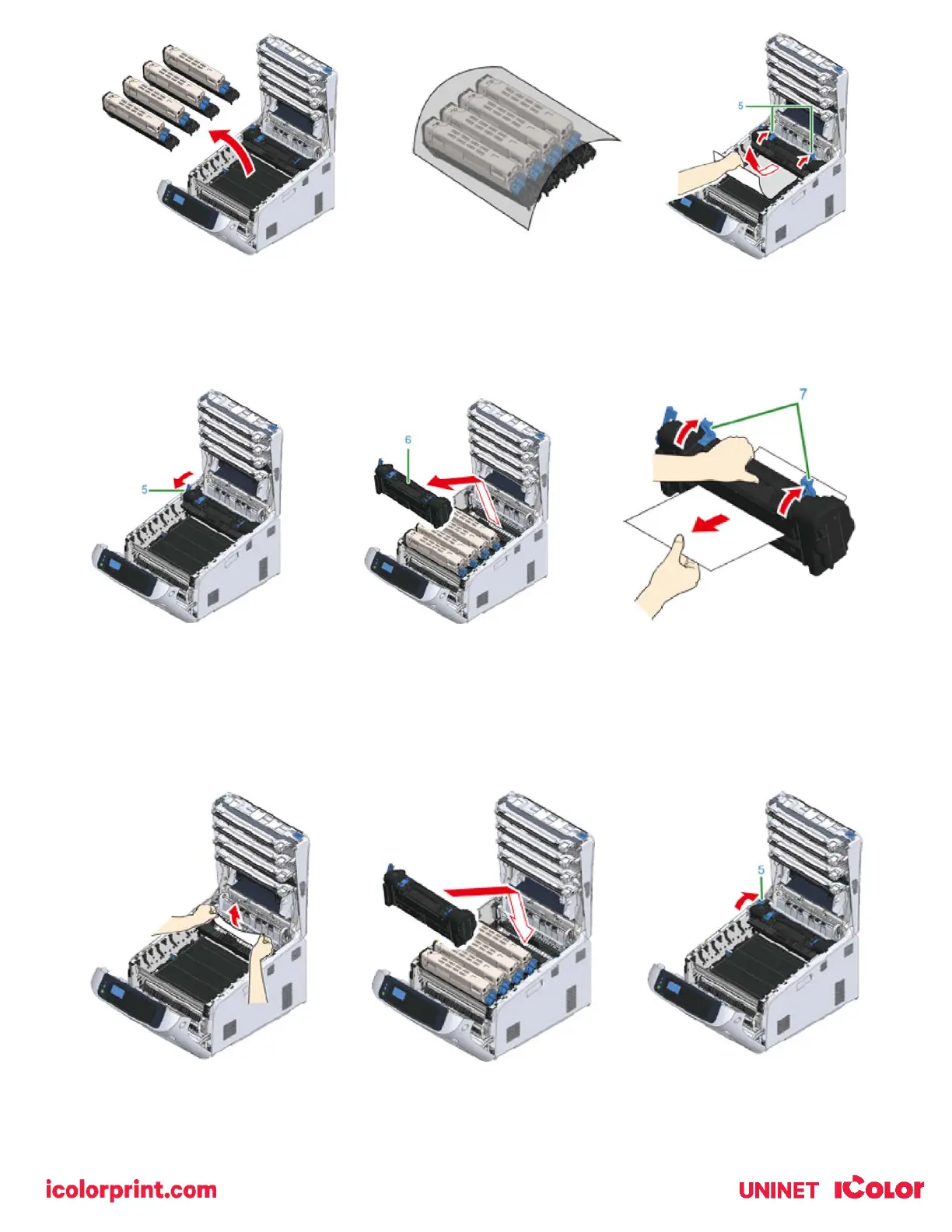
6) Hold the fuser unit handle (6) and lift the fuser unit out of the printer.
7) Lift the release levers (7) on the fuser unit, and pull out the jammed paper forward gently.
• If paper is pulled out towards the rear, this may result in soiled prints.
8) If jammed paper remains in the printer, hold the both sides of the paper to remove it gently.
9) Hold the fuser unit handle (6) and place the fuser unit into the printer.
10) Push the left lock lever (5) of the fuser unit backward.



 To Next Page