24
Canceling an Autotune, Reminder, Recording or Series Recording
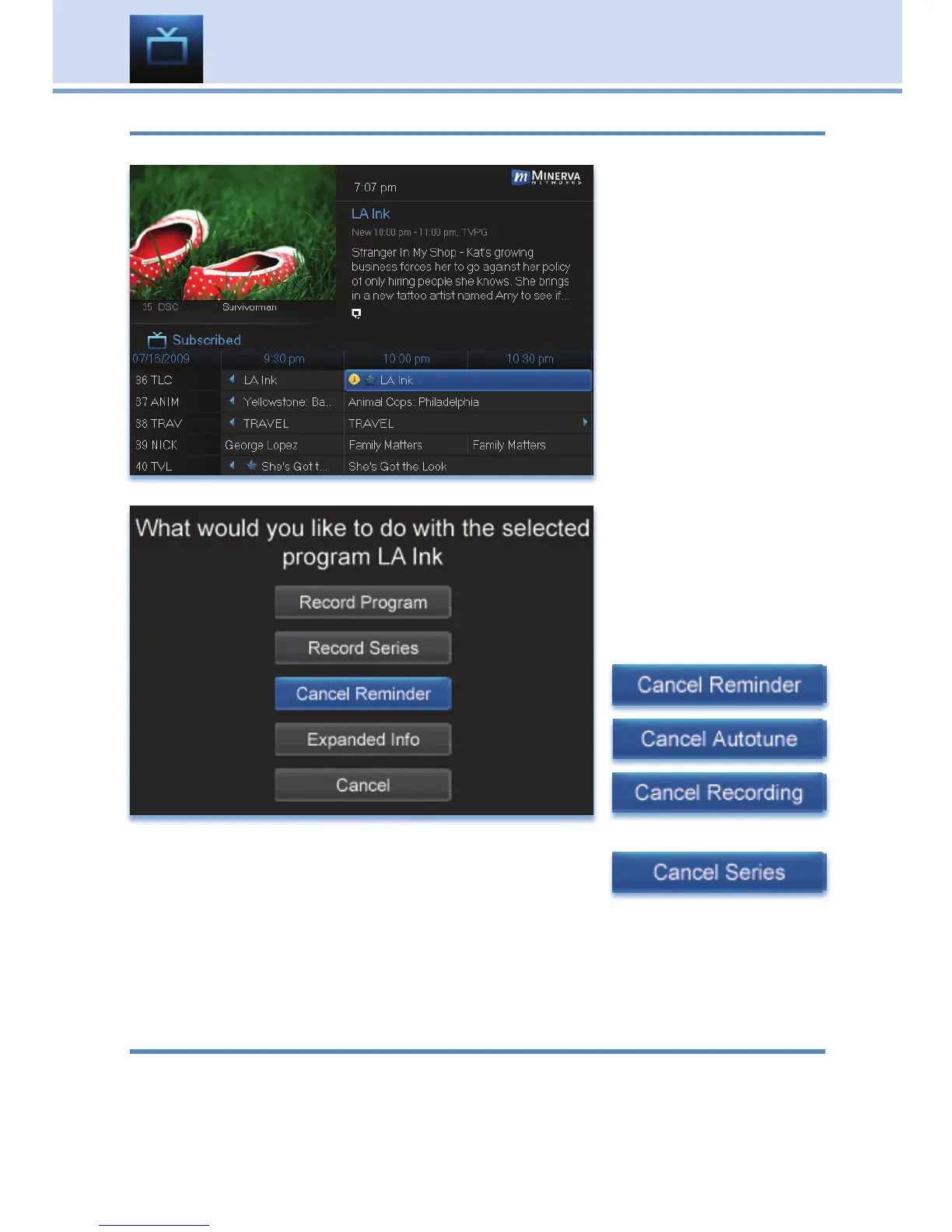
You can cancel any event you have previously scheduled directly from Guide.
Step 1: Pick the
Program
Highlight the program
with the event you
want to cancel and
press OK.
Step 2: Cancel the
Event
Depending on the
type of event you
are canceling, your
options will be:
or
Highlight the option you wish to cancel and press OK. A Yes or No
confirmation screen will appear. Highlight Yes and press OK to confirm.
Step 3: Return to Guide
After you press OK, you will return to the Guide.
Additional Information on Canceling Events
A list of your Reminders and Autotunes is located in 11 My Library -
Reminders and can be canceled from there.
To cancel scheduled recordings, see 8 DVR - To Record.
6 Guide - Alerts & Recording



 To Next Page