32
Step 2a: Lock the Recording
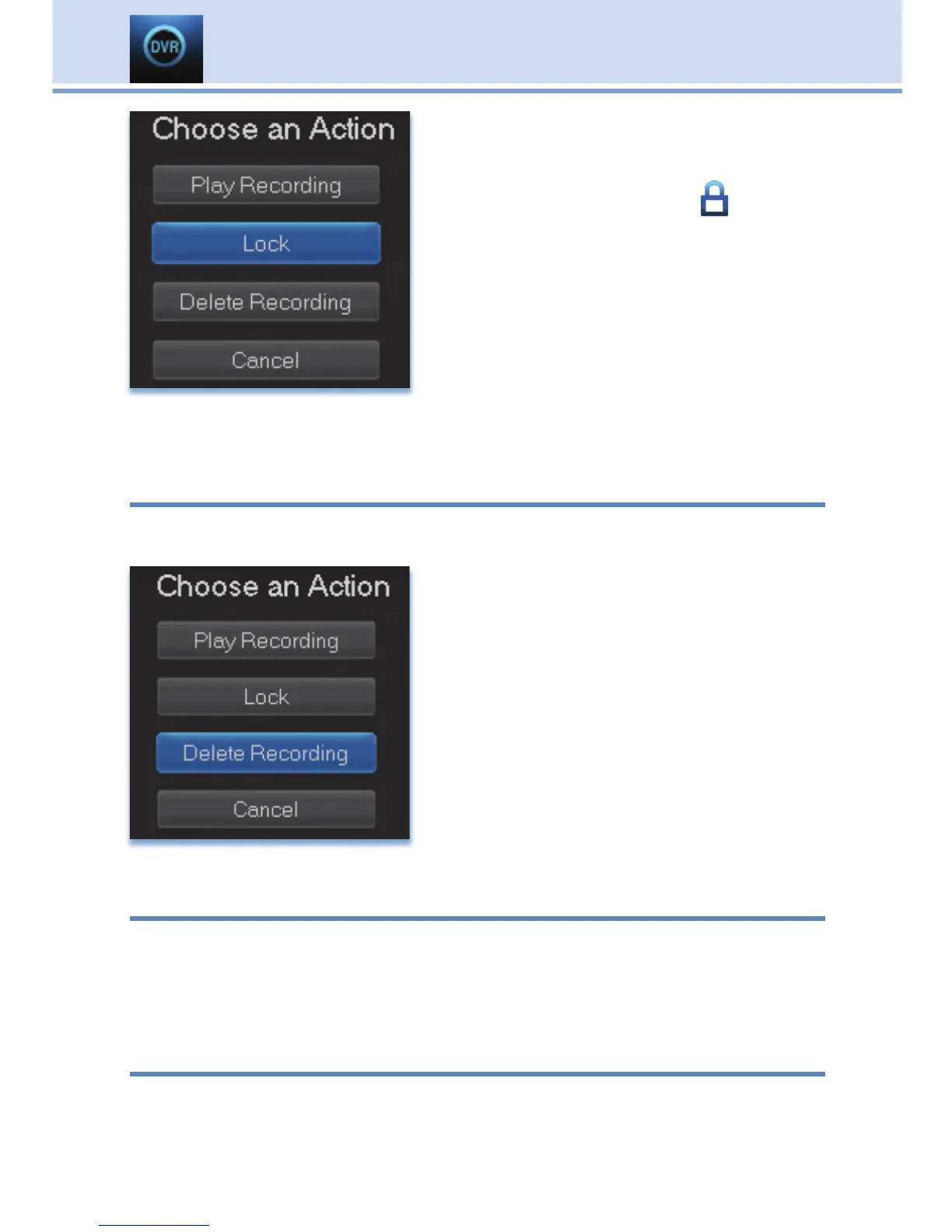
Highlight Lock and press OK.
Once a program is locked, a
appears
on the recording’s listing.
Step 2b: Unlock the Recording
If you select a locked program in Step 1,
the Lock option will instead be Unlock.
Highlight Unlock and press OK.
When the program is unlocked, the padlock icon is removed.
Recorded Programs: Deleting a Recording
Step 1: Pick a Recording
Highlight the recording you want to delete and press OK.
Step 2: Delete the Recording
Highlight Delete Recording and press
OK.
Step 3: Confirm Delete
Highlight Yes and press OK to confirm, or
No if you change your mind.
Step 4: Recording Deleted
Once you confirm the deletion, the entry
for that recording is removed from the list.
Note: Once a recording has been deleted, there is no way to get it back.
Recorded Programs: Stopping a Program Currently Recording
Step 1: Pick a Recording
Highlight the recording event you want to stop and press OK.
Step 2: Stop the Recording
Highlight Stop Recording and press OK.
To Record
You can easily review and cancel programs to be recorded. Highlight To
Record and press OK.
8 DVR



 To Next Page