26
7 Recording
Controlling Live TV
While watching a recorded program or live TV, you can use the Playback
Control Buttons to control playback.
Press PAUSE on your remote control to pause the program.
Programs can be paused as long as the current channel is not changed.
Press PLAY to resume watching.
Press REWIND or FAST FORWARD to reverse or advance
playback from the current point. Press repeatedly to increase FAST
FORWARD or REWIND speed.
Press STOP to exit playback of the program.
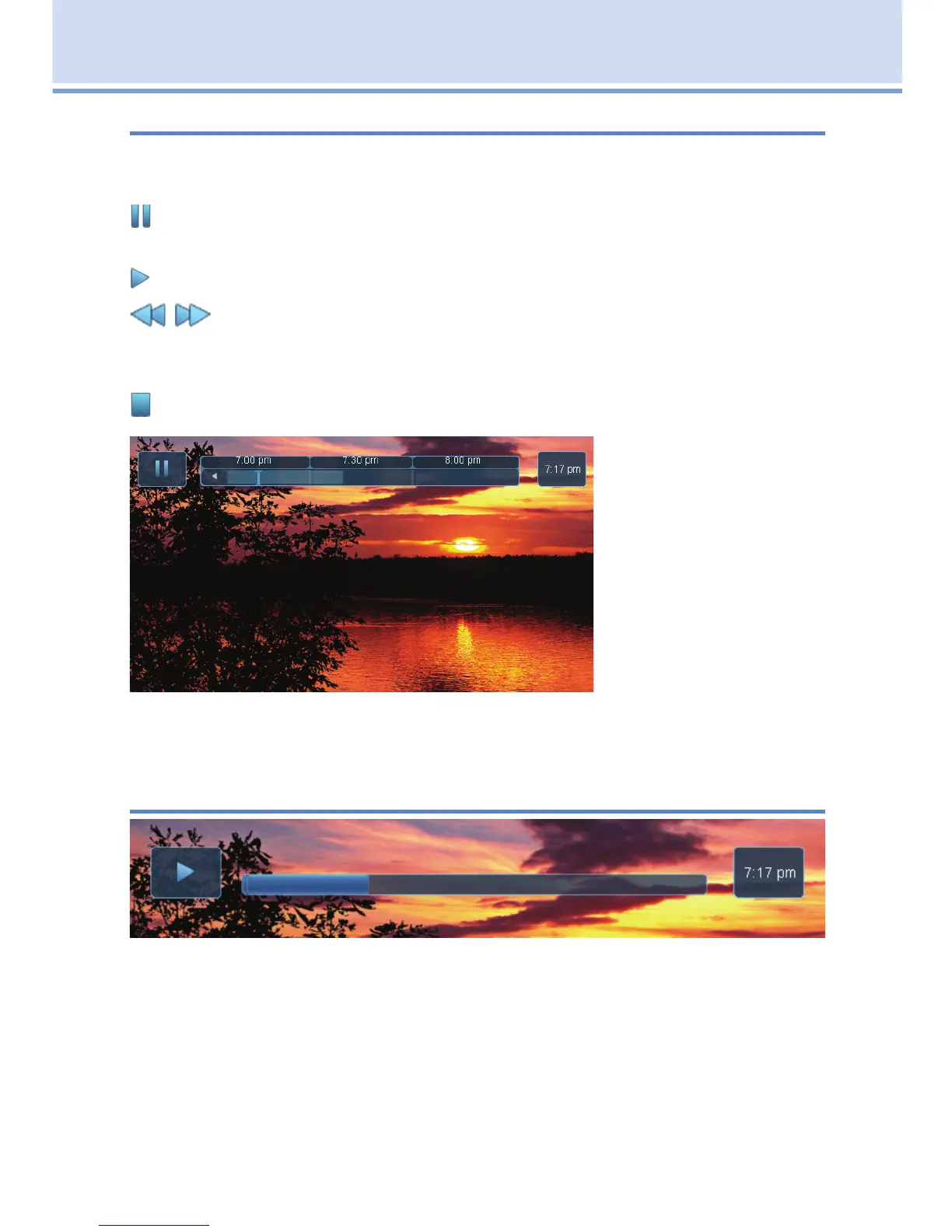
The PLT bar appears
whenever you pause,
rewind or fast forward
live TV.
The center area
indicates the amount
of TV saved. The
“I-bar” shows where
you are within that
range.
The far left box indicates the current playback function.
The far right box indicates the current time.
DVR Playback Controller
Any time you press one of the Playback Control Buttons while watching
a previously recorded program, the DVR playback controller is displayed.
The box to the left indicates the playback function in use.
The bar in the middle gives a visual representation of where you are in the
recording. The lighter section indicates how much of the recording has
been played.



 To Next Page