EasyManua.ls Logo

United Communications ADB 3721 - Editing a User Account

Default Icon
108 pages
Print Icon
To Next Page IconTo Next Page
To Previous Page IconTo Previous Page
Loading...
56
12 Settings
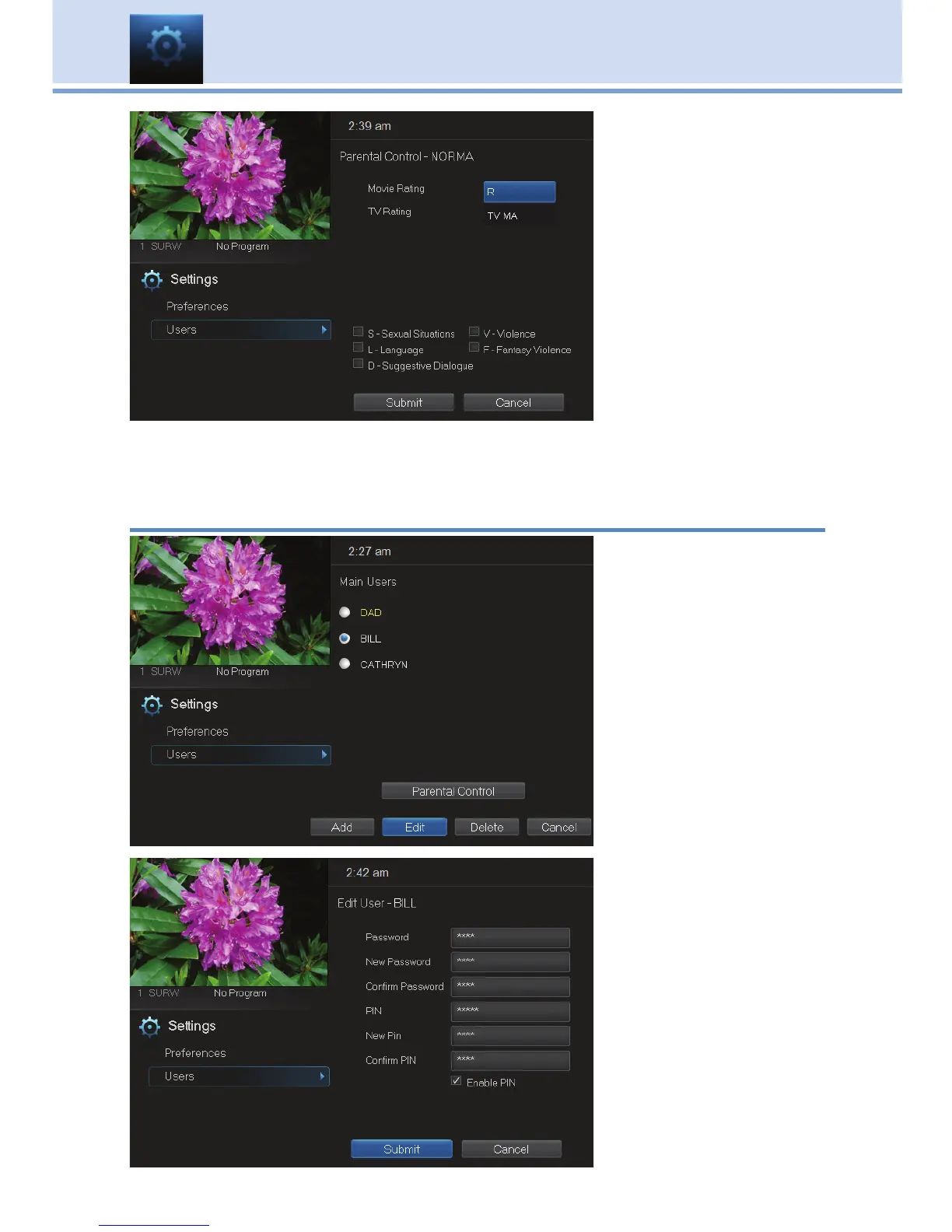
The second Add User
Account screen allows
you to create parental
controls specific to
this user.
These parental control
settings are identical
to the settings shown
earlier with the
exception that there is
no Unlock Timeout or
Block Unrated setting.
Once you have entered the settings for the new account, highlight Submit
and press OK.
Editing a User Account
To edit a user account,
highlight the user
account and press
OK, then highlight the
Edit button and
press OK.
Note: The master
account is the first
account listed and
is shown in yellow
rather than white.
Using the Number
Pad on your remote,
enter the current
password for this
account.

Table of Contents