83
Recording a Program
Recording can be done in Home, Guide and Search Guide. Each gives
you a different window to the content or programs on your home television
that you can record remotely.
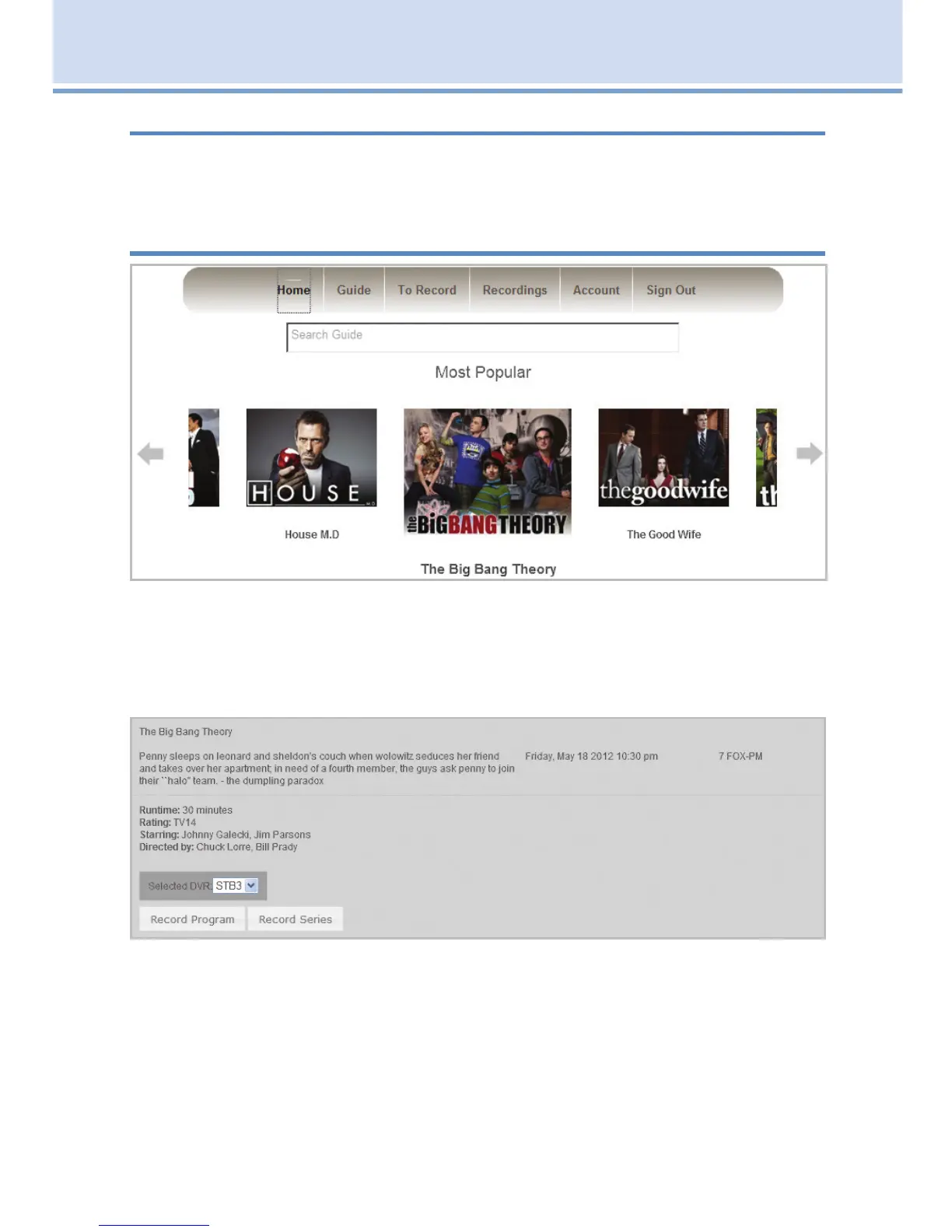
Record Using the Home Page
The Home option shows a lineup of popular programs. Click the title
beneath the picture to show a list of upcoming episodes which you can
choose to record.
Click the program you want to record and the area will then be highlighted.
Click Record Program to record that specific episode or click Record
Series to record all episodes of the program.
A message saying “Series recording has been scheduled” will appear.
Then click on Close.
After you have scheduled this future recording, you can see it on both the
To Record screen on the web, and when you return home, on your TV on-
screen guide under the DVR icon.
19 Remote Scheduling (Coming Soon)



 To Next Page