EasyManua.ls Logo

United Communications ADB 3721 - Watching a Rental Video; Introducing PPV Events; Go to PPV

Default Icon
108 pages
Print Icon
To Next Page IconTo Next Page
To Previous Page IconTo Previous Page
Loading...
44
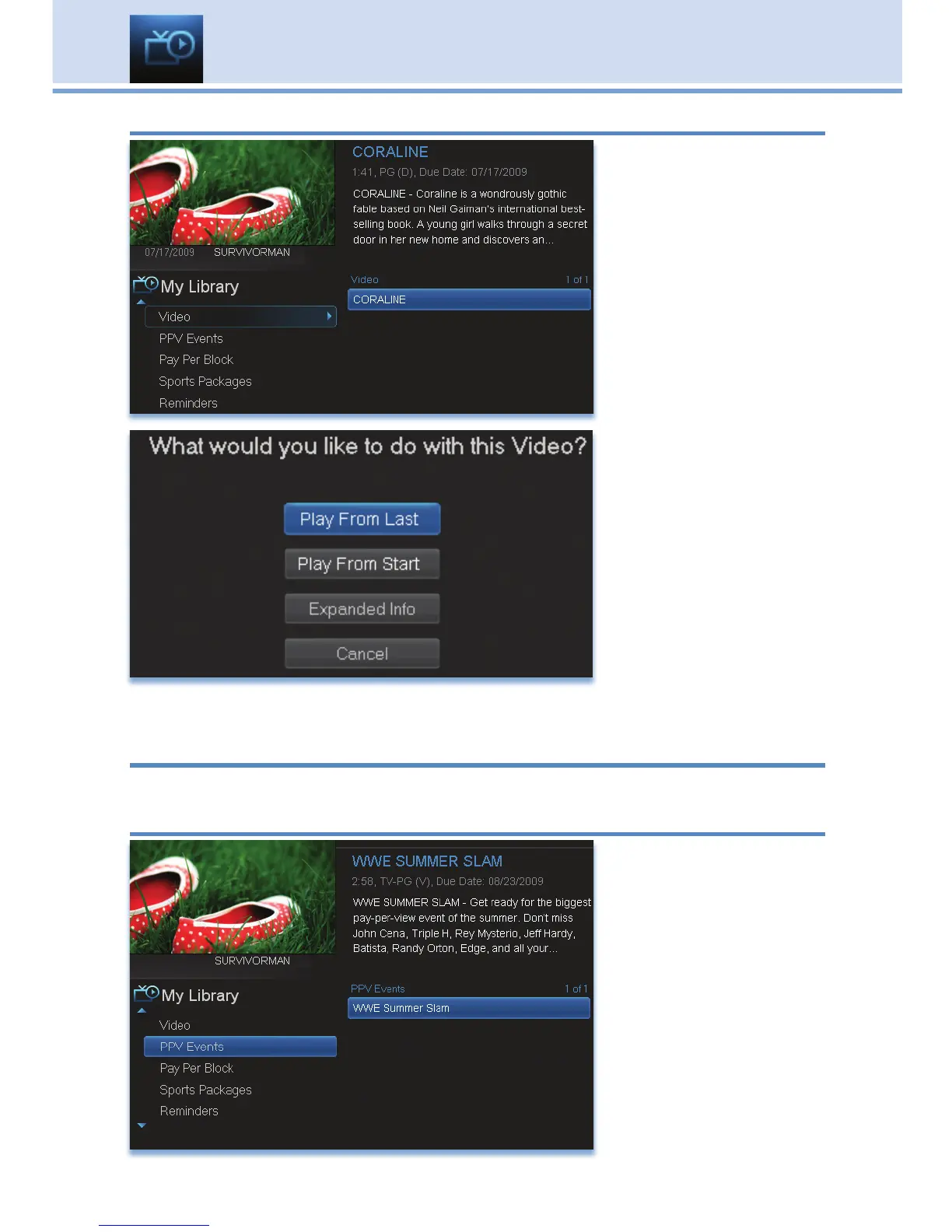
Watching a Rental Video
Step 1: Pick Your
Video Rental
Highlight your Video
Rental and press OK.
Step 2: Play Your Rental
Highlight Play From
Start and press OK
to start playing at the
beginning.
If you have already
watched part of the
program and want to
pick up where you left
off, highlight Play From
Last and press OK.
Introducing PPV Events
PPV Events allows you to view a previously purchased program.
Go To PPV
Arrow down to your
topic and press OK. All
purchased Pay Per
View programs are
listed to the right.
Highlight the event you
want to watch and
press OK for
information and viewing
options.
11 My Library

Table of Contents