48
12 Settings
Introducing Settings
Settings gives you control over your video service. You can choose to
share purchased programs, change how alerts appear on your screen,
create parental controls and block programs by channel or ratings. You
can also create accounts for members of your family.
Go To Settings
Press MENU and highlight Settings. Then enter your password, highlight
OK and press OK. There are two main sections of Settings: Preferences
and Users. Both are used for setting up parental controls.
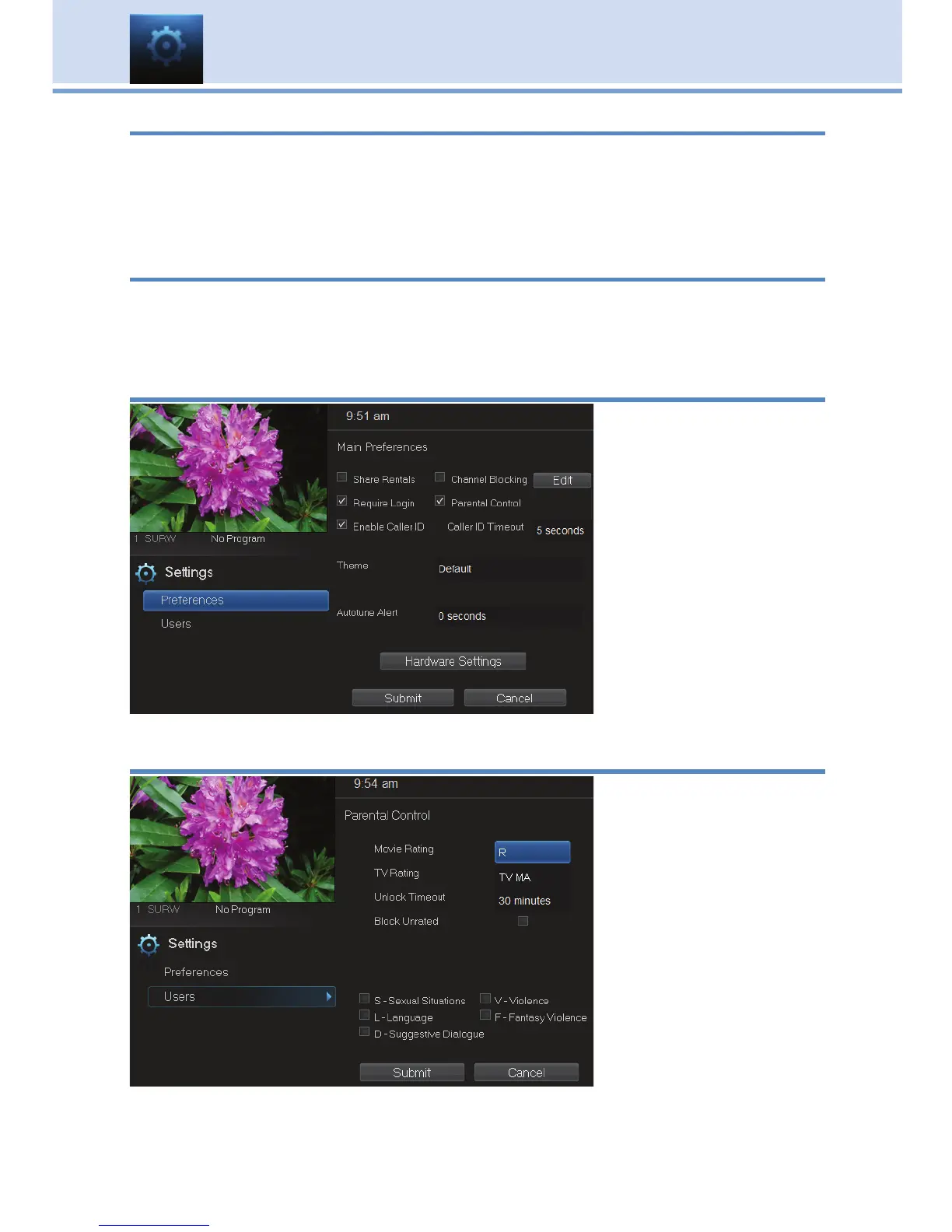
Activating Parental Control
Arrow to Parental
Control under Main
Preferences and
press OK to check the
box. Arrow to Submit
and press OK. You will
be returned to live TV.
Navigate back to
Settings and enter
your
account password.
Selecting Parental Control Settings
Arrow Down to Users
and press OK. Arrow
Right and highlight
Parental Control and
press OK.
A new screen appears
listing the Parental
Control topics.
Arrow Up and Down
to check the controls
you want to set for
your household.
Both Movie and TV Ratings should be set. Setting one will not block the



 To Next Page