62
Step 2: Search
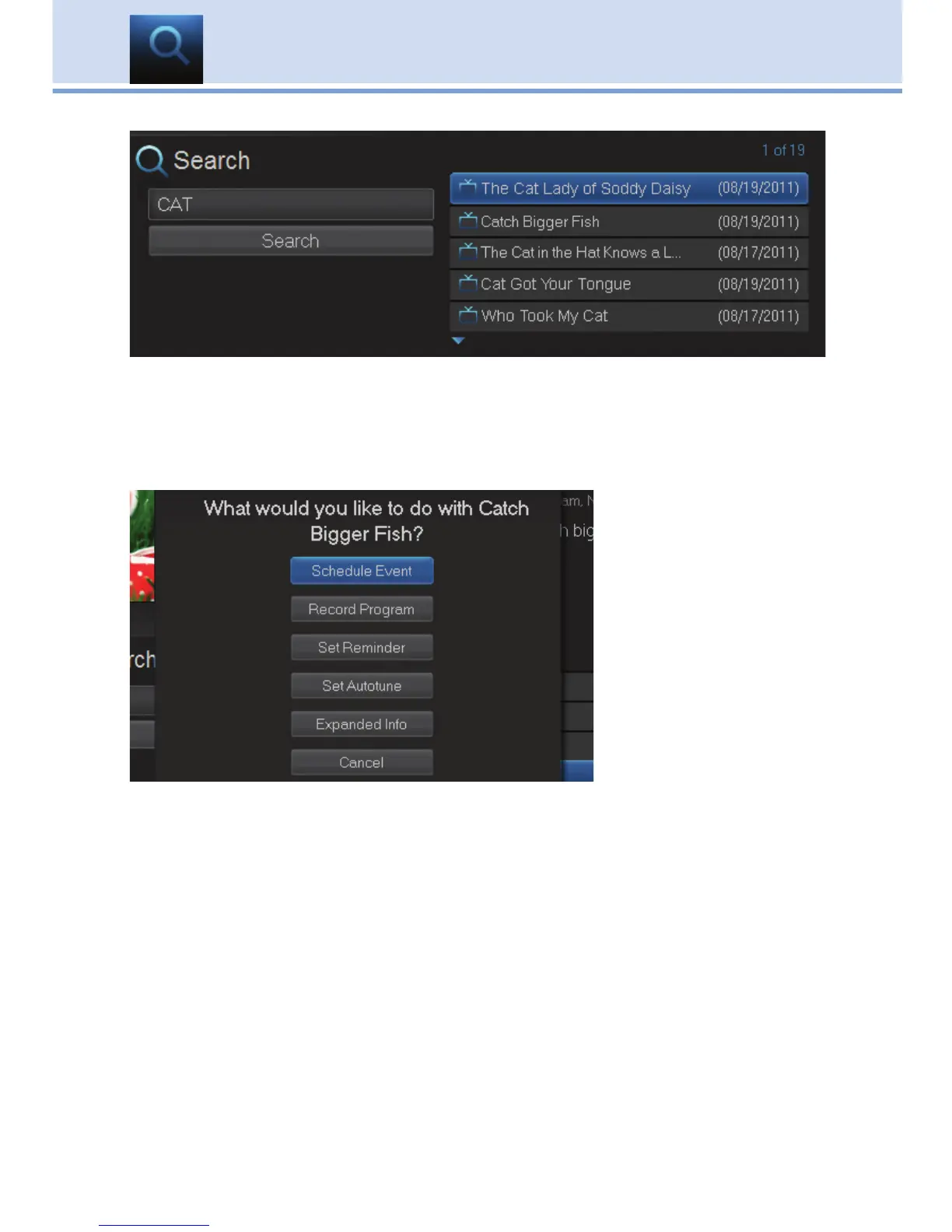
Highlight Search and press OK to perform a system-wide search of all programs
that match your search criteria.
The search results appear in order on the right side of the screen.
Step 3: Pick a Result
You can highlight any
TV program or rental
listing and press OK
and a menu will
appear, enabling you
to...
(1) Schedule an Event
(recording - see 8 DVR).
(2) Watch or record a
program if it’s on now.
(3) Set a Reminder or
Autotune for a program if it comes on later
(see 6 Guide - Alerts & Recording and 7 Recording).
(4) View Expanded Info.
(5) Cancel from this menu.
Note: You cannot set a Reminder, Autotune or Recording for Video
on Demand rentals. The only options that come up when you search
for a VoD is Rent, Expand Info, and Cancel.
15 Search



 To Next Page