uponor.com l 13
Heating/Cooling Offset
Uponor uses an offset temperature to adjust the setpoints
when switching between heating and cooling. This
improves the performance of the system and reduces the
need for manual setpoint adjustments when switching
between heating and cooling. The offset is 4°F (2°C) and is
used to increase the setpoints when switching to cooling.
When switching back to heating, the value is used to
reduce the setpoint.
Heating Protection
If the connection to one thermostat or multiple
thermostats is lost (i.e., no longer communicating to a
Controller), the Controller activates a safety feature for
the affected loop(s) and the actuators are run with a
set interval to deliver heating to the room or zone. This
function deactivates when the thermostat(s) reconnect
or unregister from the Controller.
Pump Management
Each controller includes a pump relay to connect
a circulation pump. Default operating mode of the
circulation pump is set to Individual mode. Use the
Smatrix Pulse App (requires Communication Module) to
change the setting, if needed. Available settings are Not
Configured, Common and Individual.
• Common mode: Relay function is set on a system-wide
basis. One circulation pump per system is connected to
the Primary Controller only or Controller that is connected
to the Communication Module. When there is a demand
anywhere in the system, the pump wired to the Primary
Controller is started.
• Individual mode: Relay function is set on a Controller
basis. One circulation pump per Controller is connected.
When there is a demand to a specific Controller, only the
pump connected to that controller is started.
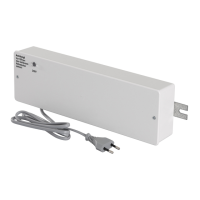
• Relay module (optional): When using the relay module
to control a pump, the mode of the pump control is set
through in the Smatrix Pulse App.
Caution!
Changing operation of the pump control (and/or
cooling allowed) in the Smatrix Pulse App will set
all relays to Not Configured, and they will need to
be reconfigured.
Note
In systems with multiple Controllers (Primary/
sub-configuration), all relays are initially set to
Not Configured and require configuration during
the installation.
Relative Humidity/Condensation Control
To avoid condensation when operating underfloor cooling,
Uponor recommends measuring the relative humidity (RH)
in the rooms. The relative humidity is measured with one
or more thermostats.
Cooling is shut off on a per-room or zone basis when the
RH limit is reached (set in the Smatrix Pulse App, default
75%). If a dehumidifier is installed, one per controller, it will
be activated when the dehumidifier start limit is reached.
Cooling will start again, and the dehumidifier is
deactivated when the relative humidity falls below a
hysteresis set in the Smatrix Pulse App (“dead zone”,
default 5%) and has run for a minimum of 30 minutes.
Room Bypass
The system can use up to two rooms (per controller), when
in heating mode, as bypass to maintain minimum flow in
the system. Rooms can be selected manually or by using
the Room Bypass Time Limit function.
Room Bypass Time Limit
The Room Bypass Time Limit function prevents run times
shorter than 30 minutes in the system. It does this by
analyzing system data (if a room is close to a demand,
setpoints, room temperatures, etc.) and chooses suitable
rooms to use as bypass.
System Clock
To facilitate accurate log data, scheduling and different
timer settings, the Controller receives the correct time and
date from Uponor Cloud services. The clock can be set to
automatically switch between summer and winter time.



 To Next Page