ENGLISH
- 36 -
9 - SELF-LEARNING OF WORKING
TIMES
Thismenuallowstheautomaticlearningofthetimesnecessaryto
openandclosethegate.
Duringthisphase,thecontrolunitmemorizesalsotheforces
necessarytoopenandclosethegate:thesevalueswillbe
activatedbyusingtheobstaclesensor.
Theencoderpositionsarealsosaved,ifenabled.
m CAUTION: Before continuing, make certain that the
limit switch(es) and encoder(s) have been installed correctly.
Limit switches and encoders, if installed, must be enabled
using the specic menu.
1. PressandholddowntheMENUkeyuntilthe-APP appears
onthedisplay
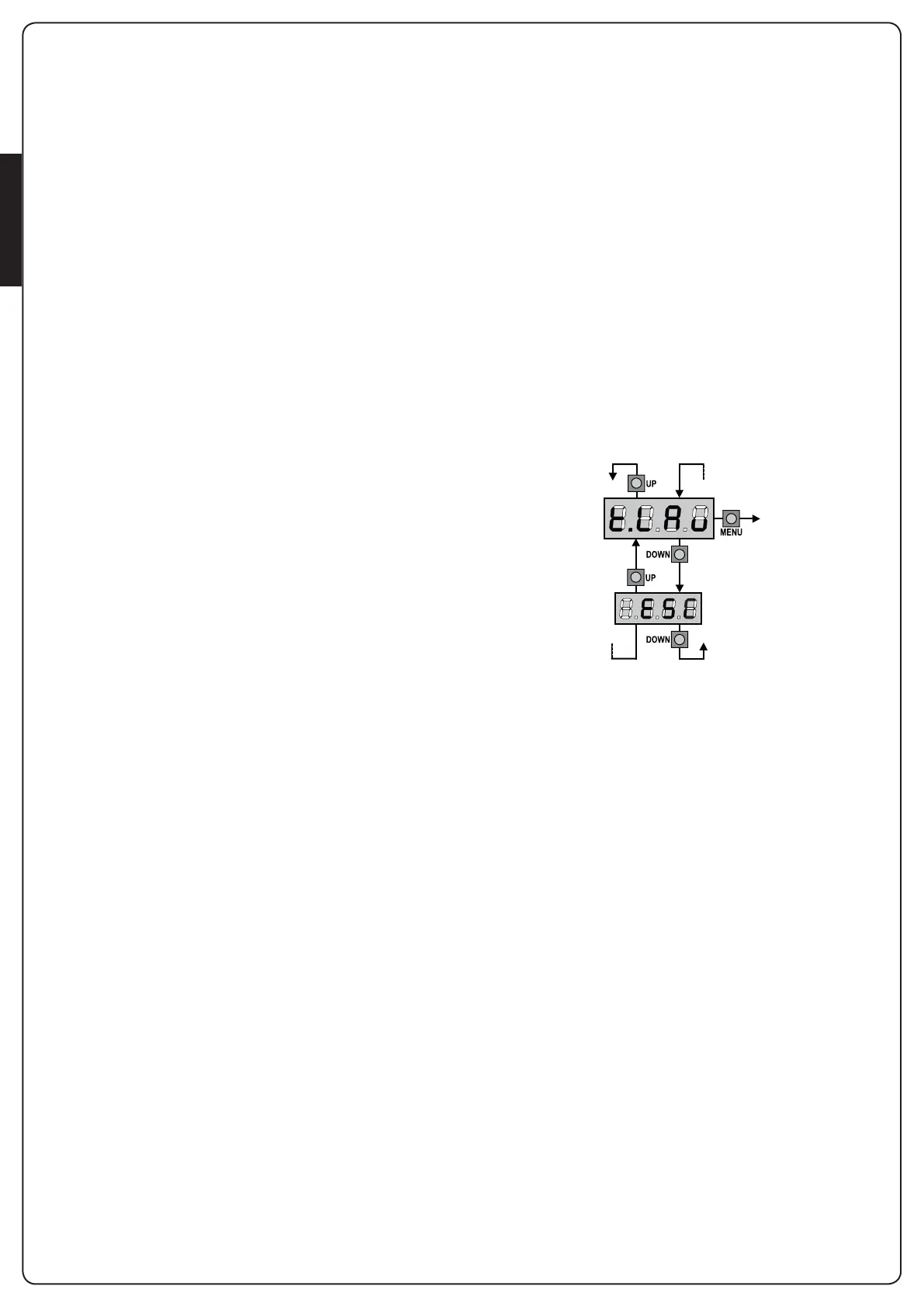
2. ReleasetheMENUkey:thedisplaywillshowESC (press the
MENUkeyonlyifyouwanttoleavethismenu)
3. PresstheDOWNkey:t.LAvwillappearonthedisplay.
4. PresstheMENUkeytostarttheself-learningcycleforthework
cycletimes:
CAUTION:Thisprocedurevariesbasedonthenumberofgate
panels and travel control devices installed.
Ifthereisnolimitswitchorencoderinstalled,onlypoints4.4and
4.5areperformed.Ifthereisonlyonemotor(t.AP2 = 0), the
procedurestartsfrompoint4.3
4.1 Gatepanel1isopenedforafewseconds
4.2 Gatepanel2iscloseduntiloneofthefollowingconditions
occurs:
- it reaches the limit switch
- The obstacle sensor or the encoder detect that the
gatepanelisjammed
- ASTARTcommandisgiven
Thispositionismemorizedastheclosepointforgatepanel
2.
4.3 Gatepanel1iscloseduntiloneoftheconditionslisted
in point 4.2 occur: this position is memorized as the close
pointforgatepanel1.
4.4 Eachgatepanelisopened.Theoperationendswhenonce
oftheconditionsindicatedinpoint4.2occur(therst
STARTstopsgatepanel1,thesecondSTARTstopsgate
panel 2). The time required is memorized as the open time.
4.5 Eachgatepanelisclosed.Theoperationendswhenone
oftheconditionsindicatedinpoint4.2occursorwhenthe
closed position is reached. The time required is memorized
as the close time.
5. Thedisplayshowsthevaluerecommendedfortheobstacle
sensorofmotor1.Ifnooperationsareperformedfor20
seconds,thecontrollerexitstheprogrammingphasewithout
savingtherecommendedvalue.
6. TherecommendedvaluecanbechangedusingtheUP
andDOWNkeys.PresstheMENUkeytoconrmthevalue
displayedandthedisplaywillshowSEn1
7. PresstheDOWNkey:ThedisplaywillshowSEn2. Press the
MENUkeytodisplaytherecommendedvaluefortheobstacle
sensorformotor2,whichcanbechangedinasimilarmanner
asthatforSEn1.
8. HolddowntheDOWNkeyuntiltheFinE appears on the
display,thenpresstheMENUkey,selectSi and press the
MENUkeytoexitprogrammingandsavethevaluesforthe
sensors.
m CAUTION: If the controller exits programming due
to time out (1 minute), the obstacle sensors return to the
values that were set prior to performing self-learning
(according to the default values, the sensors are disabled).
The open/close times and the encoder positions are always
saved.


 To Next Page