ENGLISH
- 38 -
11 - CONTROL UNIT CONFIGURATION
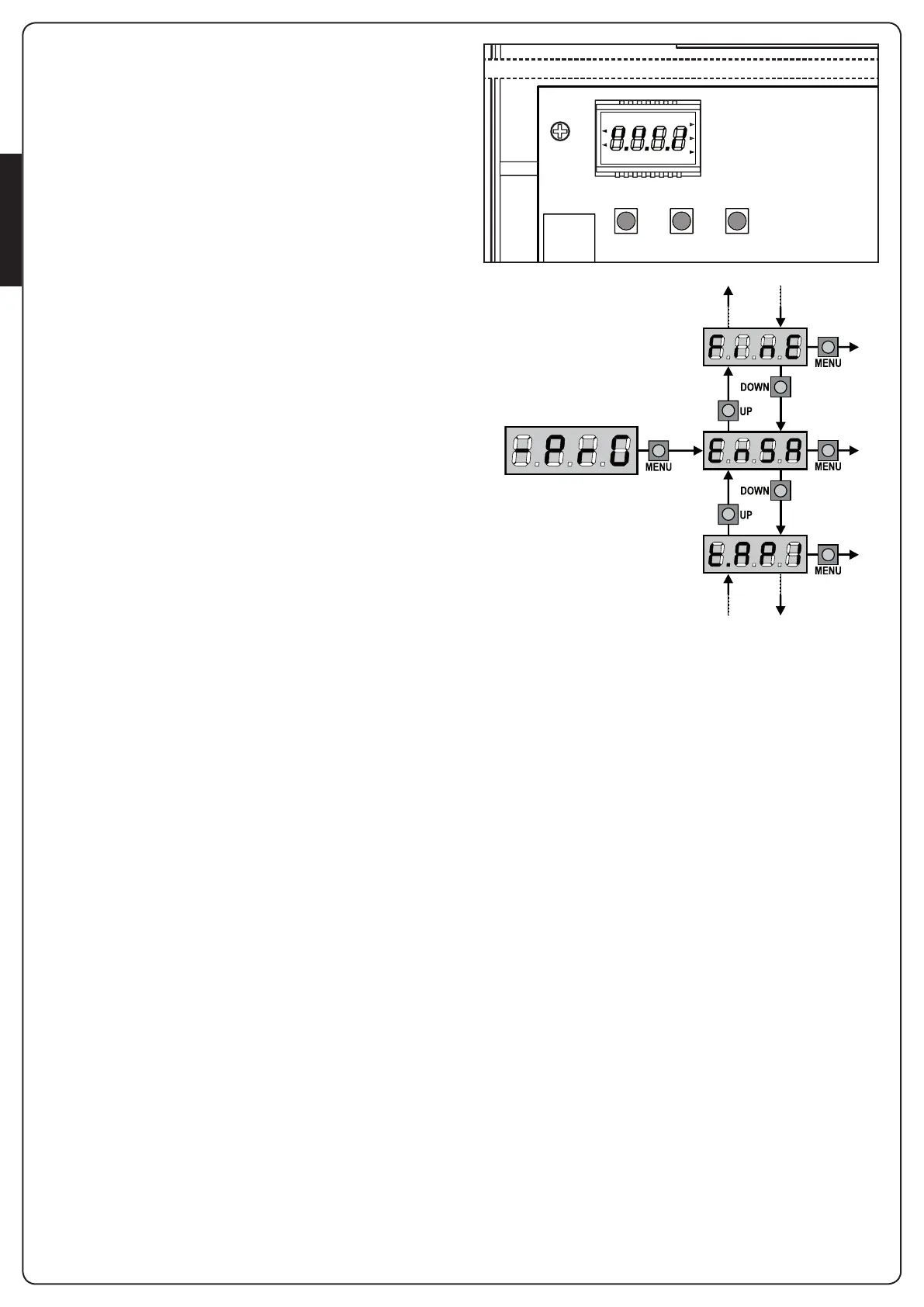
Controlunittimeandfunctionprogrammingismadewithina
specialcongurationmenu,towhichyoucanaccessandwhere
youcanshiftthroughDOWN,MENUandUPkeysplacedunder
thedisplay.
HolddowntheMENUkeyuntil-PrGappearsondisplay,to
activatetheprogrammingmodewhiledisplayviewsthepanel.
Thecongurationmenuconsistsinalistofcongurableitems;
thedisplayshowstheselecteditem.
• BypressingDOWN,youwillpasstothenextitem
• BypressingUP,youwillreturntothepreviousitem
• BypressingMENU,youcanviewthecurrentvalueofselected
itemandpossiblychangeit.
The last menu item (FinE)allowsstoringthecarriedoutchanges
andgoingbacktothecontrolunitnormaloperation.
Youmustexitfromprogrammingmodethroughthismenuitemif
youdonotwanttoloseyourconguration.
m WARNING: in case no operation is carried out for
more than one minute, the control unit exits from the
programming mode without saving any of your setups and
changes, which will get lost.
NOTE: ByholdingdowntheUPorDOWNkeys,conguration
menuitemswillscrollfast,untilitemFinEisviewed.Inthisway,
youcanquicklyreacheitherthetoporbottomofthelist.
F1
LN
LN
F1
MAINS
MAINS
CITY2+
CITY2+L
CITY2+
CITY2+L
CITY2+BC
OVERLOAD
DOWN MENU UP


 To Next Page