7. Calibration
7.1. About calibration
The sensor is factory-calibrated before delivery, which
means that it will begin to measure total solids content
as soon as the power is switched on. Factory calibration
is done during the final testing, using clean water.
Re-calibration during device start-up is recommen-
ded, to optimize the device settings for the actual con-
ditions at the installation site.
To calibrate the device, take a total solids content
sample and enter its laboratory result into the Valmet
TS. Follow the instructions below, and the status line
on the display will change from "Factory calibration"
into "OK".
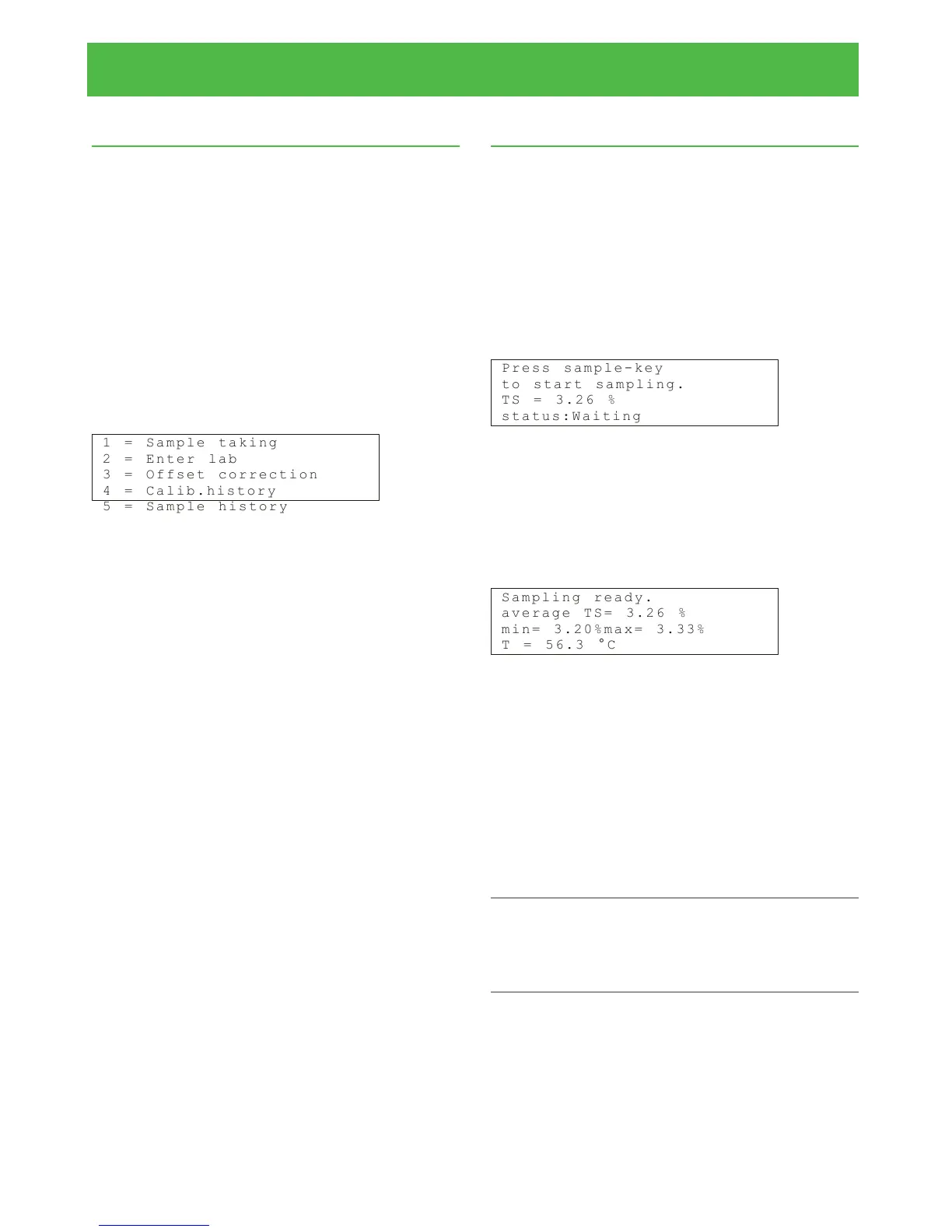
The Calibration menu contains the following func-
tions:
1 = S a m p l e t ak i n g
2 = E n t e r l a b
3 = O f f s e t c or r e c ti o n
4 = C a l i b . h is t o ry
5 = S a m p l e h is t o r y
7.2. Sample taking
In the main display, press first ESC to access the Op-
erations menu, and then select "Calibration" -› "Sample
taking". Always when a sample is taken with a factory-
calibrated device, it will adjust the measurement signal
to the optimum level before taking the sample.
This may cause a small step change in the total
solids content measurement of the device. For this
reason the device must not be used for total solids
content control at this point.
The sample taking display looks like this:
P r e s s s a m pl e - ke y
t o s t a r t s a mp l i ng .
T S = 3 . 2 6 %
s t a t u s : Wa i t in g
Now press the "Sample" button (on the right side of
the display). The device begins to average the meas-
urement result, and the message "Sampling" appears
on the status line. Take a calibration sample, and then
press the Sample button again. The device stops the
result averaging and shows the result on the display.
S a m p l i n g re a d y.
a v e r a g e T S= 3 . 2 6 %
m i n = 3 . 2 0 %m a x = 3. 3 3 %
T = 5 6 . 3 ° C
In addition to the average total solids content, the
device also shows the minimum and maximum values
during the sampling period, and the process temperat-
ure.
The minimum and maximum values indicate how
much the total solids content varied during the sampling
period. The variation should be relatively small to en-
sure that the obtained sample is reliable.
The sample data will go to the "Enter Lab" menu to
wait for the laboratory value. Press ESC to move back
in the menu structure.
NOTE: Pressing the Sample button in the main menu will
also start measurement result averaging. However, the
obtained sample cannot be used for device calibration -
it is intended for reading the average result over a period
of time, for example for monitoring purposes.
Installation & Owner's manual, OUL00489 V2.3 EN
23
Valmet Total Solids Transmitter


 To Next Page