Device info
Poll Addr: HART address of the device.
Manufacturer: Manufacturer of the device (Valmet).
Model: Device name.
Final asmbly num: Field device identification number.
Universal rev: Universal Device Description revision
supported by the device.
Tag: Text entered by user, will be shown at the top of
the screen, after device name.
Message: Text entered by user.
Descriptor: Text entered by user.
Sensor Electronics
Sensor type: Sensor model in use.
Sensor S/N: Serial number of sensor electronics.
Sensor HW rev: Revision number of sensor electron-
ics.
Sensor SW rev: Revision number of sensor electronics
software.
TCU
S/N A: First part of TCU serial number.
S/N B: Second part of TCU serial number.
HW rev: TCU revision.
SW rev: Revision number of TCU software.
Cal date: Final testing date of the TCU.
Cal ID: Initials of the person who did the final testing.
Set Clock
Date: Date, in format dd/mm/yy.
Hours.
Minutes.
Seconds.
12.4. Calibrate
The Valmet TS is calibrated with single-point calibration.
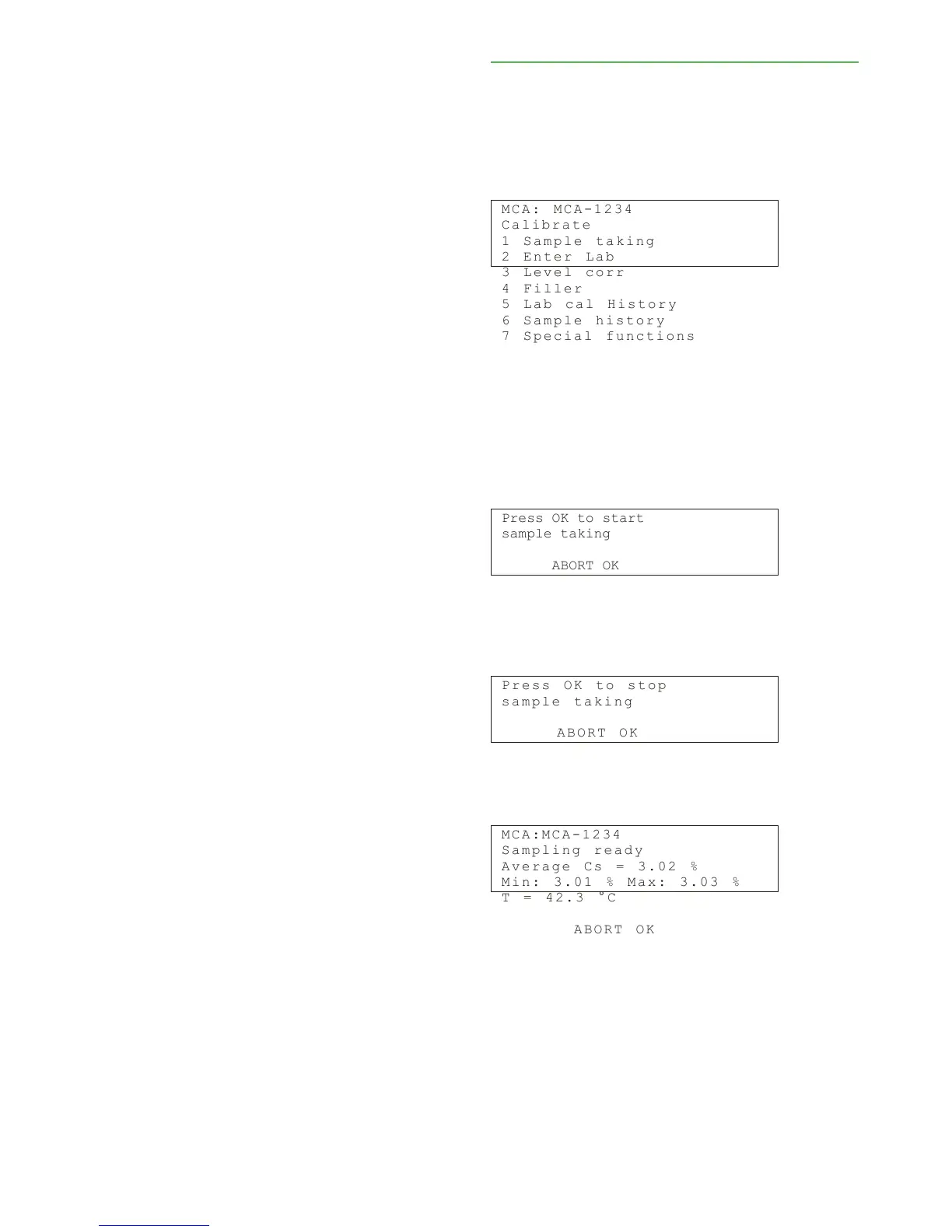
The "Calibrate" menu contains the commands for
sampling and laboratory value entering.
You can also perform level correction, carry out some
special functions, and view calibration and sample
history data. The "Calibrate" menu looks like this:


 To Next Page