Clearing a recipe
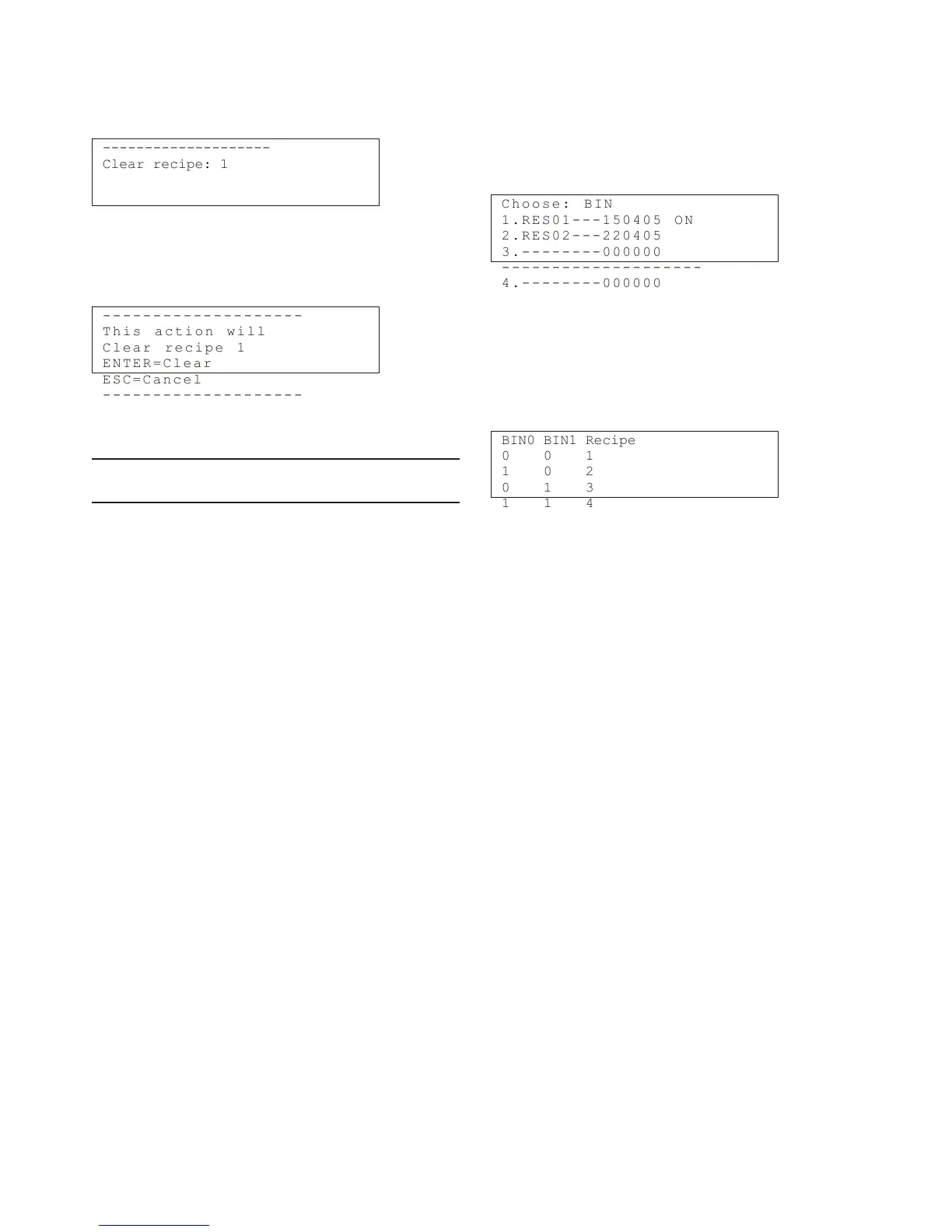
If you wish to delete the data of a recipe, select "Re-
cipes" -› "Clear recipe", and the following display will
appear:
--------------------
Clear recipe: 1
Press "Edit/Save" and then select the recipe with
the up/down arrow keys. Press "Edit/Save" and the
program will ask for confirmation:
- - - - - - - -- - - -- - - -- - - -
T h i s a c t i on w i l l
C l e a r r e c ip e 1
E N T E R = C le a r
E S C = C a n ce l
- - - - - - - -- - - -- - - -- - - -
Press Enter to clear the recipe.
NOTE: You cannot empty the recipe that is currently in
use.
Recipe selection with binary inputs
Recipes can be selected by using two digital control
lines connected to the TCU's binary inputs. Up to four
recipes can then be used.
Two recipes can be used if only one binary input is
connected. Choose "Binary" as the recipe selection
method (see above, Using recipes).
C h o o s e : B IN
1 . R E S 0 1 -- - 1 50 4 0 5 ON
2 . R E S 0 2 -- - 2 20 4 0 5
3 . - - - - - -- - 0 00 0 0 0
- - - - - - - -- - - -- - - -- - - -
4 . - - - - - -- - 0 00 0 0 0
Connect for example digital control lines from the
mill system to TCU's binary inputs BIN0 and BIN1, their
ground to input BINGND. Choose the recipe with the
binary inputs as indicated in the following table. The
recipe used at the moment is indicated by the text "ON".
BIN0 BIN1 Recipe
0 0 1
1 0 2
0 1 3
1 1 4
Installation & Owner's manual, OUL00489 V2.3 EN
32
Valmet Total Solids Transmitter



 To Next Page