USB
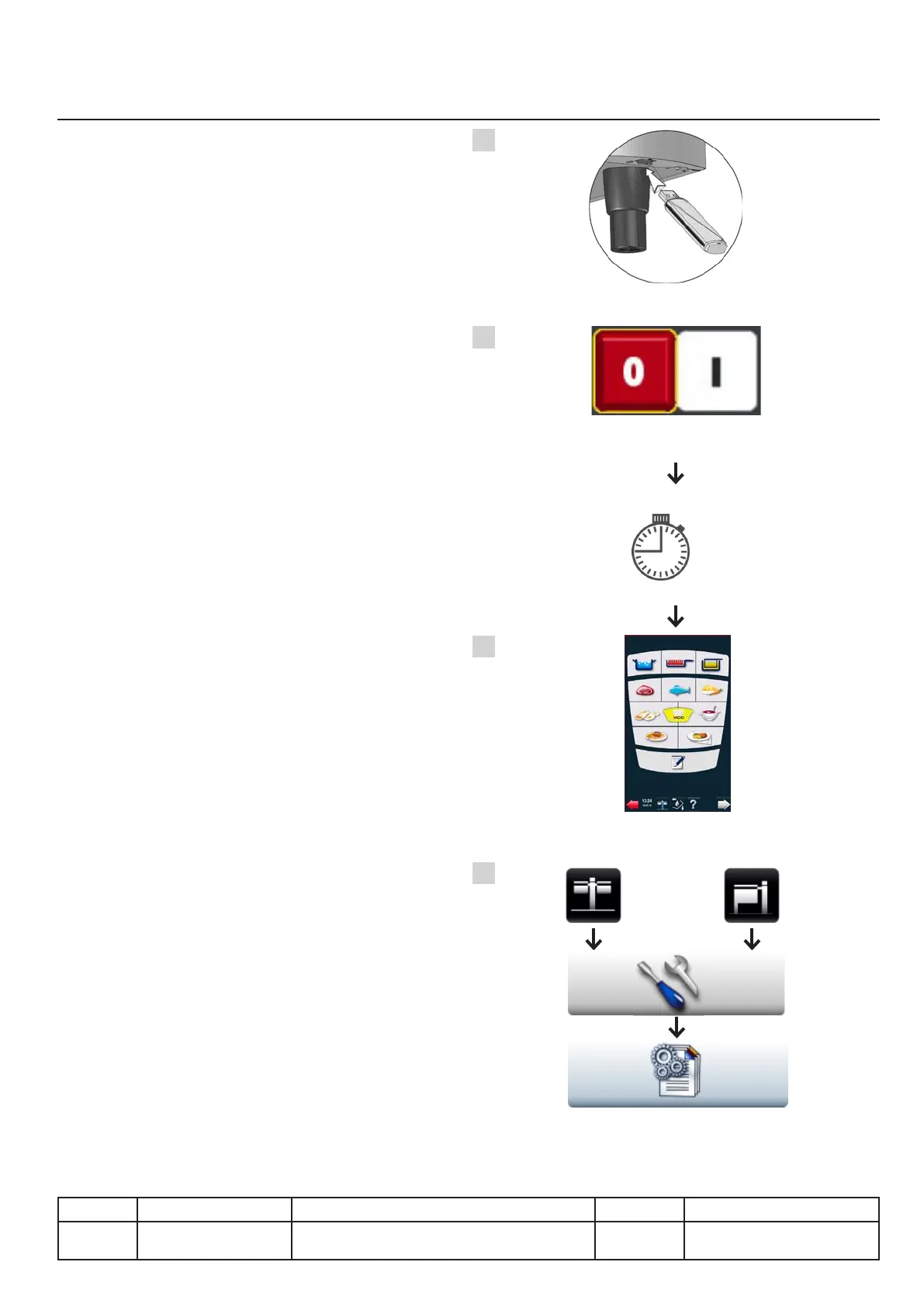
Updating the unit software, alternative 2
Alternative description 2
A. Unit on, connect the USB stick to the unit.
B. Turn the unit off (1) and back on (2).
Update is automatic, the process can take up
to 15 minutes. The TFT screen may go black
during this time. However the unit will emit a
repetitive sound.
C. Wait for the the main menu to appear before
disconnecting the USB stick.
D. Check if the new version appears on the unit!
v03 • July-2016 • Hen
Communication Module
V.15
A
B
C
1 2
D
Line Units Serial number (starting from) Sw Revision
VCCM
VCCWE
All ExxXH1009xxxxxxx 01-00-08
15' Max.



 To Next Page