USB
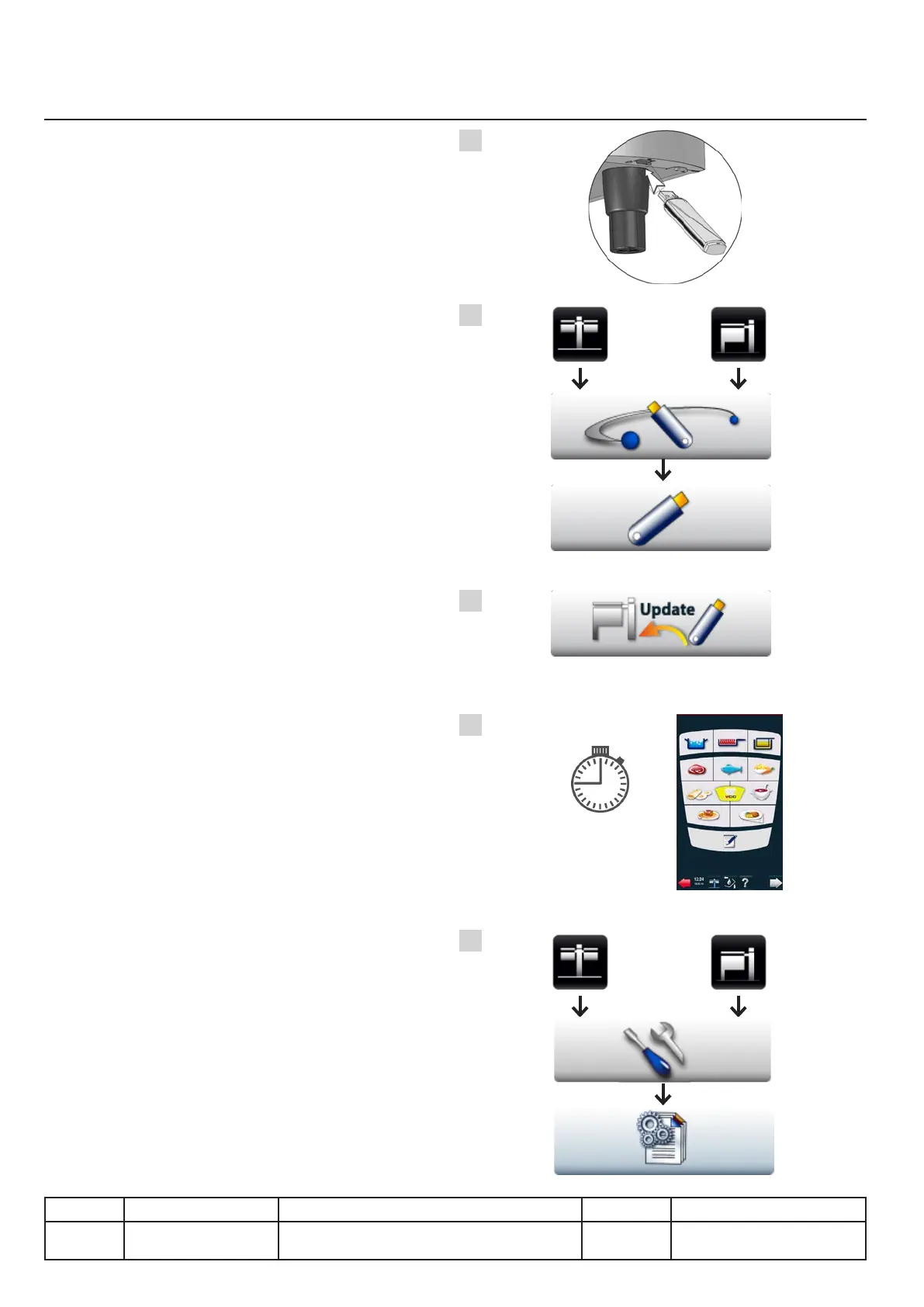
Updating the unit software, alternative 1
Alternative description 1
A. Unit on, connect the USB stick to the unit.
B. Go to the communication menu, then USB.
C. Start the update by pressing
the "Update" button.
Update is automatic - the process may in the
worst case take up to 15 minutes. The TFT
screen may stay black during this time, but
the unit will emit a repetitive sound.
D. Wait for the main menu to appear before
disconnecting the USB stick.
E. Check if the new version appears
on the unit!
v03 • July-2016 • Hen
V.14
Communication Module
A
B
C
D
E
Line Units Serial number (starting from) Sw Revision
VCCM
VCCWE
All ExxXH1009xxxxxxx 01-00-08
15' Max.



 To Next Page