*The administrator can restore the password of a common account
*A common user can only operate files created by this account, and cannot operate files
created by other users at the same level or by advanced users
6.2. Basic Function Menu
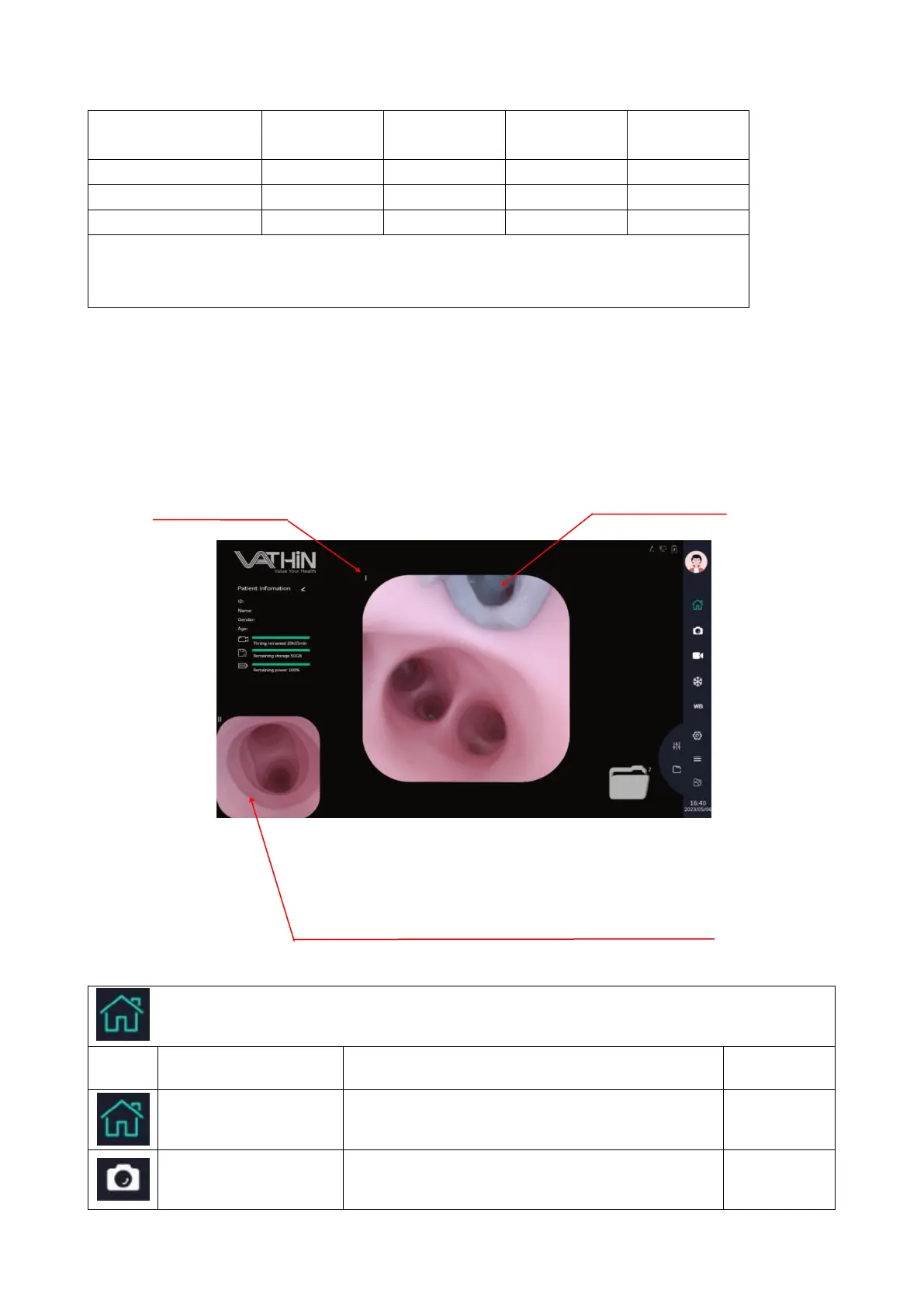
This device supports dual endoscope image display. When multiple endoscopes are
connected, the display displays images acquired by two endoscopes connected from top
to bottom by default.
Description of basic function icons
Icon for the Basic Functions menu.
Tap this button or the Vathin endoscope camera
button to capture the image.
The number of the interface
connecting the endoscope
The central image display area can be
zoomed in or out with two fingers
Single endoscope connection: image/video preview area
Dual /multi endoscope connection: the area of image. single finger
movement of this area to the center image area can achieve
position exchange between the center image and the bottom left



 To Next Page