46
6 Set up the sensor with the display and adjustment module
VEGAPULS 63 • Modbus and Levelmaster protocol
41364-EN-170711
In delivery status, the sensor is set to the ordered national language.
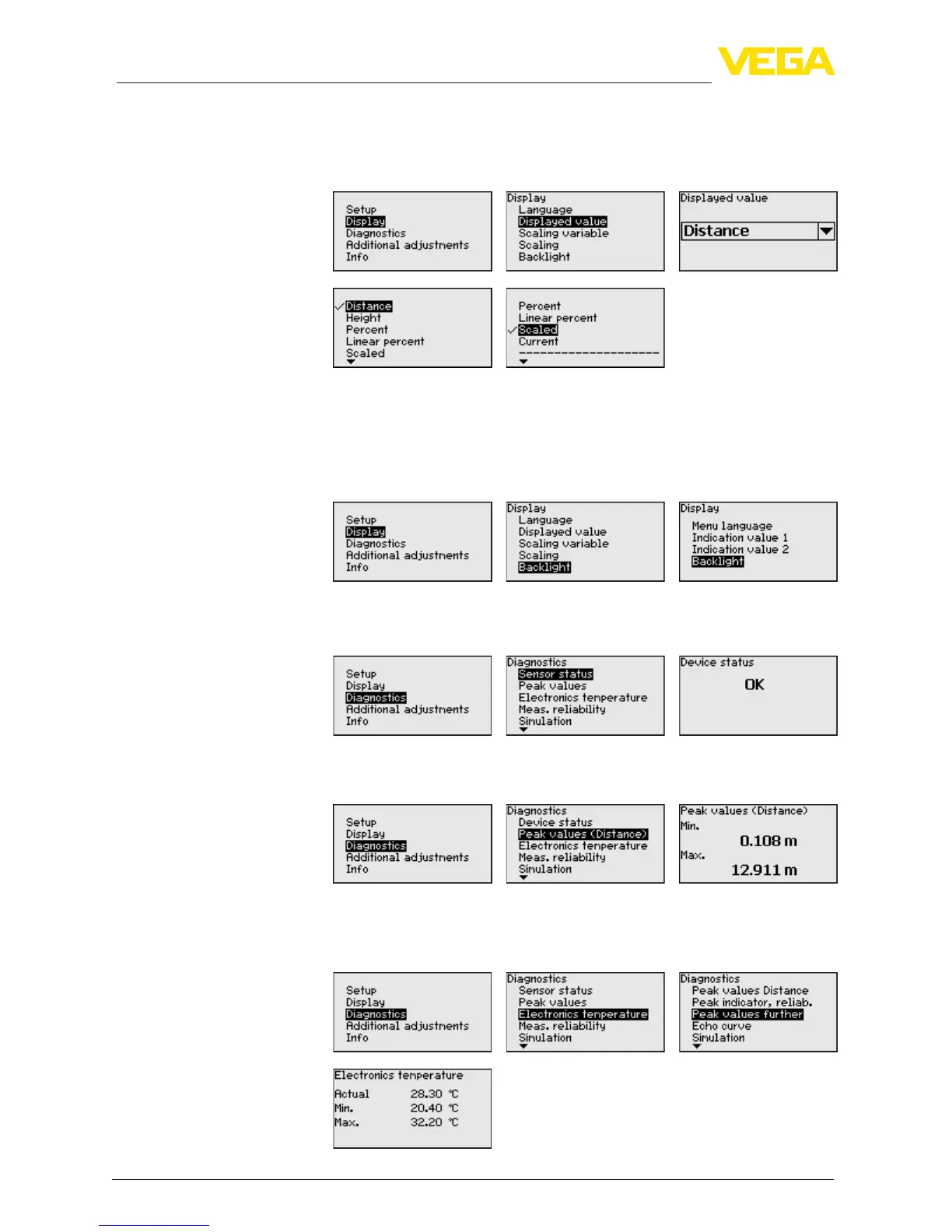
Inthismenuitemyoucandenetheindicationofthemeasuredvalue
on the display.
The default setting for the indicated value is e.g. "Distance" on radar
sensors.
The optionally integrated background lighting can be switched on via
the adjustment menu. This function depends on the level of the supply
voltage, see operating instructions of the respective sensor.
In delivery status, the lighting is switched on.
In this menu item, the device status is displayed.
The respective min. and max. measured distance values are saved in
the sensor. The values are displayed in the menu item "Peak values".
The respective min. and max. measured values of the electronics tem-
perature are saved in the sensor. These values as well as the current
temperature value are displayed in the menu item "Peak values".
Display - Indicated value
Display - Backlight
Diagnostics - Device
status
Diagnostics - Peak values
(distance)
Diagnosis - Electronics
temperature










 To Next Page